> ## Documentation Index
> Fetch the complete documentation index at: https://help.getvero.com/llms.txt
> Use this file to discover all available pages before exploring further.
# Adding a placeholder event
> Create placeholder events to build campaigns before your tracking code is implemented.
Sometimes when you are creating or planning email workflows you may not have the event you need tracked in your website or application yet. We don't think this should stop you from getting your campaigns set up correctly.
It is possible to add events in Vero that act as placeholders for events that have not been tracked yet. This is useful for setting up and testing your email workflows before an engineer has added the Vero tracking code.
## Adding events in the events manager
The [events manager](https://app.getvero.com/events) shows a list of events that have been tracked via the Vero API ([read about the Vero API here](/api-reference/track/overview). This list also shows placeholder events created in Vero that have not been tracked yet. To create your own placeholder event, hit the **+ Add Event** button.
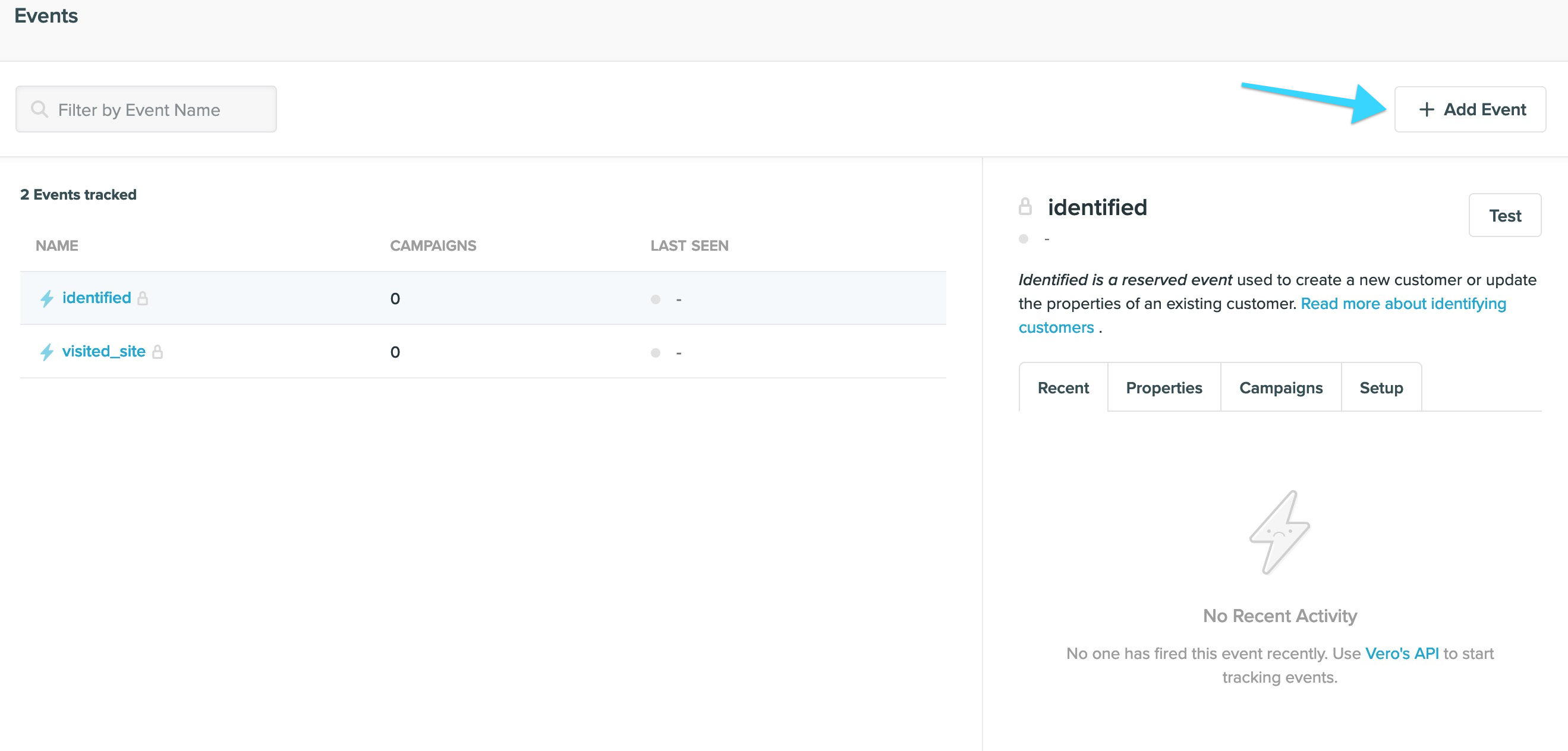 Give your event a name that has not already been used. You may also give this event a description to help other team members understand what this event is used for.
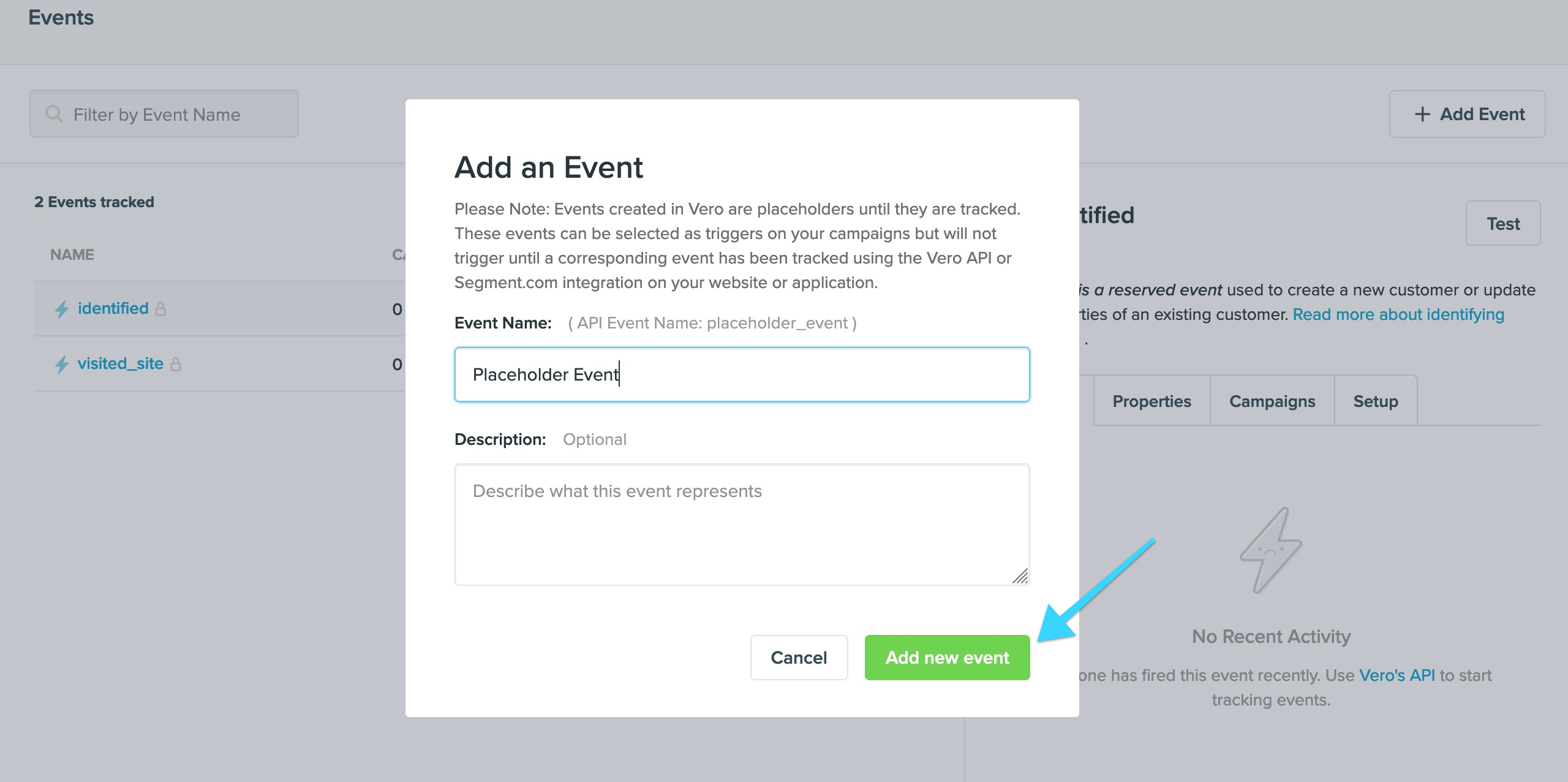 Hit the **Add event** confirmation button and your event will be created.
You can now choose this event in your campaigns or segments. However, campaigns will not be fired and customers will not enter a segment based on this event until it has been tracked using the Vero library, read the [API documentation](/api-reference/events/track) to learn more about tracking events.
**Bonus:** Each event in the events manager has a **Setup** tab which shows the code needed to track this event.
## Adding events in a campaign
When designing a campaign, you can also type a new event name and quickly create an event by hitting 'create new event' straight from the trigger select box.
Hit the **Add event** confirmation button and your event will be created.
You can now choose this event in your campaigns or segments. However, campaigns will not be fired and customers will not enter a segment based on this event until it has been tracked using the Vero library, read the [API documentation](/api-reference/events/track) to learn more about tracking events.
**Bonus:** Each event in the events manager has a **Setup** tab which shows the code needed to track this event.
## Adding events in a campaign
When designing a campaign, you can also type a new event name and quickly create an event by hitting 'create new event' straight from the trigger select box.
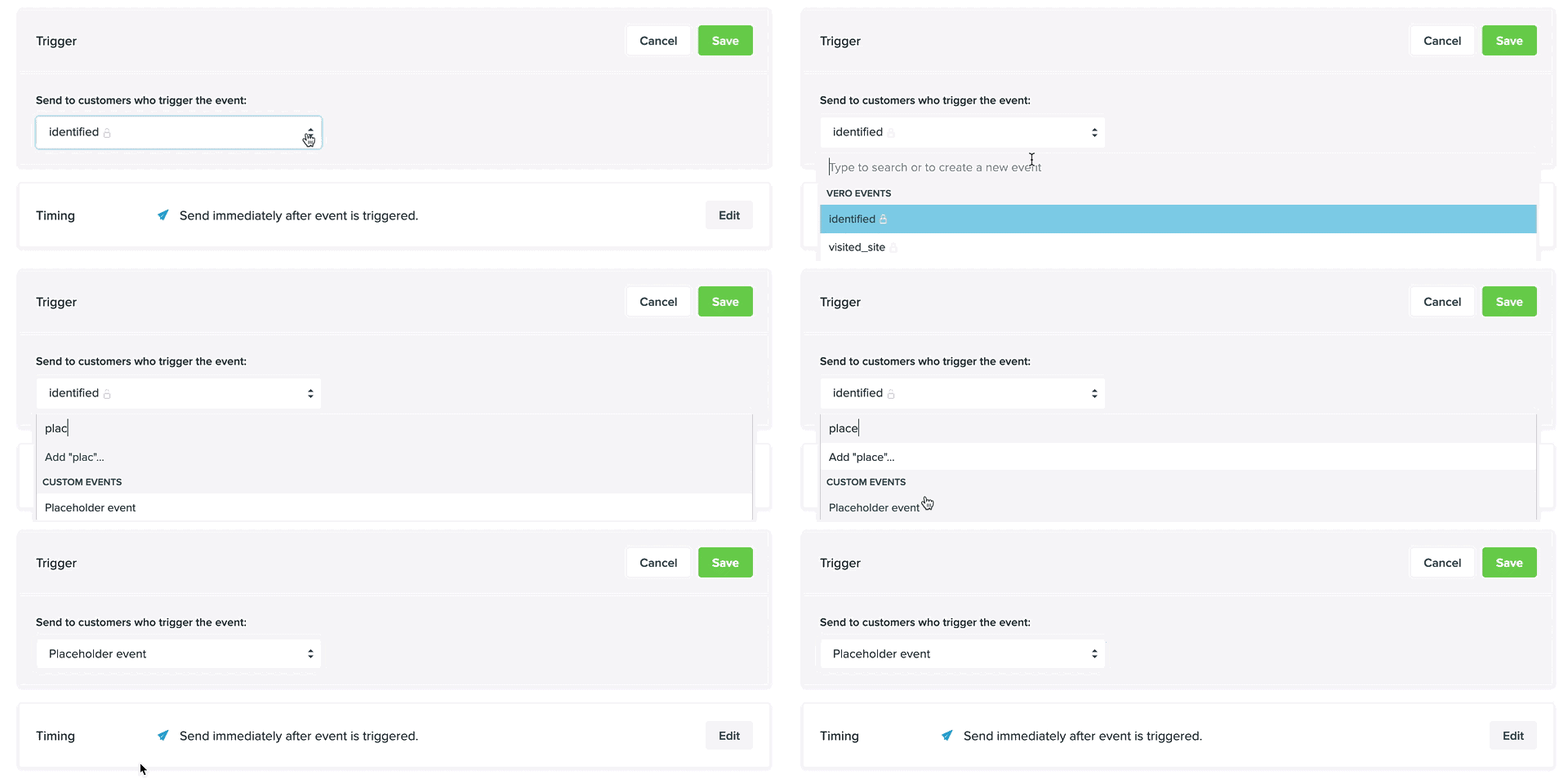 Similar to creating events in the events manager, these events are placeholders. Campaigns will not be triggered until the selected event has been tracked using the Vero library, [read the API documentation](/api-reference/events/track) to learn more about tracking events.