> ## Documentation Index
> Fetch the complete documentation index at: https://help.getvero.com/llms.txt
> Use this file to discover all available pages before exploring further.
# Integrate Google Analytics' UTM tags
> Automatically add UTM parameters to email links for Google Analytics tracking.
You can automatically append UTM parameters to outbound links in your email campaigns.
Google Analytics, along with most analytics tools, use this data to attribute conversions to their correct source.
To enable appending of UTM tags, visit the [*Settings > Integrations*](https://app.getvero.com/settings/integrations) menu. Click **View** next to the Google Analytics Integration.
 Click **Add Google Analytics Integration** to turn this feature on.
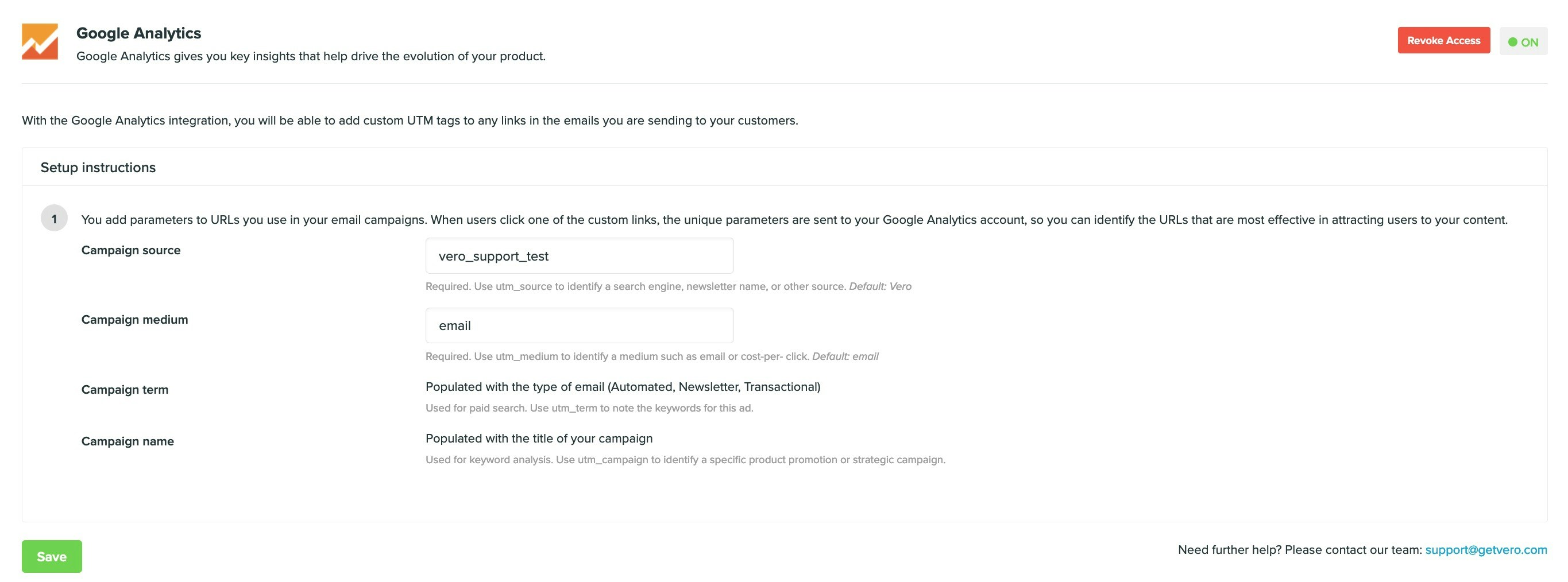 ## Editing the UTM tags
Vero will append UTM tags in the following manner:
* `utm_source` is, by default, set to `vero`.
* `utm_medium` is, by default, set to `email`.
* `utm_campaign` is populated with the name of the campaign being sent.
* `utm_term` is populated with one of `Newsletter`, `Transactional` or `Behavioural`.
* `utm_content` is populated with either the variation being sent. If you do not have an A/B test running, this will be `control`, otherwise it'll be the variation of your campaign (for example, `a` or `b`).
You can edit the `utm_source` and `utm_medium` values appended by Vero on the *Settings > Integrations* menu page.
## Customising tags in an individual email campaign
If you add your own UTM tags to any link, these will take precedence and override the default UTM tags that Vero will append above.
For example, if you added a link as follows:
```
http://www.yoursite.com?utm_campaign=some_campaign_name
```
Then Vero would only append the `utm_source`, `utm_term` and `utm_medium` tags. It would not overwrite your custom `utm_campaign` value on this link.
## Disabling tags on an individual link
You can also prevent a particular link from appending UTM tags by adding `data-vero="ignore"`. This will ensure that all other links are unaffected and still maintain their UTM tags.
For example, add the setting to your link as follows:
```
Log into my Vero account
```
## Editing the UTM tags
Vero will append UTM tags in the following manner:
* `utm_source` is, by default, set to `vero`.
* `utm_medium` is, by default, set to `email`.
* `utm_campaign` is populated with the name of the campaign being sent.
* `utm_term` is populated with one of `Newsletter`, `Transactional` or `Behavioural`.
* `utm_content` is populated with either the variation being sent. If you do not have an A/B test running, this will be `control`, otherwise it'll be the variation of your campaign (for example, `a` or `b`).
You can edit the `utm_source` and `utm_medium` values appended by Vero on the *Settings > Integrations* menu page.
## Customising tags in an individual email campaign
If you add your own UTM tags to any link, these will take precedence and override the default UTM tags that Vero will append above.
For example, if you added a link as follows:
```
http://www.yoursite.com?utm_campaign=some_campaign_name
```
Then Vero would only append the `utm_source`, `utm_term` and `utm_medium` tags. It would not overwrite your custom `utm_campaign` value on this link.
## Disabling tags on an individual link
You can also prevent a particular link from appending UTM tags by adding `data-vero="ignore"`. This will ensure that all other links are unaffected and still maintain their UTM tags.
For example, add the setting to your link as follows:
```
Log into my Vero account
```