> ## Documentation Index
> Fetch the complete documentation index at: https://help.getvero.com/llms.txt
> Use this file to discover all available pages before exploring further.
# Determine why a triggered email was or was not sent
> Use logs to diagnose why a triggered email was sent or discarded for a customer.
In Vero, behavioral and transactional emails are triggered by an `event`. Events are customer actions, tracked using Vero's API. [Learn more about events](/vero-1/event-tracking/what-are-events).
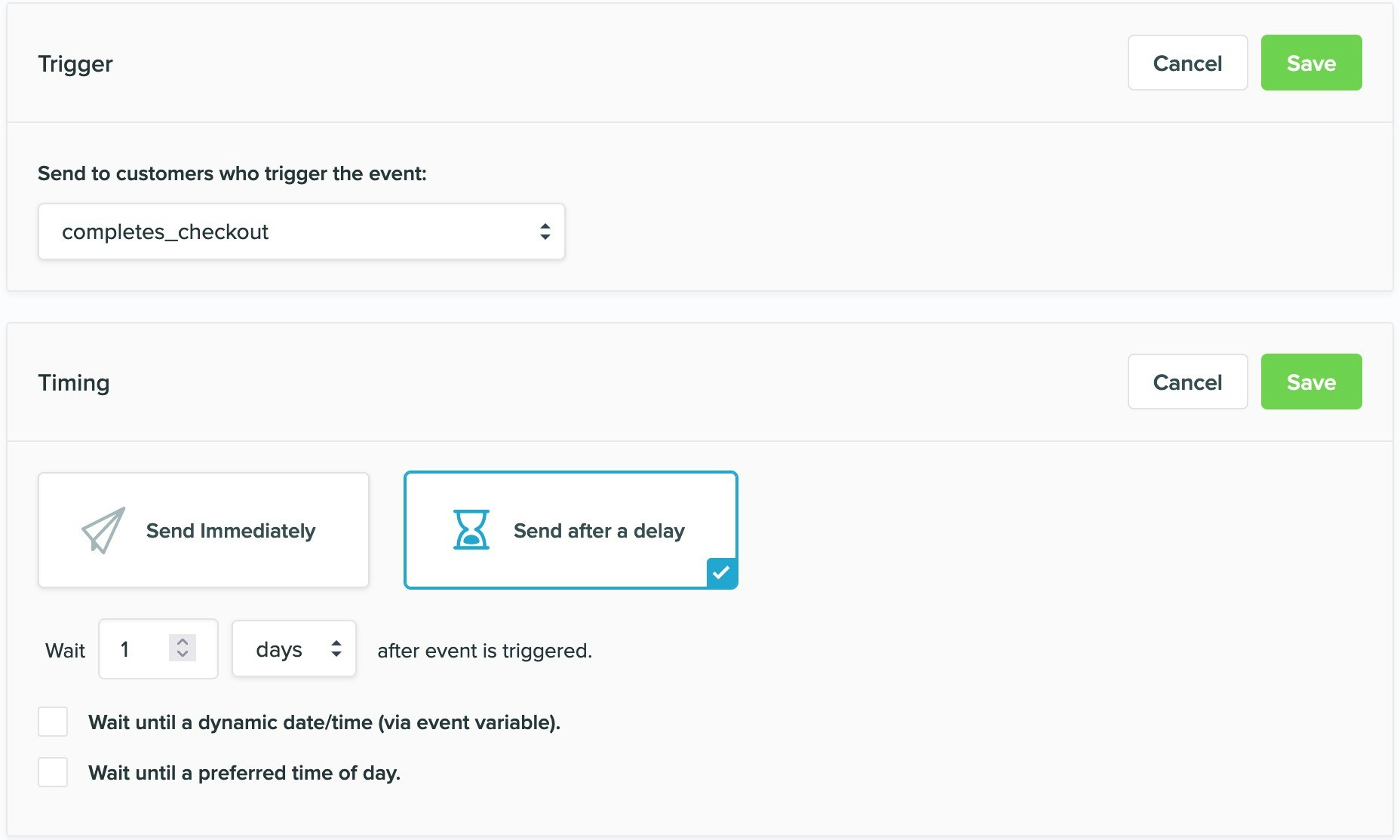 As you can see in the above example, triggered emails can be sent immediately or with a delay.
It is important to note that the conditions of a campaign are always evaluated **just before an email is sent**.
## Why a campaign was or was not sent
The *Logs* menu in Vero is a complete, real time history of ever customer that is identified, every action a customer triggers and ever campaign a customer receives.
As all transactional and behavioral emails are triggered by an `event`, Vero records whether a campaign was or was not sent as part of the logs for the trigger `event`. To view the emails triggered by an `event`, select *View logs* on the campaign page.
As you can see in the above example, triggered emails can be sent immediately or with a delay.
It is important to note that the conditions of a campaign are always evaluated **just before an email is sent**.
## Why a campaign was or was not sent
The *Logs* menu in Vero is a complete, real time history of ever customer that is identified, every action a customer triggers and ever campaign a customer receives.
As all transactional and behavioral emails are triggered by an `event`, Vero records whether a campaign was or was not sent as part of the logs for the trigger `event`. To view the emails triggered by an `event`, select *View logs* on the campaign page.
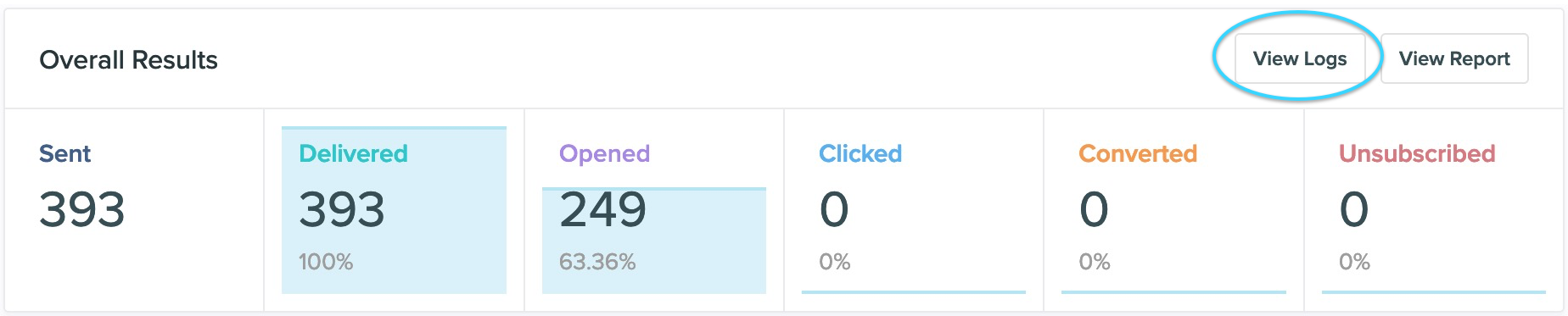 Every email that was triggered by the customer triggering a specific `event` is recorded in the trigger log and its status (`sent` or `discarded`).
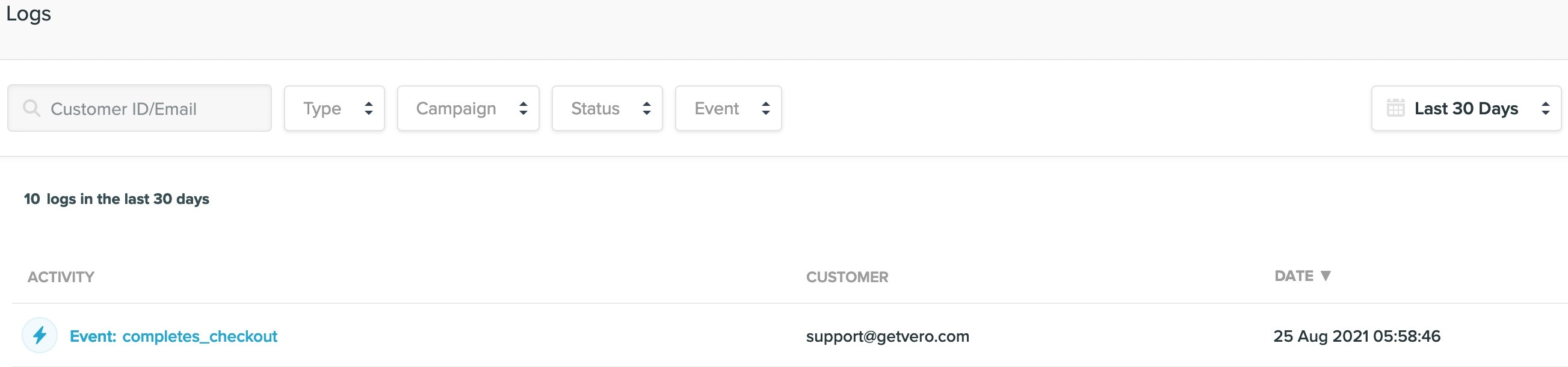 If marked as `discarded`, Vero will also detail why that particular email was discarded.
### Viewing the discard reason
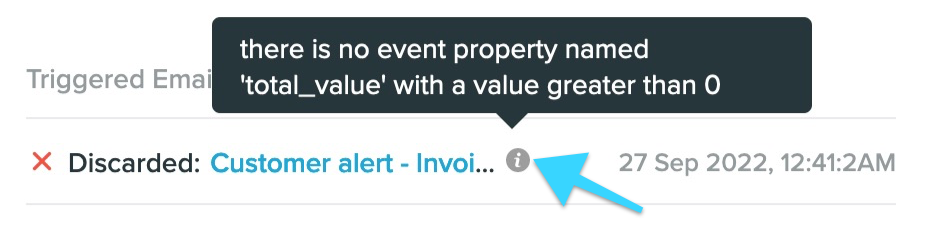
When an email is discarded in Vero, you can typically find the reason behind the discard in the **Logs**. This can be found at the bottom of each `event` log for a customer by waving your mouse over the question mark icon.
If marked as `discarded`, Vero will also detail why that particular email was discarded.
### Viewing the discard reason
When an email is discarded in Vero, you can typically find the reason behind the discard in the **Logs**. This can be found at the bottom of each `event` log for a customer by waving your mouse over the question mark icon.
 ### Diagnosing a log with no discard reason
Occasionally, you may run into a log that doesn't offer a discard reason.
### Diagnosing a log with no discard reason
Occasionally, you may run into a log that doesn't offer a discard reason.
 This generally occurs in the following circumstances:
* You are using a dynamic TO or FROM `email address`. You may use a dynamic email address on your campaign (ex: `{{user.billing_address}}` or `{{event.secondary_email}}`) in which upon sending the campaign the system finds that this user or event property is empty.
* You are using a dynamic attachment. You may also use a dynamic attachment on your campaign which, just like the TO or FROM address may come up empty upon sending the campaign and will cause the email to be discarded for that customer.
This generally occurs in the following circumstances:
* You are using a dynamic TO or FROM `email address`. You may use a dynamic email address on your campaign (ex: `{{user.billing_address}}` or `{{event.secondary_email}}`) in which upon sending the campaign the system finds that this user or event property is empty.
* You are using a dynamic attachment. You may also use a dynamic attachment on your campaign which, just like the TO or FROM address may come up empty upon sending the campaign and will cause the email to be discarded for that customer.