> ## Documentation Index
> Fetch the complete documentation index at: https://help.getvero.com/llms.txt
> Use this file to discover all available pages before exploring further.
# Organizing and tagging email campaigns
> Organize campaigns using tags, filter by type or status, and manage transactional, behavioral, and newsletter emails.
Vero's [Campaigns](https://app.getvero.com/campaigns) menu allows you to manage the campaigns you are sending to your customers.
## Campaign types
Vero's email campaigns are grouped into three primary groups:
### Transactional
These are emails that must be sent to your customers each time they take an action. For example, receipts, notifications and password reset emails. These emails ignore unsubscribe notifications.
### Behavioral
These are marketing emails triggered by user activity or inactivity.
### Newsletter
These are one-off emails sent at a scheduled time to a segment, or number of segments, of your customers.
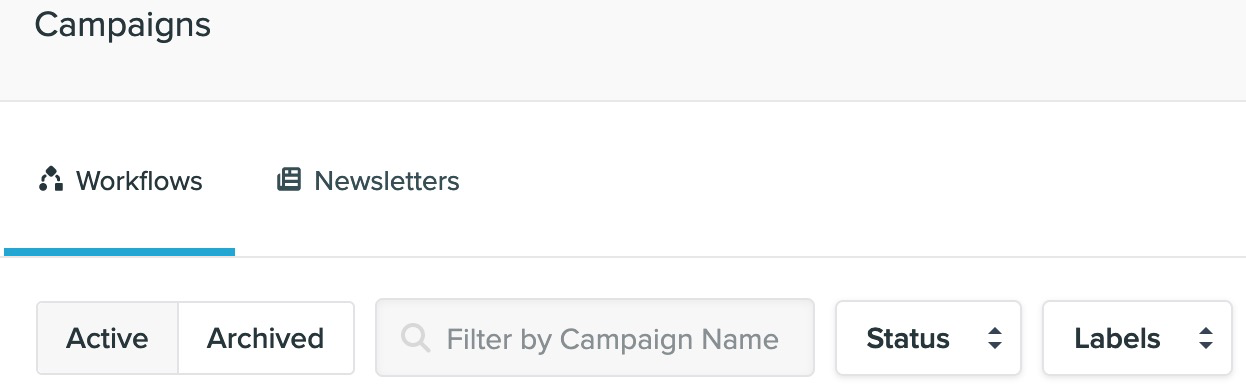
You can quickly filter between campaign types using the tabs at the top of the campaigns page:
 ## Organising campaigns with tags
You can group campaigns together using tags. A tag is essentially a category and each campaign can have multiple tags.
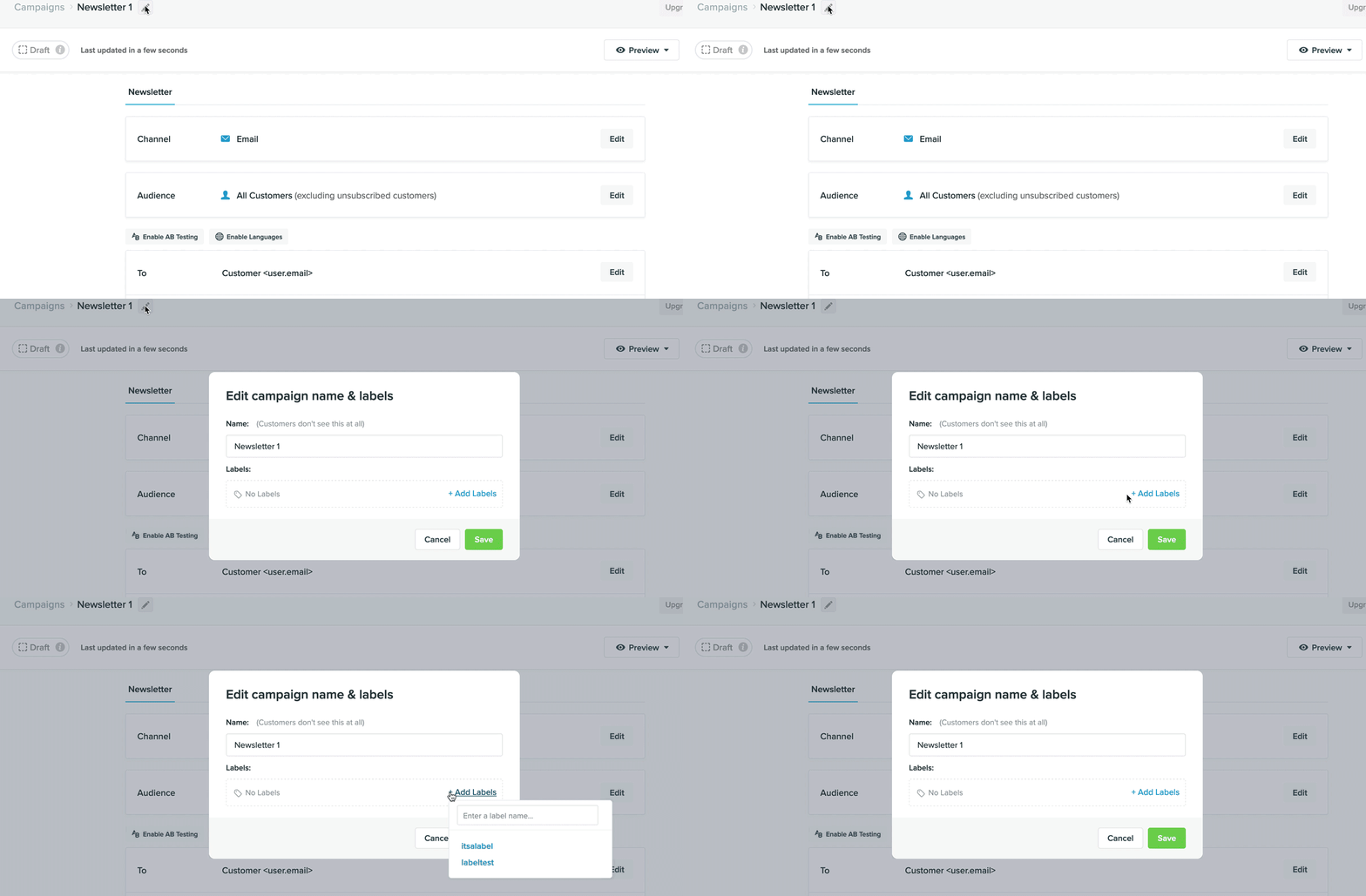
If you had a group of campaigns helping customers with your product onboarding, you might add a tag called 'onboarding' to each of these campaigns, as follows:
## Organising campaigns with tags
You can group campaigns together using tags. A tag is essentially a category and each campaign can have multiple tags.
If you had a group of campaigns helping customers with your product onboarding, you might add a tag called 'onboarding' to each of these campaigns, as follows:
 You can then filter to only see these campaigns using the filter menu:
 ## Filtering your campaigns
Aside from tags there are a number of other filters available to help you find campaigns you need access quickly.
### Keyword
This allows you to quickly and dynamically search for a campaign by name. The search is fast, so you can quickly try and remember that pesky campaign name!
### Status
This allows you to filter campaigns via their current status: whether they are in draft mode, are launched and live or are paused.
### Date
This allows you to filter the numbers you see for the campaigns on screen. You can view the open, click, and conversion rates for a specific time period. If you leave these unset, we show you the entire history of a campaign, by default.
These filters help you manage and navigate your campaigns quickly and easily.
## Filtering your campaigns
Aside from tags there are a number of other filters available to help you find campaigns you need access quickly.
### Keyword
This allows you to quickly and dynamically search for a campaign by name. The search is fast, so you can quickly try and remember that pesky campaign name!
### Status
This allows you to filter campaigns via their current status: whether they are in draft mode, are launched and live or are paused.
### Date
This allows you to filter the numbers you see for the campaigns on screen. You can view the open, click, and conversion rates for a specific time period. If you leave these unset, we show you the entire history of a campaign, by default.
These filters help you manage and navigate your campaigns quickly and easily.