> ## Documentation Index
> Fetch the complete documentation index at: https://help.getvero.com/llms.txt
> Use this file to discover all available pages before exploring further.
# Using advanced scope conditions
> Use scope by filters to evaluate campaign conditions for specific event properties like product SKUs.
The `scope by` filter is an advanced feature used in event based campaigns in Vero. The best way to illustrate the `scope by` feature is an example.
Imagine you are an eCommerce store, selling products *A* , *B* and *C* and that you track an event in Vero called `viewed_product` whenever a customer views any of your products. Whenever a customer purchases a product, you also track an event called `purchased_product`.
## An ordinary abandonment campaign
In this example, you would likely track the following event properties with your `viewed_product` and `purchased_product` events:
```
{
sku: '1234',
price: 20.00,
name: 'Product A',
}
```
You setup a workflow that targets users that view a product but don't purchase it. You might setup a campaign like this:
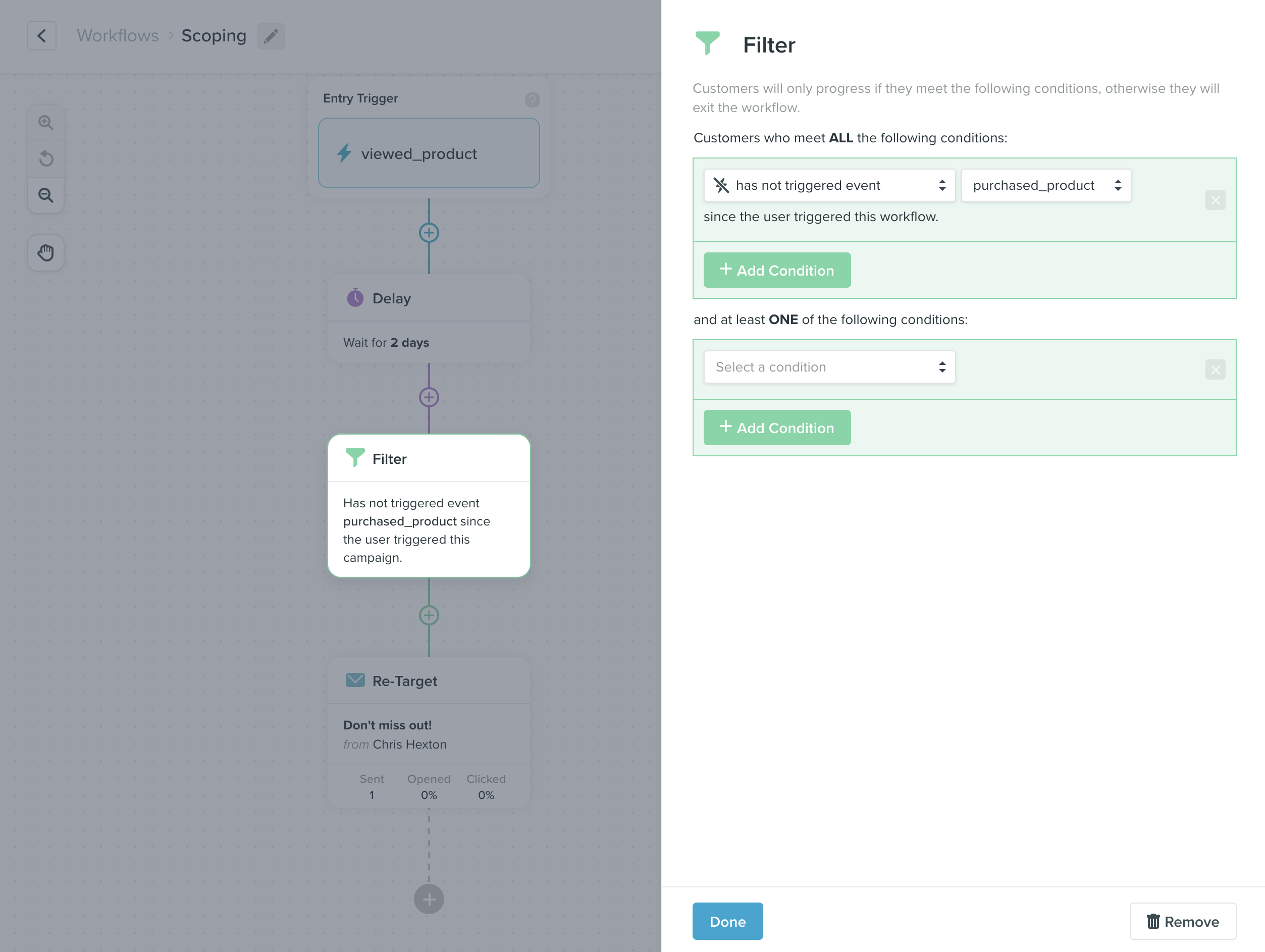 If a customer triggered `viewed_product` for products *A* , *B* **and** *C* , this campaign would be triggered for evaluation three times.
At run time, Vero will check the conditions. In the screenshot above, we can see that Vero will only send the email if the user has not triggered `purchased_product`. If you don't use the `scope by` feature, then if a customer triggers `purchased_product` for **any** of the products *A* , *B* or *C* , this email **will not be sent** as they will not meet the conditions.
## An abandonment campaign using 'scope by'
If you want to ensure that customers get your follow up email for **each of the products** they don't purchase independently, you can tell Vero to evaluate the conditions of the email by scoping each evaluation with an **event property**. For example, the property `sku` could be used to ensure the trigger event and any events in the conditions are only evaluated in relation to the same product.
When evaluating the campaign, Vero will check that **both** the `viewed_product` and `purchased_product` events have the **exact same** `sku` value.
Here is an example of how you would configure this in Vero:
If a customer triggered `viewed_product` for products *A* , *B* **and** *C* , this campaign would be triggered for evaluation three times.
At run time, Vero will check the conditions. In the screenshot above, we can see that Vero will only send the email if the user has not triggered `purchased_product`. If you don't use the `scope by` feature, then if a customer triggers `purchased_product` for **any** of the products *A* , *B* or *C* , this email **will not be sent** as they will not meet the conditions.
## An abandonment campaign using 'scope by'
If you want to ensure that customers get your follow up email for **each of the products** they don't purchase independently, you can tell Vero to evaluate the conditions of the email by scoping each evaluation with an **event property**. For example, the property `sku` could be used to ensure the trigger event and any events in the conditions are only evaluated in relation to the same product.
When evaluating the campaign, Vero will check that **both** the `viewed_product` and `purchased_product` events have the **exact same** `sku` value.
Here is an example of how you would configure this in Vero:
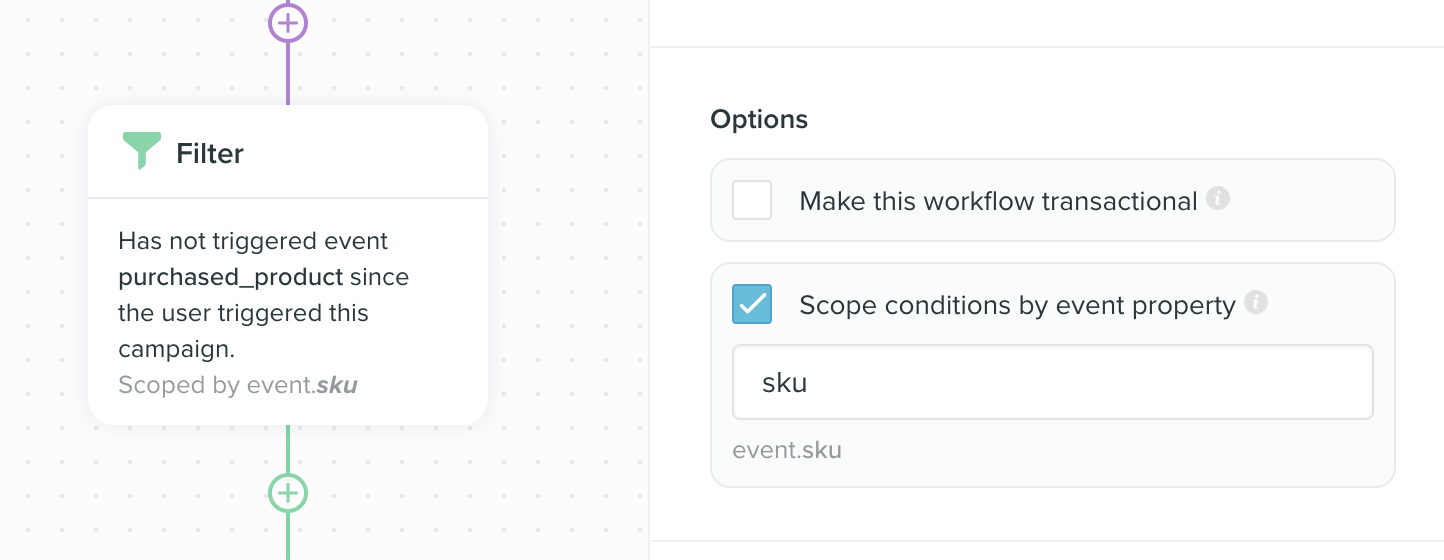 In this scenario, if a customer viewed products *A* , *B* **and** *C* and then purchased product *A* , they would not get a follow up email for product *A* , but they would still get a follow up email for products *B* and *C*.