> ## Documentation Index
> Fetch the complete documentation index at: https://help.getvero.com/llms.txt
> Use this file to discover all available pages before exploring further.
# Campaign reports
> Track sent, delivered, opened, clicked, and unsubscribed metrics with detailed reports and daily breakdowns.
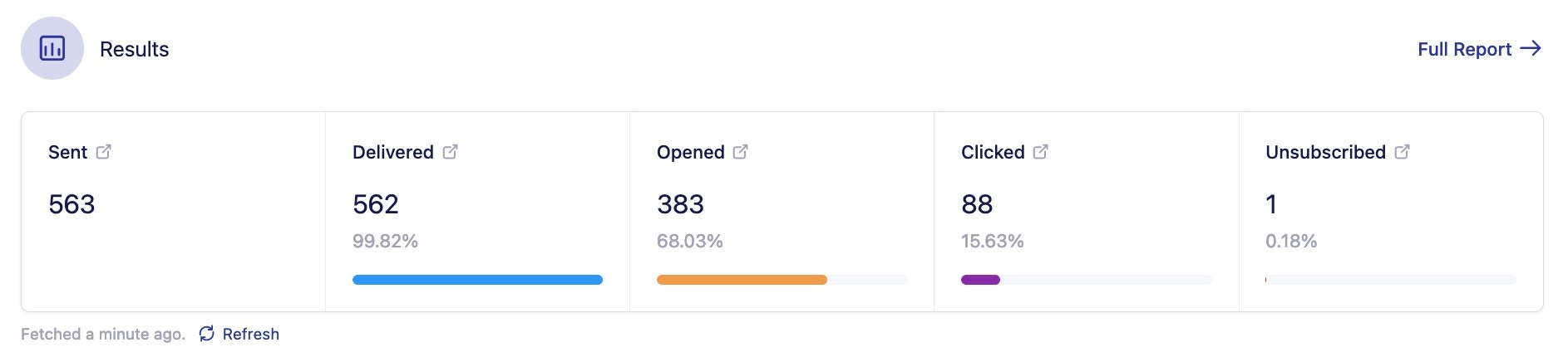
Once you've sent out your newsletter campaign you likely want to view the results of the campaign. In Vero we track 5 different metrics:`sent`, `delivered`, `opened`, `clicked`, `unsubscribed`.
## Campaign Summary
`Sent` means that Vero has sent the email to the sending provider (ie. Mailgun, Sendgrid).
`Delivered` means that the sending provider has successfully delivered the campaign to the customer's mailbox.
`Opened` means that the customer has opened up the email in their mailbox. This is tracked via a small tracking pixel that is inserted in the email.
`Clicked` means that the customer has clicked on one of the links you have included in your campaign.
The click percentage statistic is a percentage of the total number of customers who were delivered the email.
`Converted` means that the customer completed the conversion event attributed to this campaign.
`Unsubscribed` means that the customer has clicked on the unsubscribe option that you have included in your email.
You can view all of these metrics on the main campaign page.
 ## Full Report
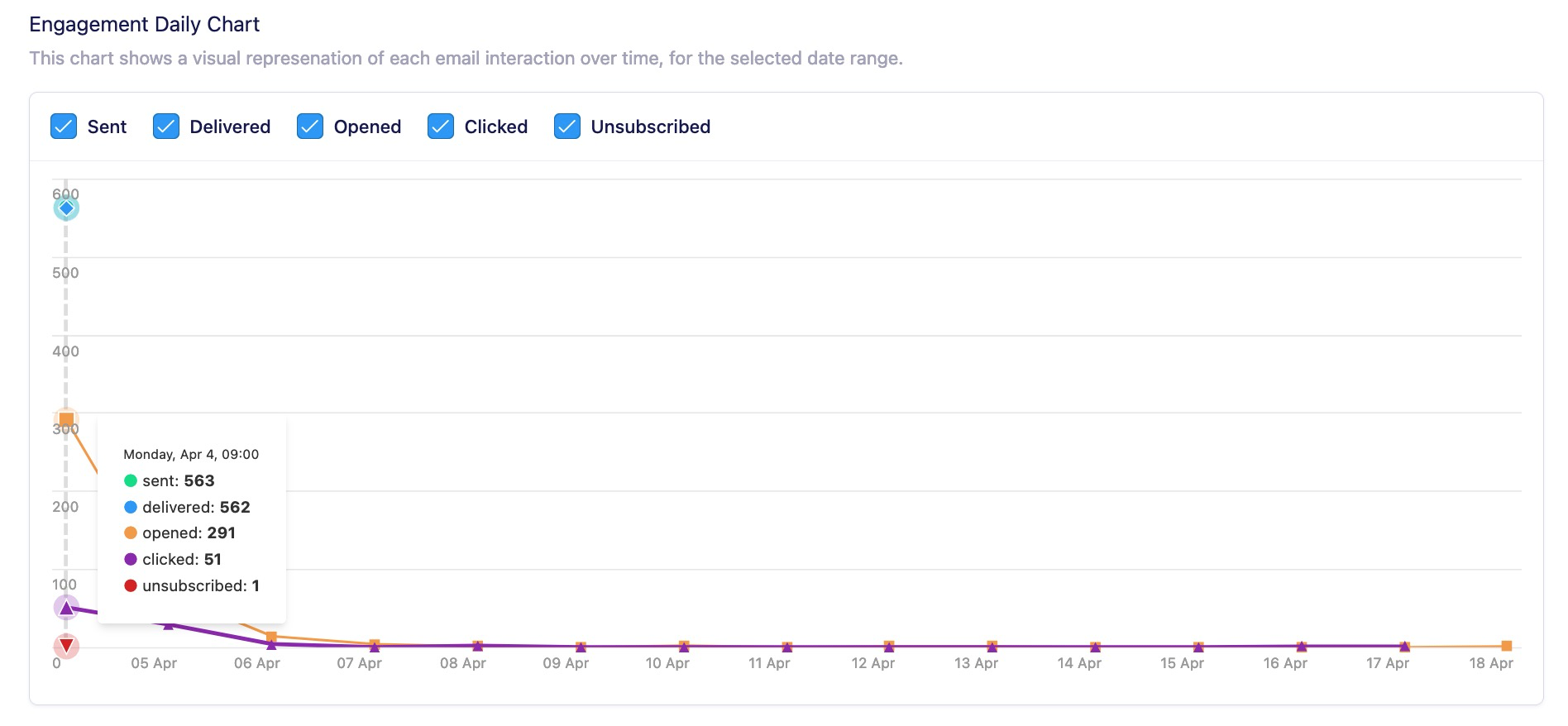
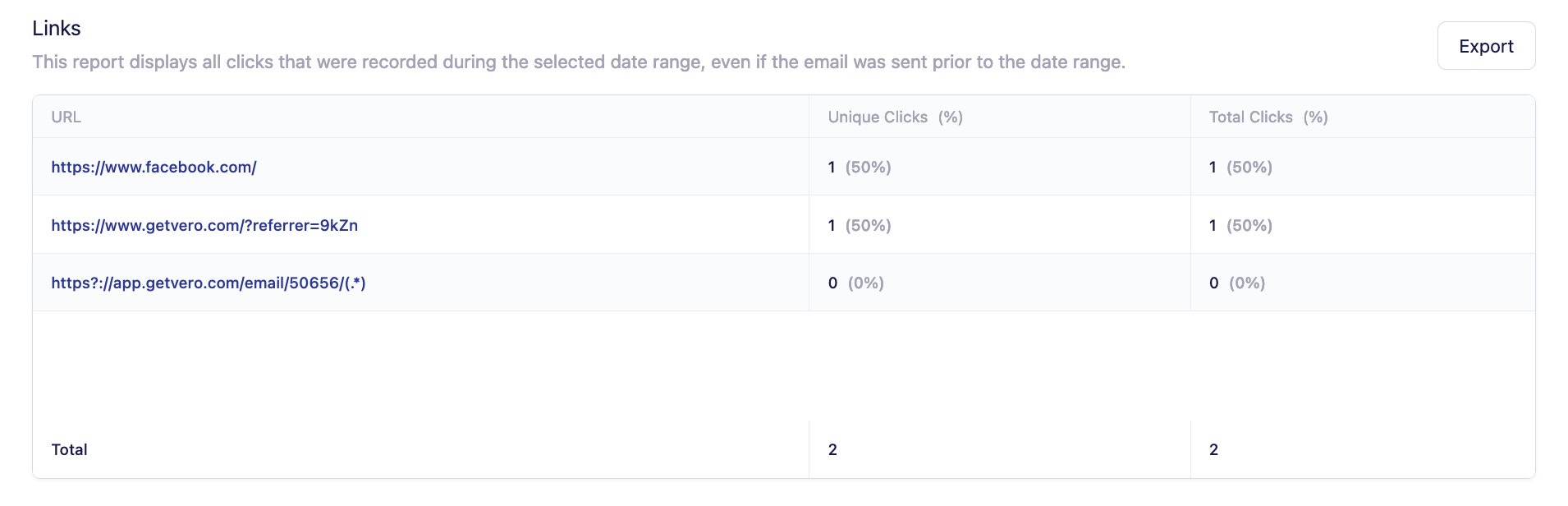
For a more detailed breakdown of metrics you can click on the "Full Report" option on the campaign summary page where you will find the **Engagement Daily Chart** , **Daily breakdown** , and **Link Report**.
### Engagement Daily Chart
## Full Report
For a more detailed breakdown of metrics you can click on the "Full Report" option on the campaign summary page where you will find the **Engagement Daily Chart** , **Daily breakdown** , and **Link Report**.
### Engagement Daily Chart
 ### Daily Breakdown
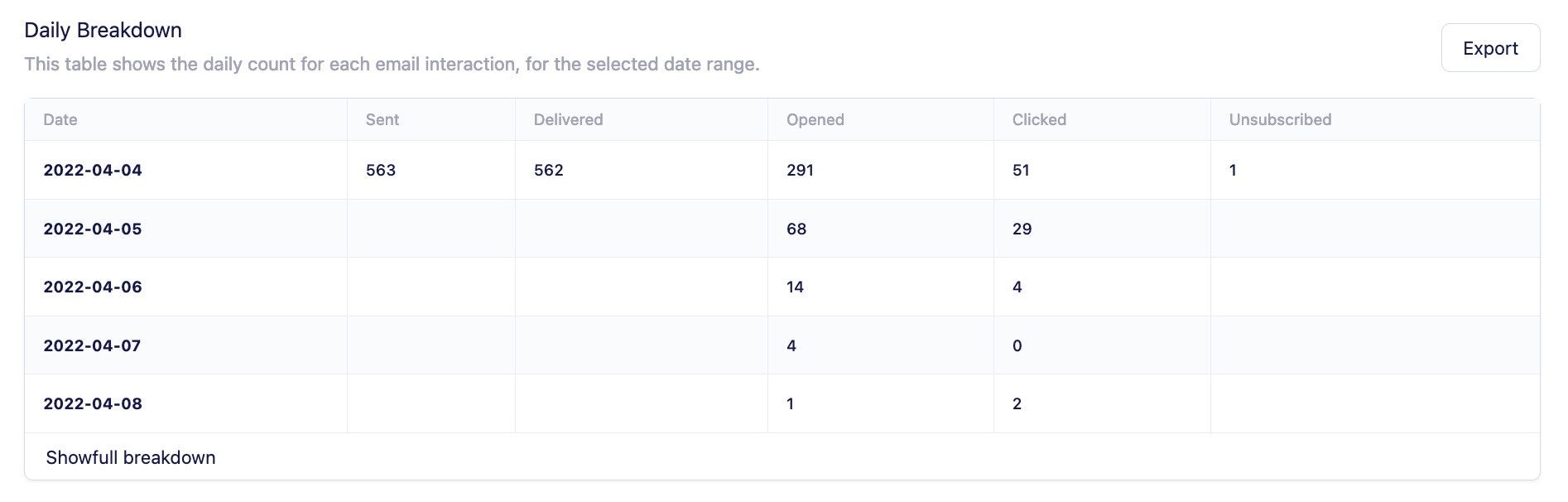 These results can also be exported into a CSV file.
### Link Report
These results can also be exported into a CSV file.
### Link Report
 You can find more information on each customer's email interaction by [Understanding entries in the activity log](/vero-2/reporting/understanding-entries-in-the-activity-log).
### Real vs. bot engagement
Bot activity can inflate open and click metrics. Vero distinguishes between genuine user interactions and automated bot activity so you can assess true campaign performance.
Use the dropdown filter in the campaign summary and full report to toggle between **All**, **Real**, and **Bots** engagement views. The **has opened** and **has clicked** conditions only count real interactions, excluding bots.
Real and bot open/click data is also available in all CSV exports.
[Learn more about real and bot stats](/vero-2/reporting/real-and-bot-engagement)
You can find more information on each customer's email interaction by [Understanding entries in the activity log](/vero-2/reporting/understanding-entries-in-the-activity-log).
### Real vs. bot engagement
Bot activity can inflate open and click metrics. Vero distinguishes between genuine user interactions and automated bot activity so you can assess true campaign performance.
Use the dropdown filter in the campaign summary and full report to toggle between **All**, **Real**, and **Bots** engagement views. The **has opened** and **has clicked** conditions only count real interactions, excluding bots.
Real and bot open/click data is also available in all CSV exports.
[Learn more about real and bot stats](/vero-2/reporting/real-and-bot-engagement)