Webhooks allow you to send real-time notifications about user and message activity in Vero to external systems. This is useful for:
  • Triggering workflows in tools like Zapier or Segment.
  • Syncing events to your data warehouse for analysis.
  • Keeping your systems up to date with Vero activity.
This guide walks you through configuring and testing webhooks in Vero 2.0.

What are webhooks?

A webhook is a simple HTTP request that Vero sends to a URL you specify whenever certain events occur in your project (e.g. a message is sent or a user unsubscribes). Each webhook includes a JSON payload with details about the event.

Add or edit webhooks

To manage your webhooks:
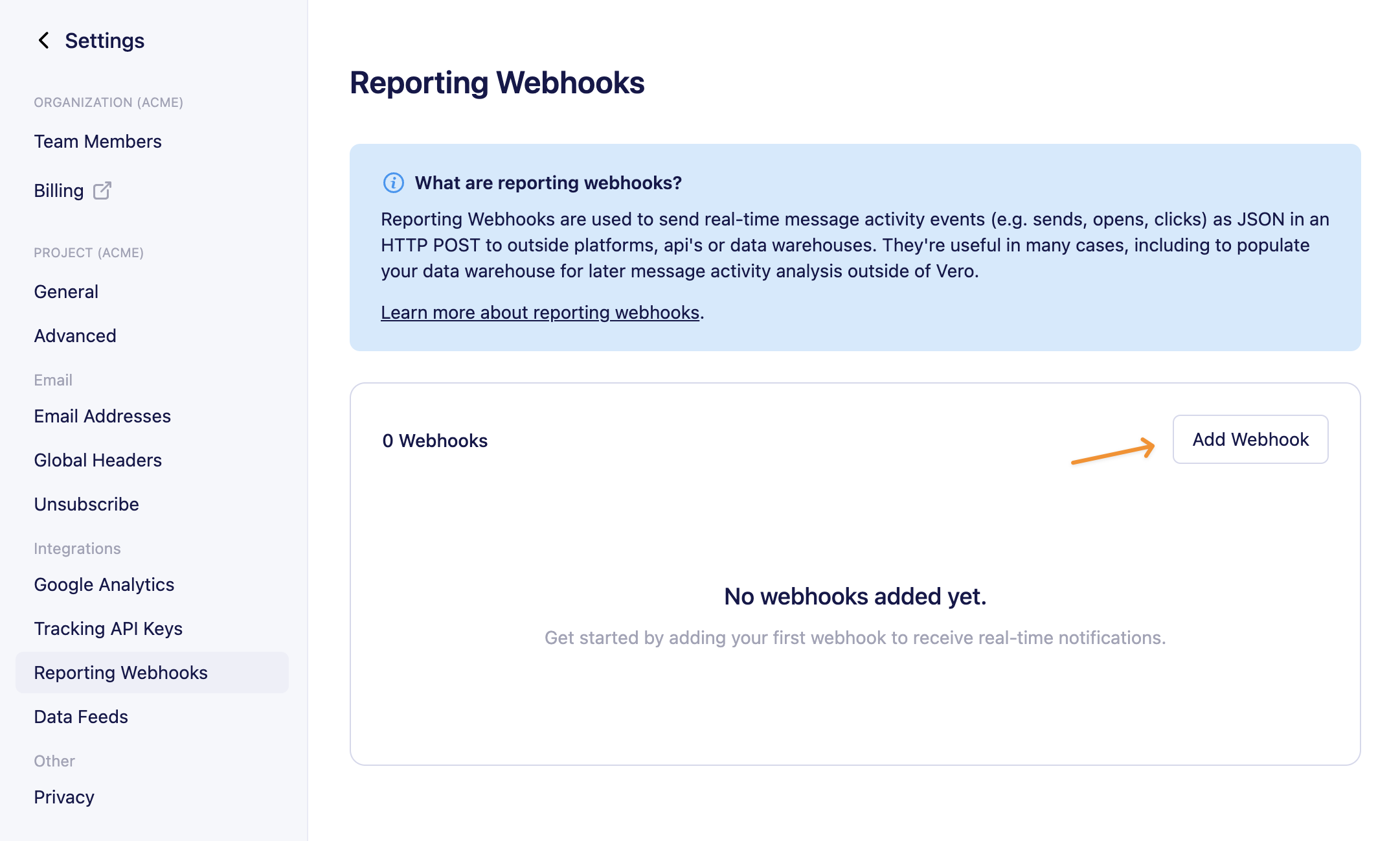
  1. Go to Settings → Project → Reporting Webhooks.
  2. Click Add webhook. add-webhook
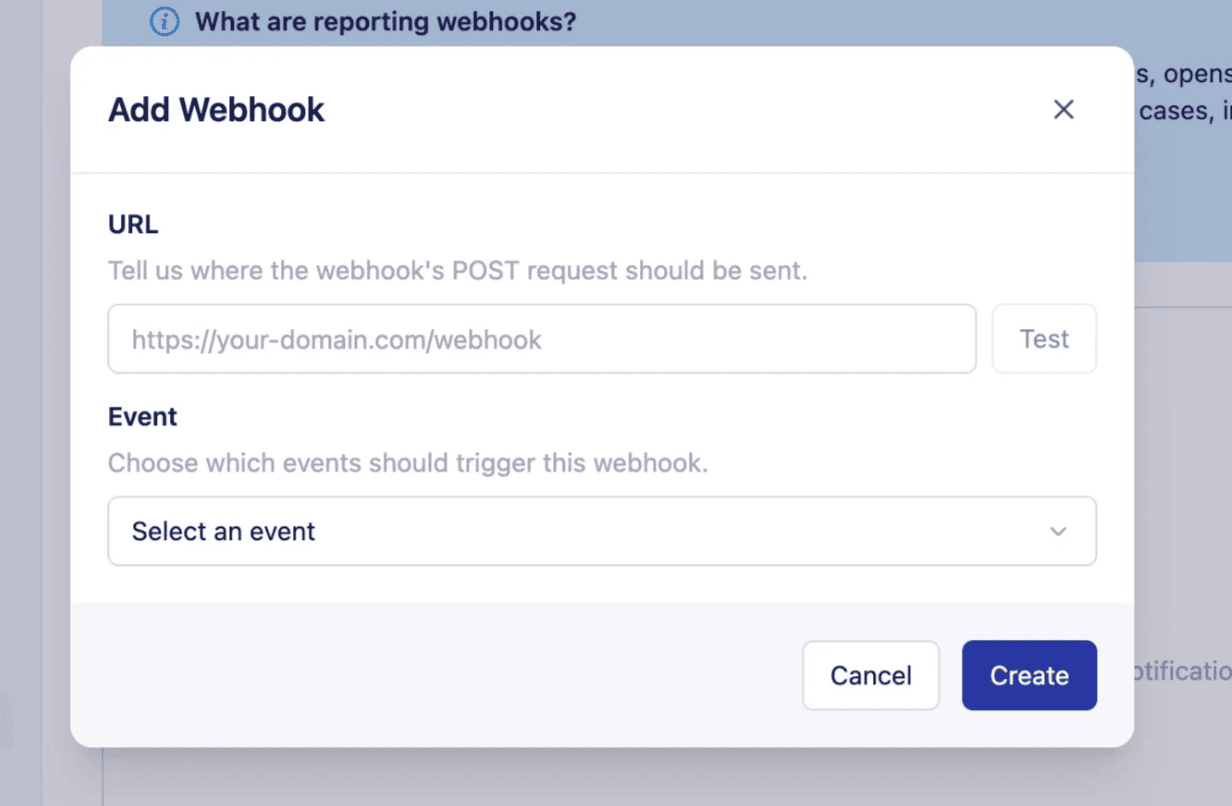
  3. Enter the following details: add-webhook
  • URL – The endpoint in your system that should receive the webhook payload.
  • Event – Choose which activity will send data to this URL:
    • Sent (email has been sent by Vero)
    • Delivered (email has been delivered to the recipient email server)
    • Opened
    • Clicked
    • Failed
    • Bounced (hard and soft)
    • Converted
    • Unsubscribed
    • Resubscribed
    • Complained
    • User created
    • User updated
  1. Click Save. To edit an existing webhook, use the actions menu and select Edit.

Test your webhooks

You can test a webhook to ensure your endpoint is set up correctly:
  1. In the webhooks list, click the actions menu next to a webhook and choose Test.
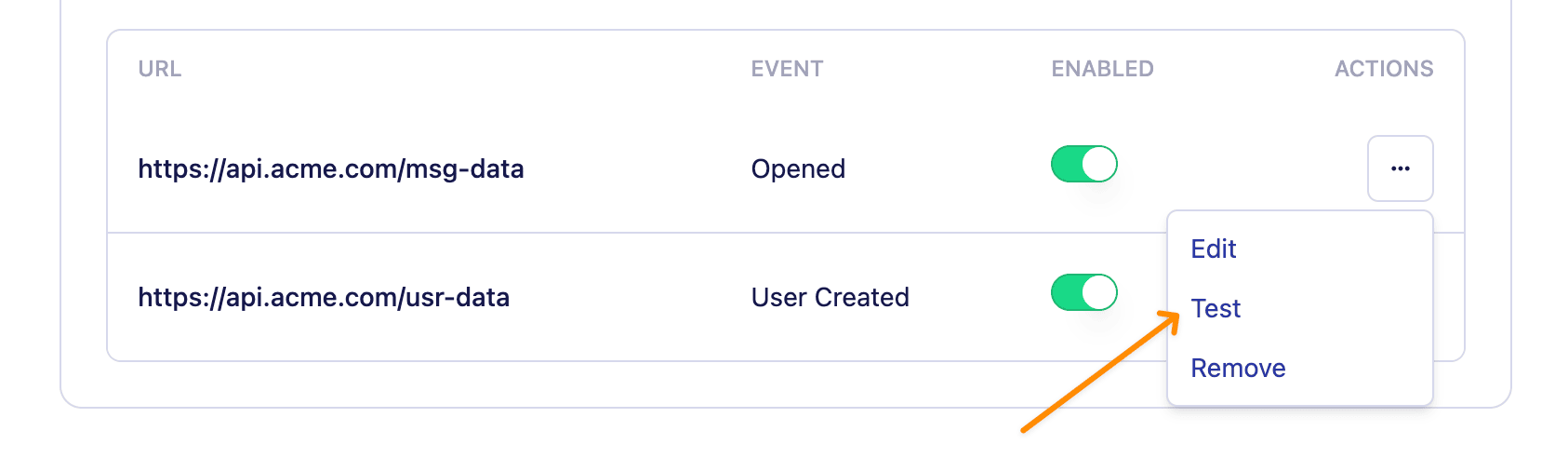
test
  1. Vero will send a sample payload to your webhook URL.
  2. You’ll see a success or failure message in the app.
For testing, try using Request Bin - it’s a fantastic way to see the webhooks Vero (or any service) sends.

Enable or disable webhooks

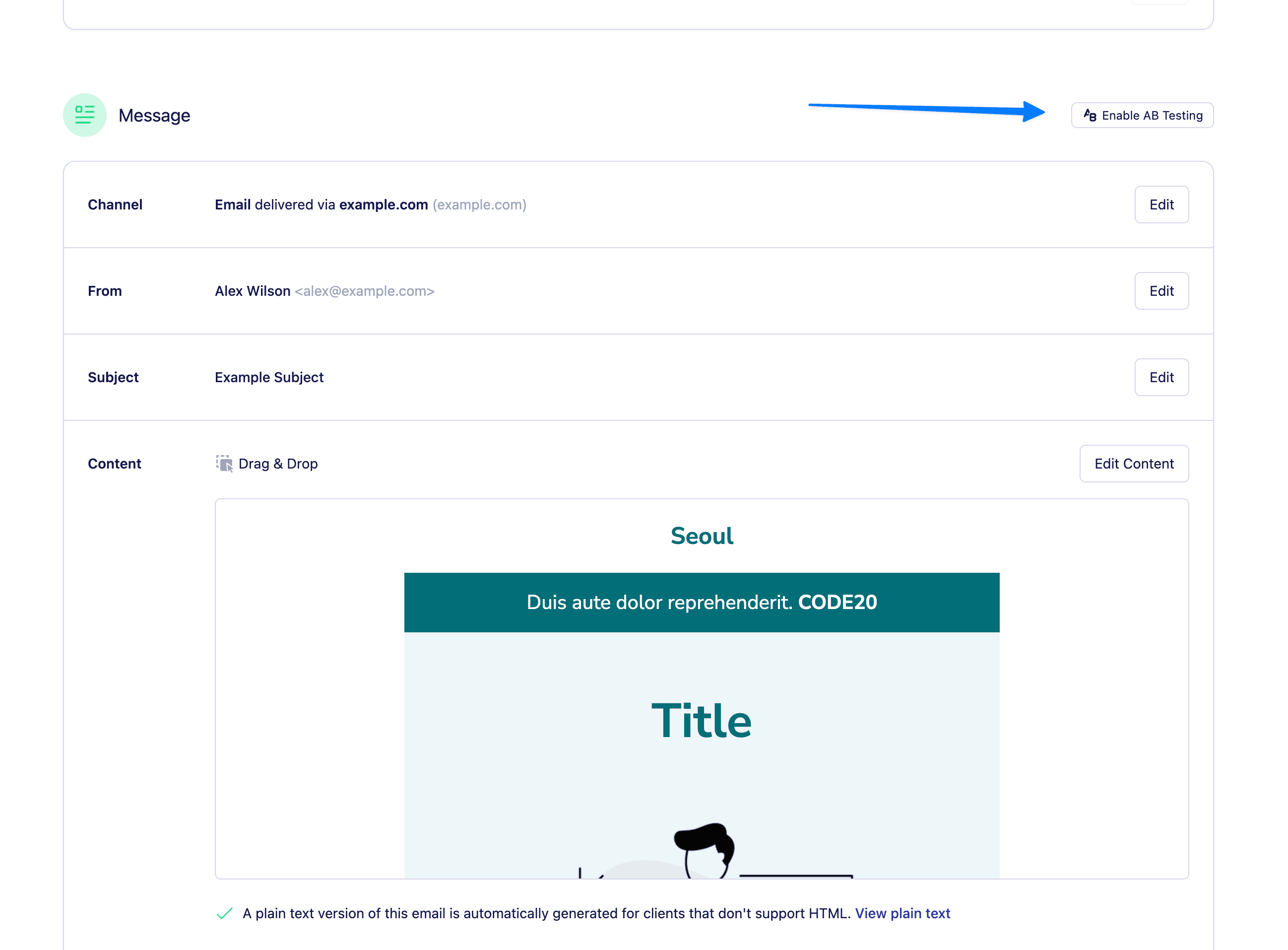
Next to each webhook you’ll find an enable webhooks toggle, with this you can enable/disable each webhook individually. enable
Webhook payloads

Each webhook sends a JSON payload containing details about the event: sent – When an email has been sent by Vero
{
    "sent_at":1435016238,
    "type":"sent",
    "user": {
        "id":123,
        "email":"steve@getvero.com"
    },
    "campaign": {
        "id":987,
        "type":"transactional",
        "name":"Order confirmation",
        "group": "Order confirmation - Email 6",
        "channel": "email",
        "subject":"Your order is being processed!",
        "trigger-event":"purchased item",
        "permalink":"http://app.getvero.com/view/1/341d64944577ac1f70f560e37db54a25",
        "sent_to":"user@example.com",
        "variation":"Variation A",
        "locale":"en-US"
    },
    "message_id": "20190730123456.1.1B72E094173067F0F@veromail.com"
}
delivered – When an email has been delivered to the ISP server:
{
    "delivered_at":1435016238,
    "type":"delivered",
    "user": {
        "id":123,
        "email":"steve@getvero.com"
    },
    "campaign": {
        "id":987,
        "type":"transactional",
        "name":"Order confirmation",
        "group": "Order confirmation - Email 6",
        "channel": "email",
        "subject":"Your order is being processed!",
        "trigger-event":"purchased item",
        "permalink":"http://app.getvero.com/view/1/341d64944577ac1f70f560e37db54a25",
        "sent_to":"user@example.com",
        "variation":"Variation A",
        "locale":"en-US"
    },
    "message_id": "20190730123456.1.1B72E094173067F0F@veromail.com"
}
opened – When a customer has opened an email
{
    "opened_at":1435016238,
    "user_agent":"Mozilla/5.0 (compatible; MSIE 9.0; Windows NT 6.1; Trident/5.0)",
    "type":"opened",
    "user": {
        "id":123,
        "email":"steve@getvero.com"
    },
    "campaign": {
        "id":987,
        "type":"transactional",
        "name":"Order confirmation",
        "group": "Order confirmation - Email 6",
        "channel": "email",
        "subject":"Your order is being processed!",
        "trigger-event":"purchased item",
        "permalink":"http://app.getvero.com/view/1/341d64944577ac1f70f560e37db54a25",
        "sent_to":"user@example.com",
        "variation":"Variation A",
        "locale":"en-US"
    },
    "message_id": "20190730123456.1.1B72E094173067F0F@veromail.com"
}
clicked – When a customer has clicked an email
{
    "clicked_at":1435016238,
    "user_agent":"Mozilla/5.0 (compatible; MSIE 9.0; Windows NT 6.1; Trident/5.0)",
    "type":"clicked",
    "user": {
        "id":123,
        "email":"steve@getvero.com"
    },
    "campaign": {
        "id":987,
        "type":"transactional",
        "name":"Order confirmation",
        "group": "Order confirmation - Email 6",
        "channel": "email",
        "subject":"Your order is being processed!",
        "trigger-event":"purchased item",
        "permalink":"http://app.getvero.com/view/1/341d64944577ac1f70f560e37db54a25",
        "sent_to":"user@example.com",
        "variation":"Variation A",
        "locale":"en-US"
    },
    "message_id": "20190730123456.1.1B72E094173067F0F@veromail.com"
}
failed - When an email could not send due to an error (such as a bad Fusion response)
{
    "type":"failed",
    "bounce_code":500,
    "bounce_message": "FusionBadResponse",
    "user": {
        "id":123,
        "email":"steve@getvero.com"
    },
    "campaign": {
        "id":987,
        "type":"transactional",
        "name":"Order confirmation",
        "group": "Order confirmation - Email 6",
        "channel": "email",
        "subject":"Your order is being processed!",
        "trigger-event":"purchased item",
        "permalink":"http://app.getvero.com/view/1/341d64944577ac1f70f560e37db54a25",
        "sent_to":"user@example.com",
        "variation":"Variation A",
        "locale":"en-US"
    }
}
bounced – When an email has not been delivered to the ISP server
{
    "bounced_at":1435016238,
    "bounce_type":"hard",
    "bounce_code":550,
    "bounce_message":"5.5.1 The email account that you tried to reach does not exist.",
    "type":"bounced",
    "user": {
        "id":123,
        "email":"steve@getvero.com"
    },
    "campaign": {
        "id":987,
        "type":"transactional",
        "name":"Order confirmation",
        "group": "Order confirmation - Email 6",
        "channel": "email",
        "subject":"Your order is being processed!",
        "trigger-event":"purchased item",
        "permalink":"http://app.getvero.com/view/1/341d64944577ac1f70f560e37db54a25",
        "sent_to":"user@example.com",
        "variation":"Variation A",
        "locale":"en-US"
    },
    "message_id": "20190730123456.1.1B72E094173067F0F@veromail.com"
}
converted – When a customer has converted on an email campaign
{
    "type":"converted",
    "user": {
        "id":123,
        "email":"steve@getvero.com"
    },
    "campaign": {
        "id":987,
        "type":"transactional",
        "name":"Order confirmation",
        "group": "Order confirmation - Email 6",
        "channel": "email",
        "subject":"Your order is being processed!",
        "trigger-event":"purchased item",
        "permalink":"http://app.getvero.com/view/1/341d64944577ac1f70f560e37db54a25",
        "sent_to":"user@example.com",
        "variation":"Variation A",
        "locale":"en-US"
    },
    "message_id": "20190730123456.1.1B72E094173067F0F@veromail.com"
}
resubscribed – When a customer has resubscribed
{
    "type": "resubscribed",
    "user": {
        "id": 123,
        "email": "steve@getvero.com"
    }
}
unsubscribed – When a customer has unsubscribed
{
    "unsubscribed_at":1435016238,
    "type":"unsubscribed",
    "user": {
        "id":123,
        "email":"steve@getvero.com"
    },
    "campaign": {
        "campaign_title": "Order confirmation",
        "series_title": "Order Tracking",
        "channel": "email",
        "message_id": "20190730123456.1.1B72E094173067F0F@veromail.com",
        "email_subject": "Your order is being processed!",
        "variation_name": "Control",
        "template": "Order Template"
    }
}
complained – When a customer complains through their email client
{
    "complained_at": 1435016238,
    "type": "complained",
    "user": {
        "id": 123,
        "email": "steve@getvero.com"
    },
    "event": {
        "data": {"key": "value"},
        "name": "Test event",
        "triggered_at": 1424012238
    },
    "campaign": {
        "id": 987,
        "type": "transactional",
        "name": "Order confirmation",
        "group": "Order confirmation - Email 6",
        "channel": "email",
        "subject": "Your order is being processed!",
        "trigger-event": "purchased item",
        "permalink": "http://app.getvero.com/view/1/341d64944577ac1f70f560e37db54a25",
        "sent_to": "user@example.com",
        "variation": "Variation A",
        "locale": "en"
    },
    "message_id": "20190730123456.1.1B72E094173067F0F@veromail.com"
}
user_created - When a user profile is created via the API or import
{
    "type":"user_created",
    "user": {
        "firstname":"Steve",
        "company":"Vero",
        "role":"Bot",
        "id":123,
        "email":"steve@getvero.com"
    }
}
user_updated - When a user profile is updated via the API or import
{
    "action": "user_updated",
    "type":"user_updated",
    "user": {
        "id":123,
        "email":"steve@getvero.com"
    },
    "id": "123",
    "email": "steve@getvero.com",
    "changes": {
        "_tags": {
            "add": ["active-customer"],
            "remove":["unactive-180-days"]
        }
    }
}

Best practices

To ensure your experience with Vero’s webhooks is a good one, take these best practices into consideration:
  • Ensure your webhook URL is secure and only accepts requests from Vero or other trusted sources.
  • Respond quickly (within 5 seconds) to webhook requests to avoid timeouts. Note: Vero does not currently retry failed webhook requests. If your endpoint returns a non-2xx response or times out, that webhook will not be resent.
Note: Vero does not currently retry failed webhook requests. If your endpoint returns a non-2xx response or times out, that webhook will not be resent.
  • Consider queueing incoming webhook data in your system to handle spikes in traffic.