

- With 1,000+ recipients per variation, you’re more likely to get meaningful results.
- With fewer than 300 recipients per variation, it’s harder to reach statistical significance, even if the numbers look different.
Which type of campaigns can you A/B test?
- Campaigns triggered Immediately and Scheduled for a data and time in the future
- Recurring trigger and Event triggered campaigns cannot be A/B tested at this time, however these will be available in the future.
- Broadcast (single message) campaigns. A/B Testing for multi-message campaigns will be added in a future update.
- Email and SMS campaigns. However SMS does not currently support ‘pick a winner’ A/B tests.
What can you A/B test?
- Subject lines and pre-headers
- From addresses
- Body content
Creating an A/B Test
To create an A/B test for a one off message:- Open or create a new ‘single message’ campaign.
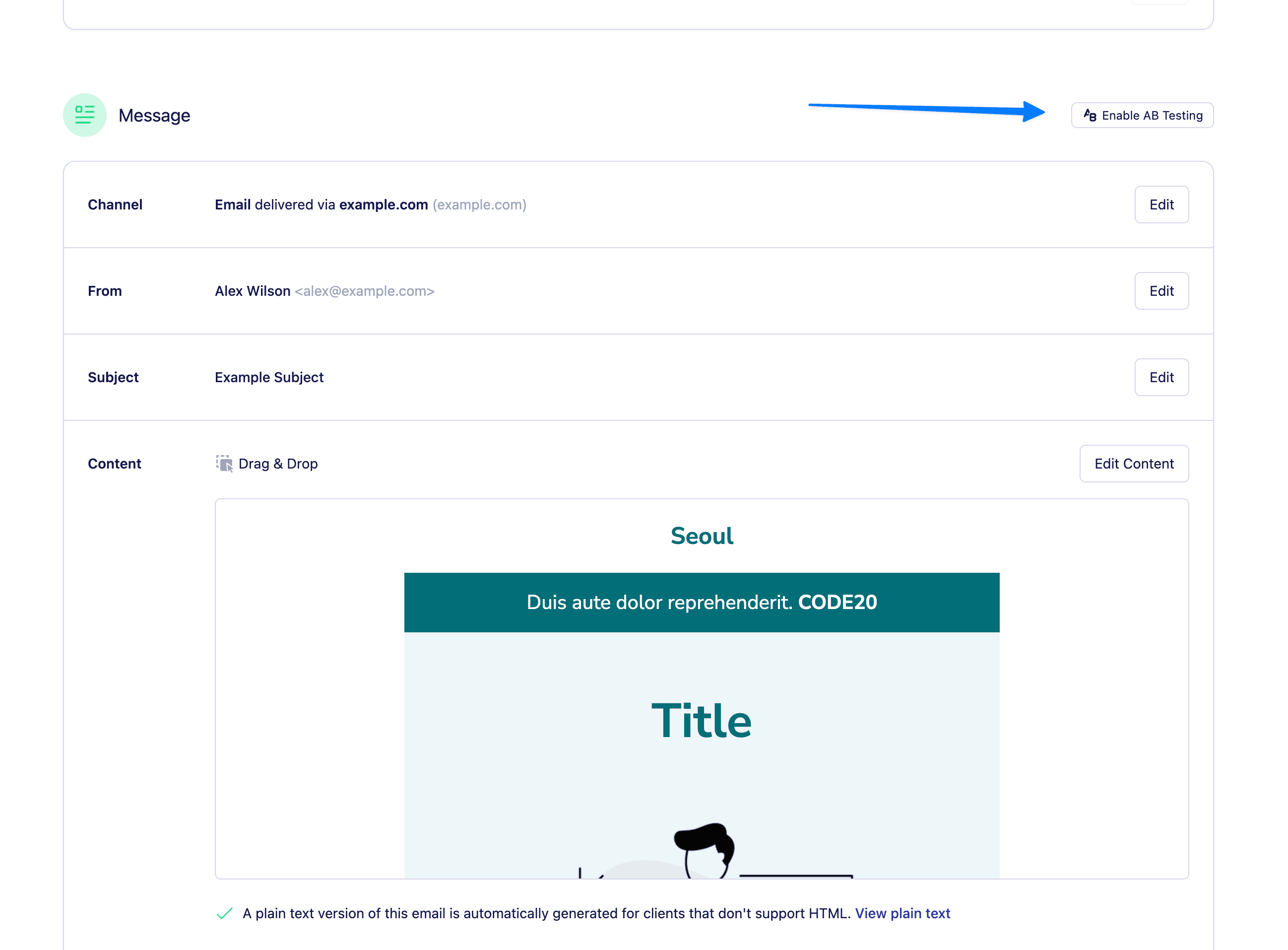
- Scroll to the Content section and toggle “Enable A/B Testing”.
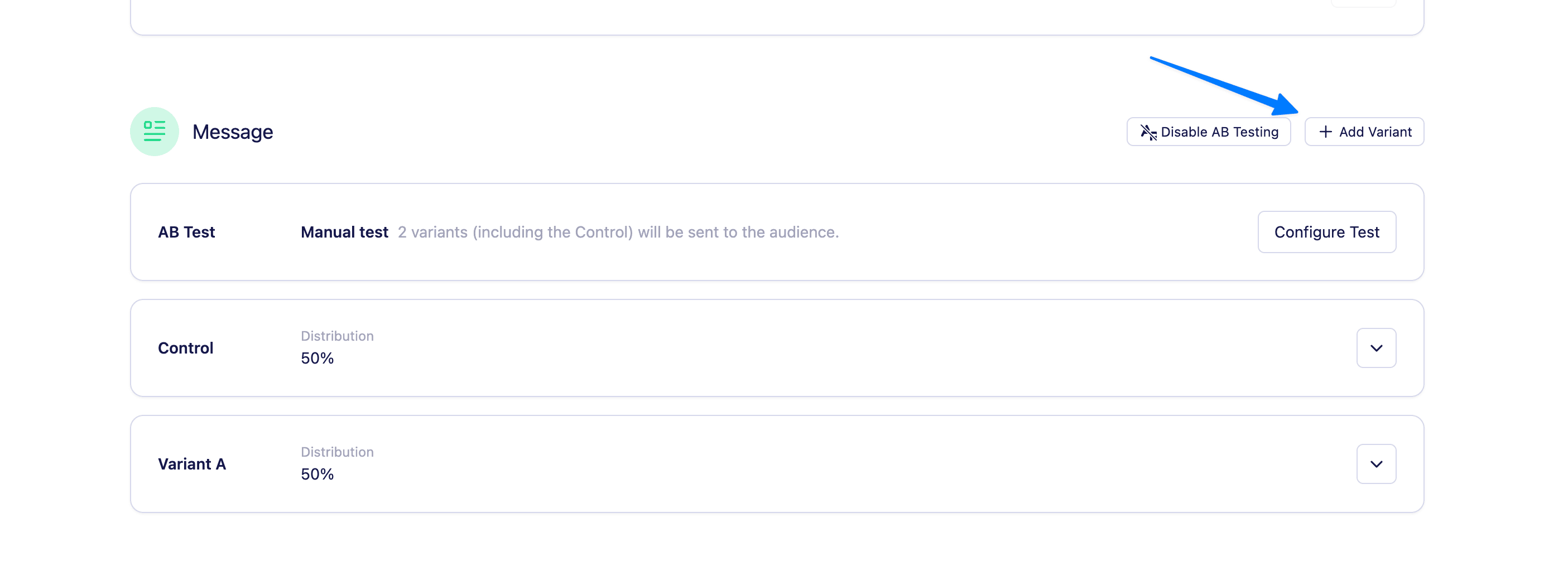
- Use the “Add variant” button to create up to 20 variants.
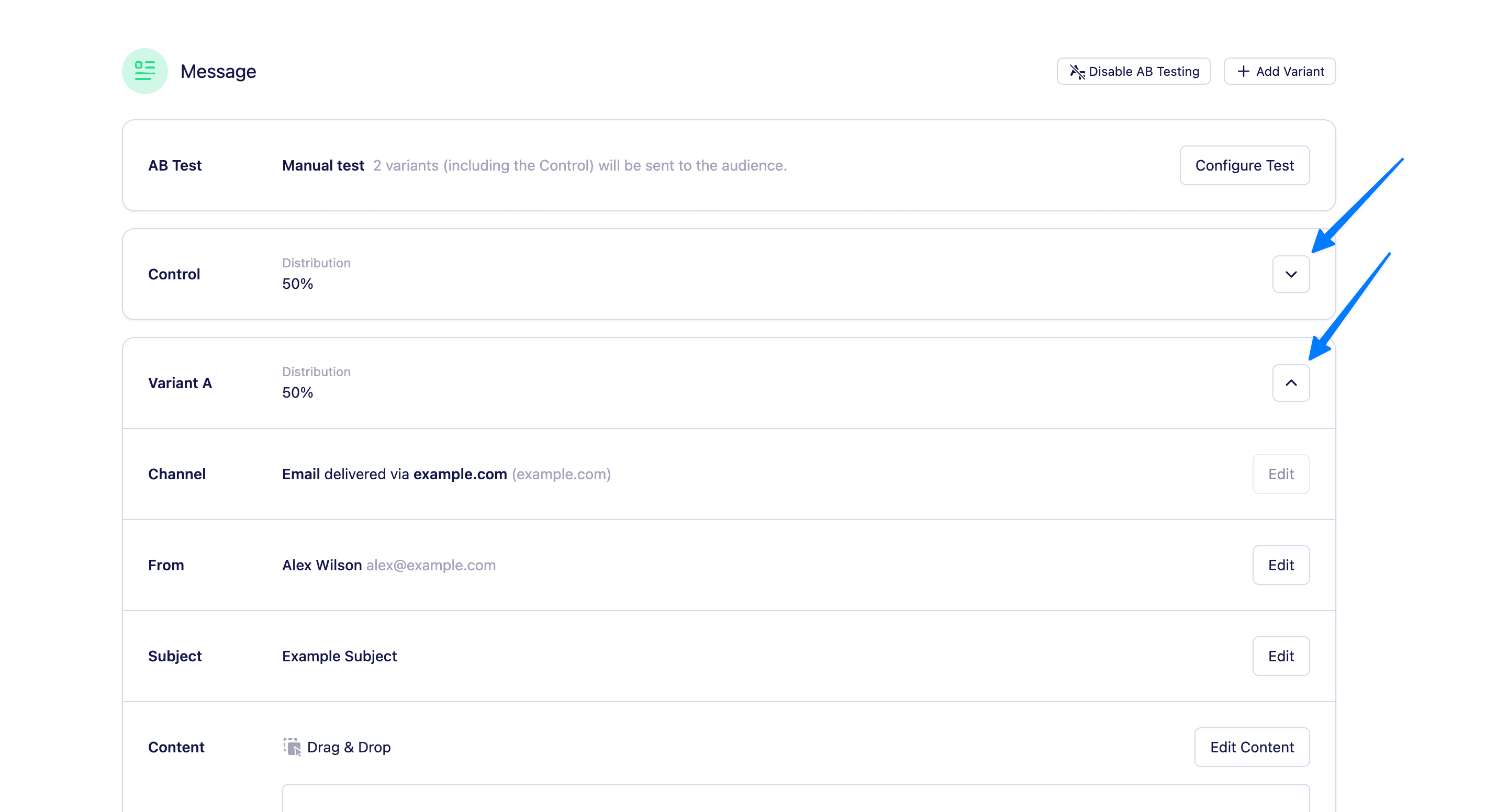
- Click the show/hide button next to each variant to view and edit the subject, from address, and content fields.
Configuring your test
Once you’ve added your variations, choose how you want to run your test. Vero 2.0 offers two test modes, accessible by clicking ‘Configure test’ on the ‘AB Test’ panel. 1. Manual
With Manual testing, you control exactly how many people receive each variation.
1. Manual
With Manual testing, you control exactly how many people receive each variation.
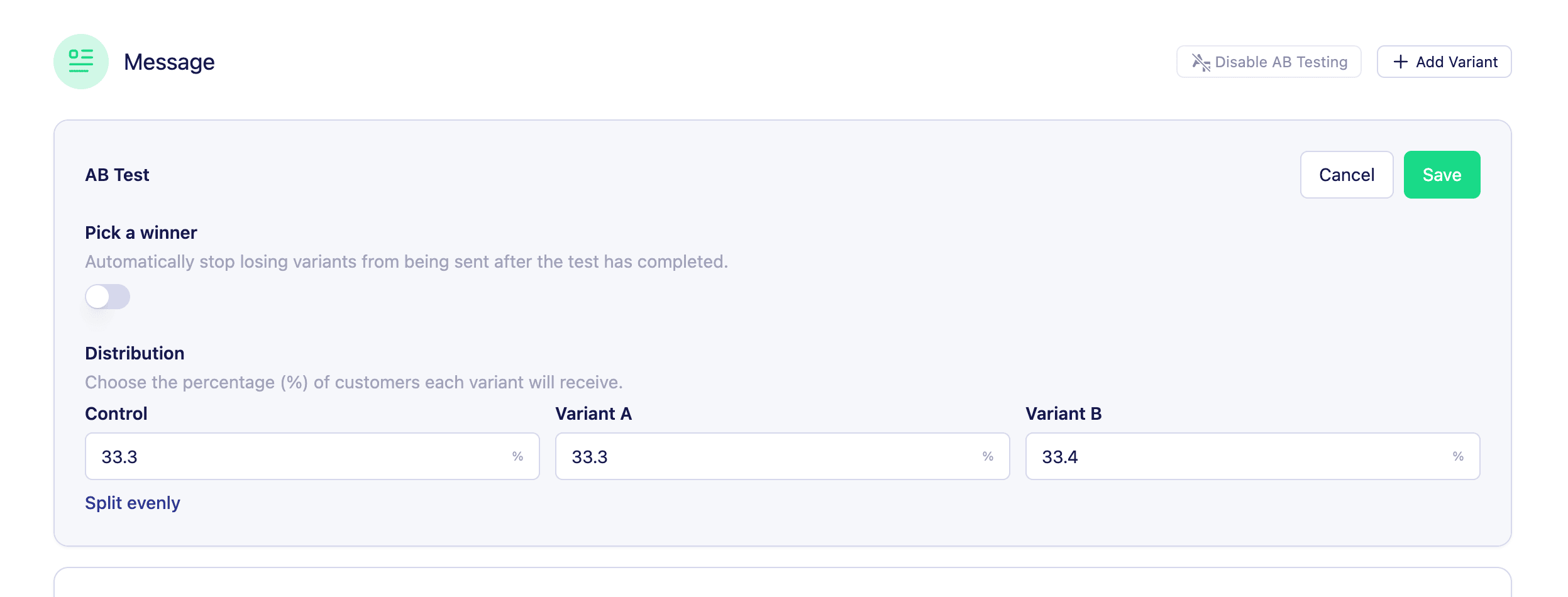
- Set the distribution of your split test between the variants (e.g. 50/50, 70/30, etc.)
- Vero will randomly distribute the messages based on your configuration.
- Schedule your newsletter as usual—all variations will send at the same time.
- View the insights for your ab test post send and use those results to inform your next campaign.
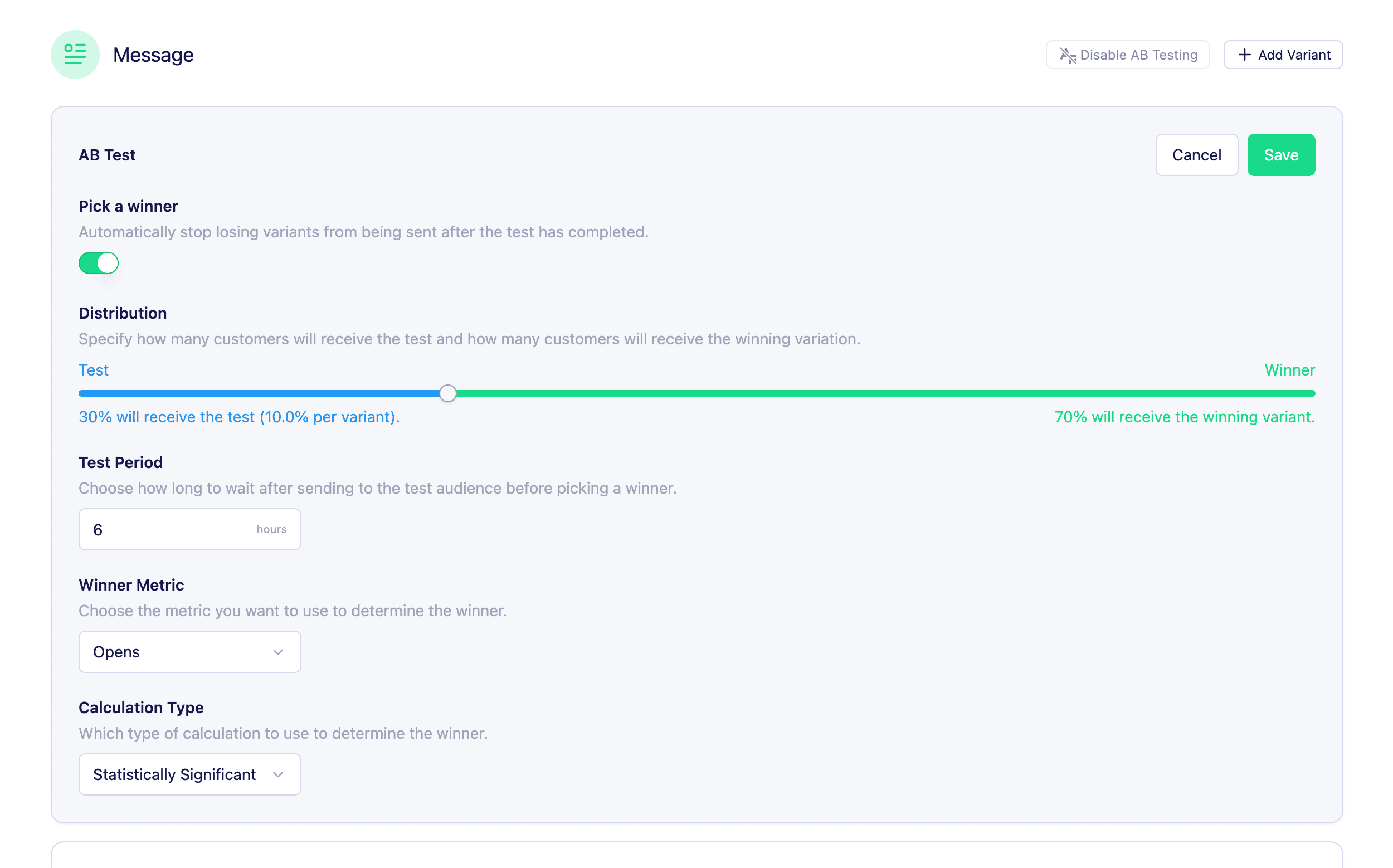
- Toggle on “Pick a winner”.
- Use the distribution slider to decide what percentage of your audience should receive the test (e.g. 20%).
- Set the test duration in hours (e.g. 4 hours).
- Choose your winning metric :
- Opens
- Clicks
- Conversions (coming soon)
- Unsubscribes (lowest wins)
- Deliveries
- Choose your calculation method :
- Statistical significance (default) : This option uses a 95% confidence method. The statistical method used a t-test to compare how each variation performed based on your chosen metric (like opens or clicks). For example, if your control email gets 220 opens from 1,000 sends (22%) and your variation gets 260 opens from 1,000 sends (26%), we calculate a p-value to see if that difference is likely due to the variation—or just random chance. If the p-value is below 0.05, the result is considered statistically significant, meaning we’re 95% confident that repeating the test would produce a similar result, and Vero will send it to the rest of your audience. If not, we’ll stick with the original (control) version.
- Biggest number wins : If you choose this simple volume comparison method, Vero will select the variation that had the highest number for your chosen metric—no statistical calculations involved. For example, if Variation A gets 220 clicks and Variation B gets 260 clicks, Variation B is chosen as the winner, even if the difference might just be due to chance. This method is quick and easy, but keep in mind it doesn’t account for audience size or variability, so it’s best used for fast decisions when you don’t need statistical confidence.
Viewing reports for your A/B test
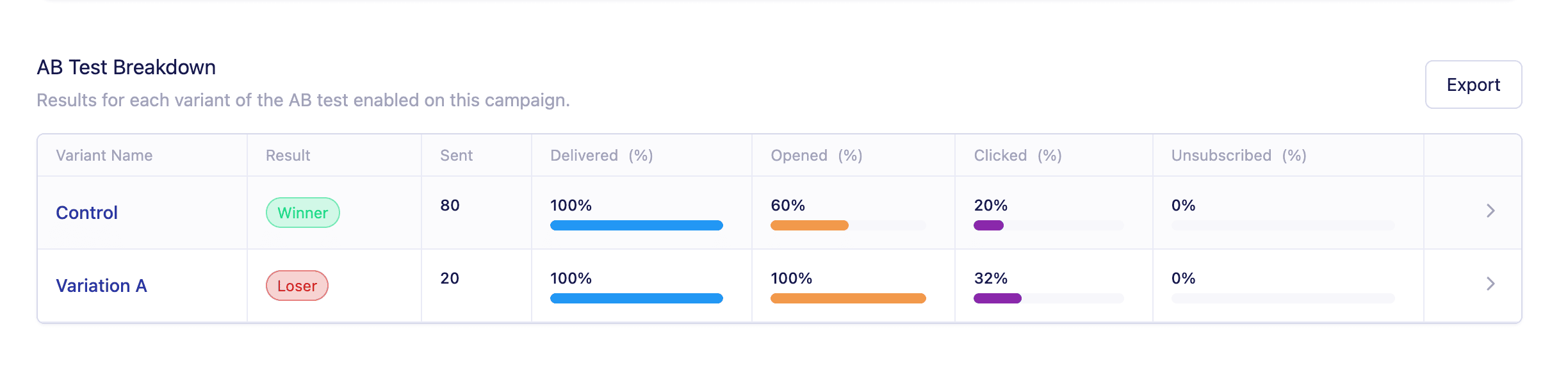
- Opens
- Clicks
- Conversions
- Unsubscribes
- And the winning variation (if applicable)
AB Testing with Send in Batches
If you’re using A/B testing with the “Pick a winner” mode and your campaign is set to send in batches , here’s how it works: Vero will apply your batch settings separately to both the test group and the winning group. That means:- The test group will be sent out in batches according to your configured batch size and interval.
- Once the test is complete and a winner is selected, the winning group will also send in batches—using the same settings.
Have questions or want help setting up your first test? Reach out to our support team — we’re here to help!