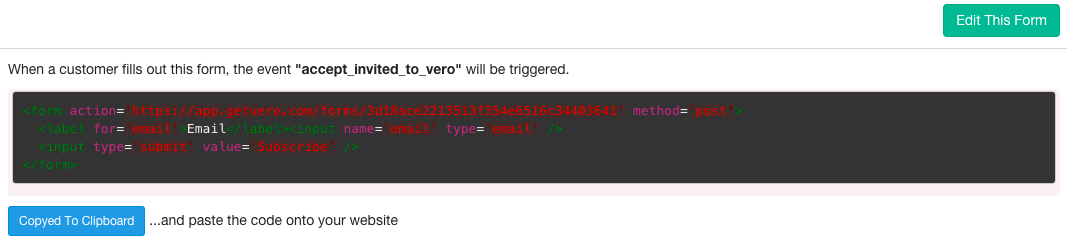
Vero subscribe forms
Vero also supports HTML forms, with one key difference. Traditionally, when a contact fills out an email form, they are added to a list. In Vero, rather than being added to a list, a customer that fills out a web form triggers an event. That event could be as simple asSubscribes to blog.
You can then use this event to create a segment or trigger a workflow to automatically send email and/or push messages: so you get twice the power from a single web form!
Step 1. Create a form
To generate a HTML form, head to Forms and you’ll be shown Vero’s point-and-click interface to create a form: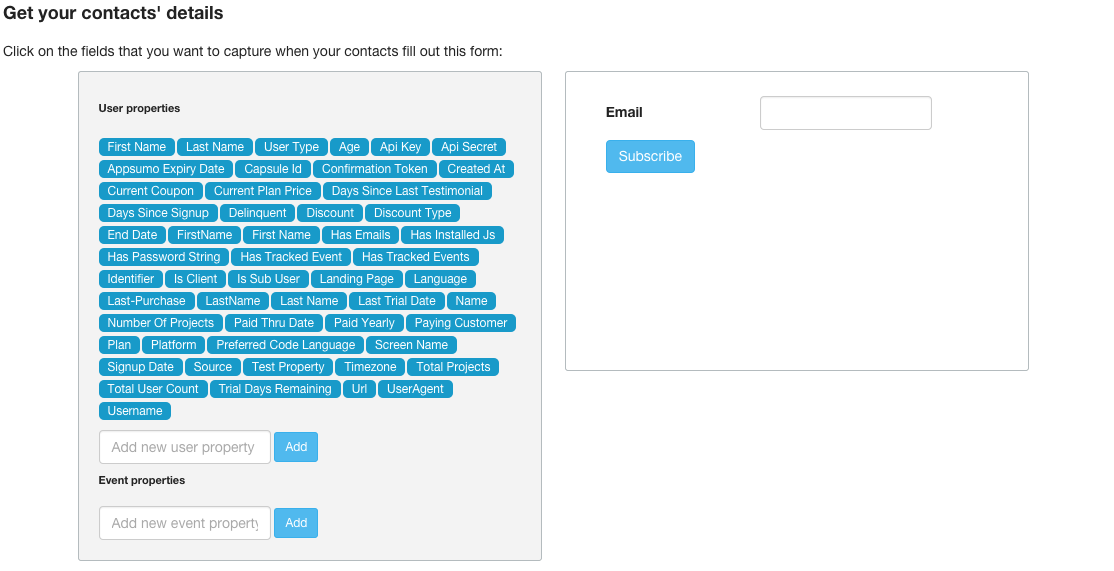
email address by default, but you can collect any fields you want. You can view the fields you’ve used in previously, on the left-hand side.
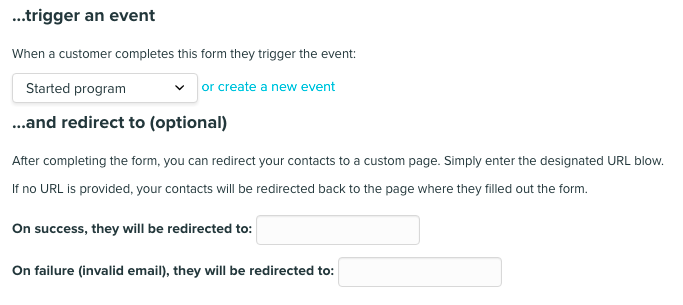
You must then define the event that will be triggered when the customer fills out this particular form.
The final part of our form builder allows you to define what your customers see after completing the form:
Step 2: Copy and paste your new form
Select ‘Generate form’ to generate the HTML for your new form: