

Built-in multi-language features
You can learn how to use the localization features built in to Vero’s UI in the following help article: Create a multi-language campaign.Load translations from a localization partner
Most localization providers, such as Transifex and Lokalise, provide an API for accessing completed translations. Some localization providers also support direct HTML-to-HTML translation.Using HTML
Using this approach, messages are designed in Vero for the default language (e.g. English) and then exported as HTML. HTML is imported into your translation provider for translation. Once complete, the translation provider provides rendered HTML in each of the destination languages. The translated HTML documents are imported directly into Vero using the built-in multi-language features (see Create a multi-language campaign) and the “HTML” content editor.Using JSON
A more scalable solution is to define default language strings in a central translation file. This file is then provided to a localization partner for translation, with variants available for each string that has been translated. You can use Vero’s Fusion functionality to directly request and insert each of these language strings. Using this approach, messages are designed in Vero but, rather than writing the copy in Vero, all strings are inserted dynamically using Liquid. The value of those strings is loaded dynamically at send time from your localization provider. See the following example: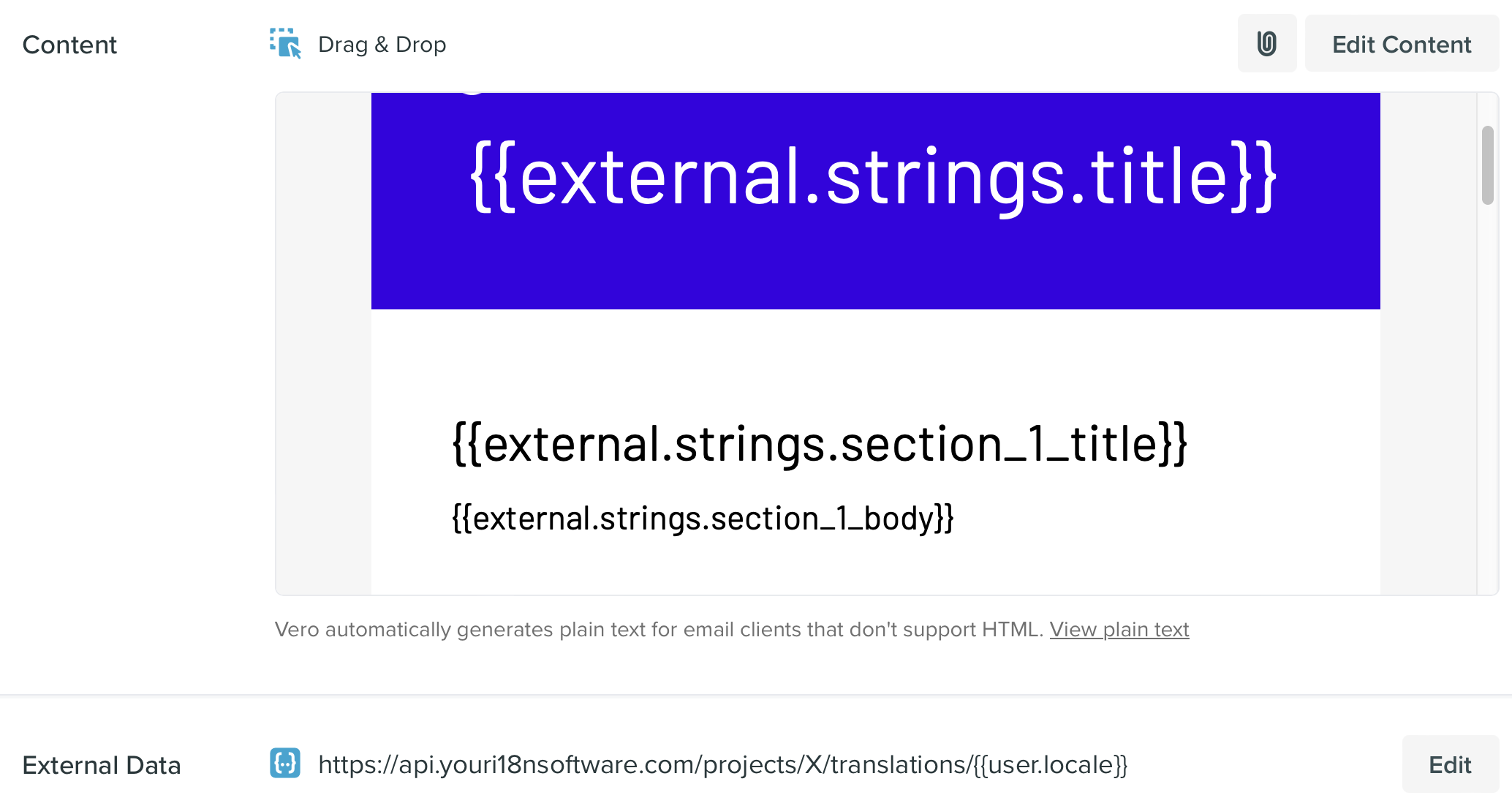
Use Liquid conditions inside a message
A simple, but sometimes effective solution, is to use Liquid logic to personalize language content. For example, you could do the following:For working with dates and timestamps
We provide awith_locale filter that will format the date in the language of the locale passed to the filter.