


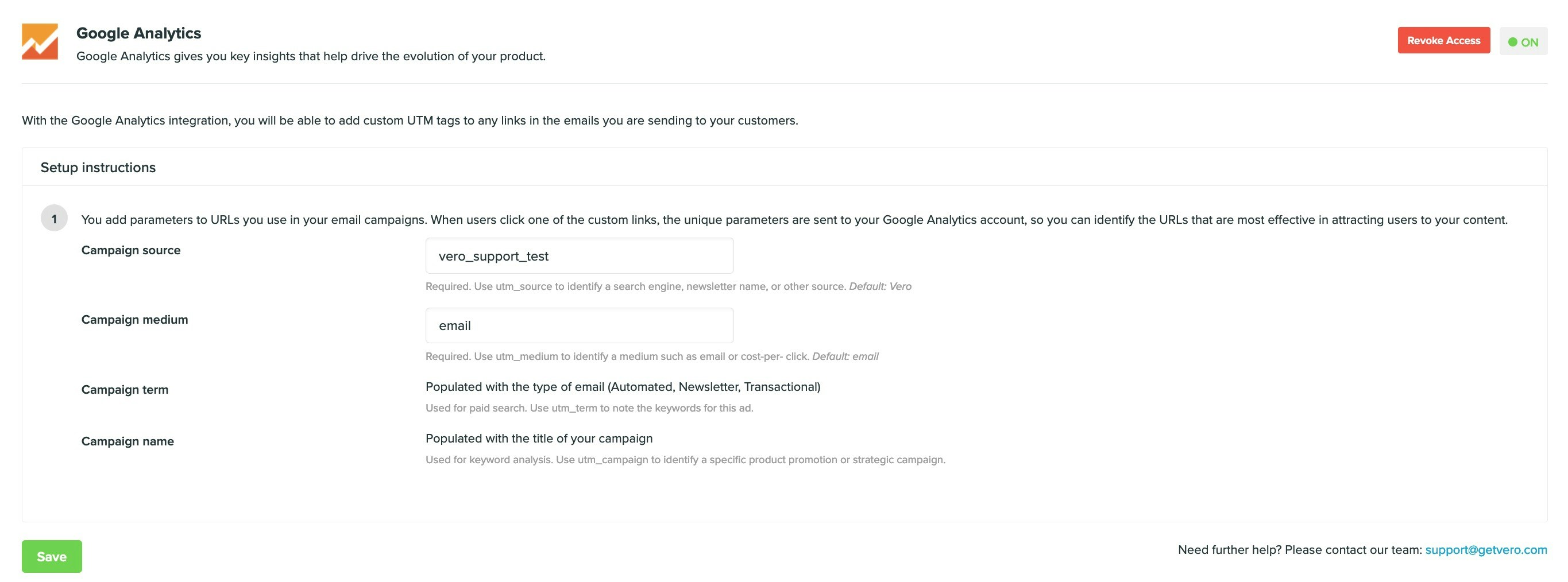
Editing the UTM tags
Vero will append UTM tags in the following manner:utm_sourceis, by default, set tovero.utm_mediumis, by default, set toemail.utm_campaignis populated with the name of the campaign being sent.utm_termis populated with one ofNewsletter,TransactionalorBehavioural.utm_contentis populated with either the variation being sent. If you do not have an A/B test running, this will becontrol, otherwise it’ll be the variation of your campaign (for example,aorb).
utm_source and utm_medium values appended by Vero on the Settings > Integrations menu page.
Customising tags in an individual email campaign
If you add your own UTM tags to any link, these will take precedence and override the default UTM tags that Vero will append above. For example, if you added a link as follows:utm_source, utm_term and utm_medium tags. It would not overwrite your custom utm_campaign value on this link.
Disabling tags on an individual link
You can also prevent a particular link from appending UTM tags by addingdata-vero="ignore". This will ensure that all other links are unaffected and still maintain their UTM tags.
For example, add the setting to your link as follows: