Sometimes when you are creating or planning email workflows you may not have the event you need tracked in your website or application yet. We don’t think this should stop you from getting your campaigns set up correctly. It is possible to add events in Vero that act as placeholders for events that have not been tracked yet. This is useful for setting up and testing your email workflows before an engineer has added the Vero tracking code.Documentation Index
Fetch the complete documentation index at: https://help.getvero.com/llms.txt
Use this file to discover all available pages before exploring further.
Adding events in the events manager
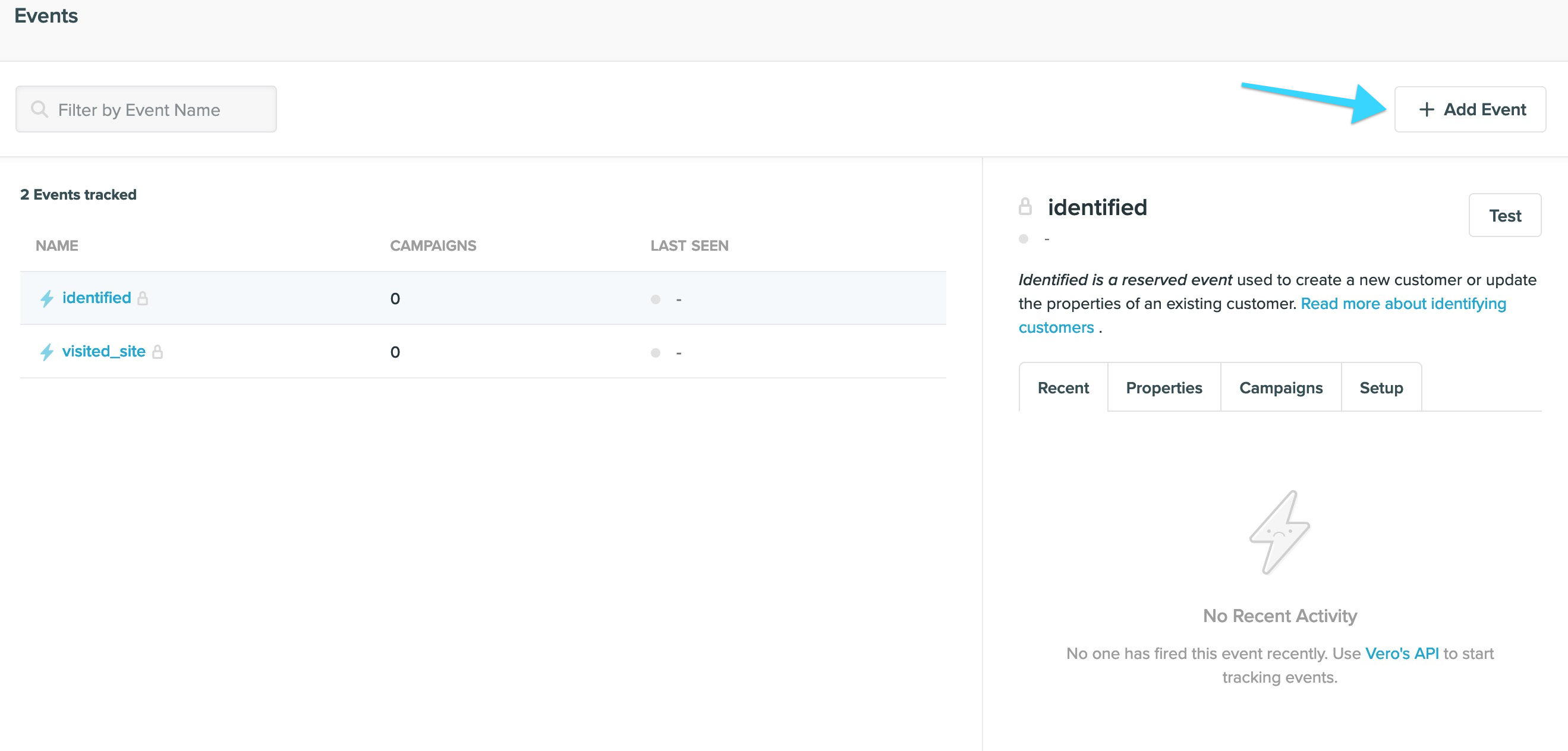
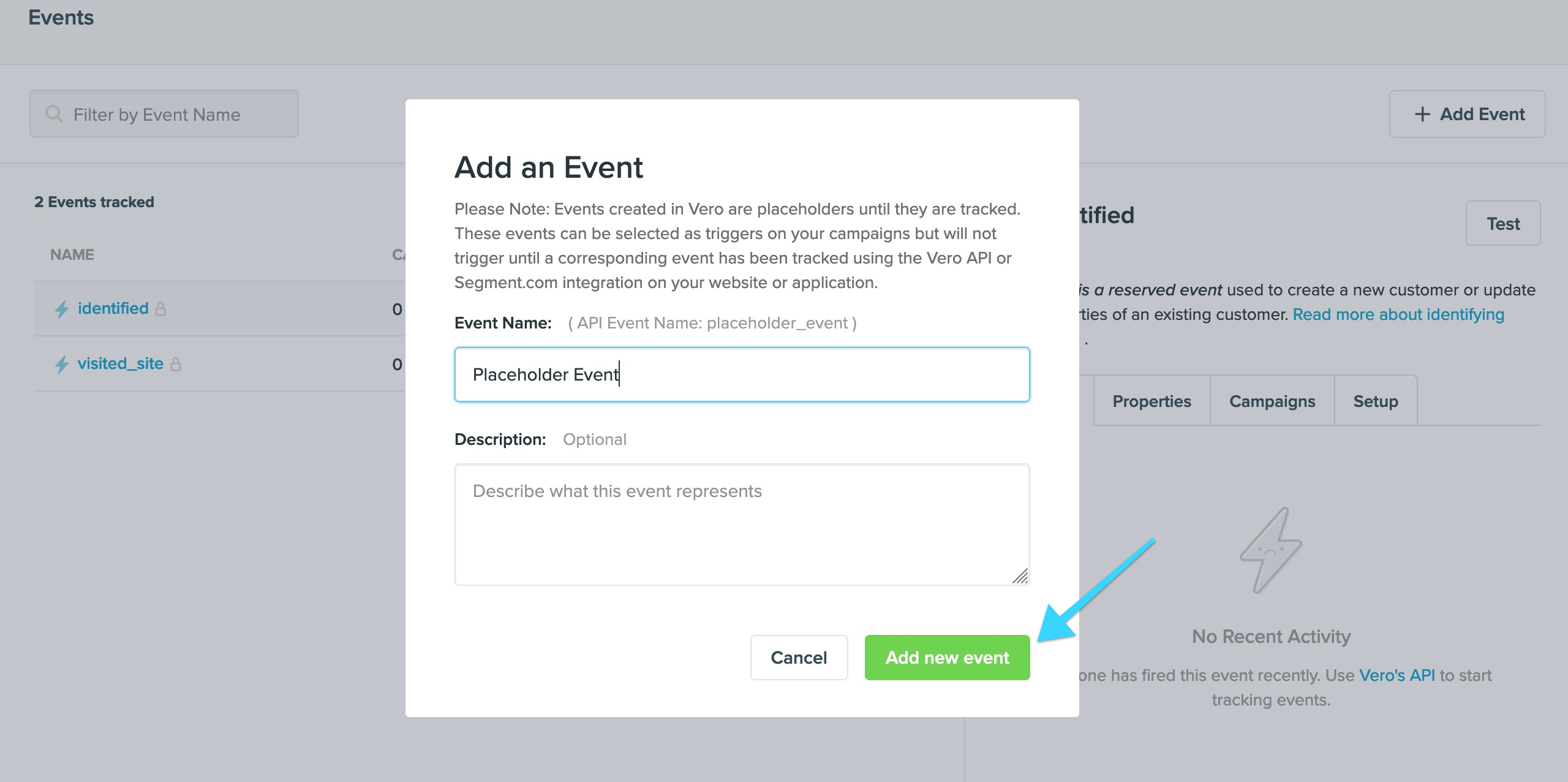
The events manager shows a list of events that have been tracked via the Vero API (read about the Vero API here. This list also shows placeholder events created in Vero that have not been tracked yet. To create your own placeholder event, hit the + Add Event button.
Adding events in a campaign
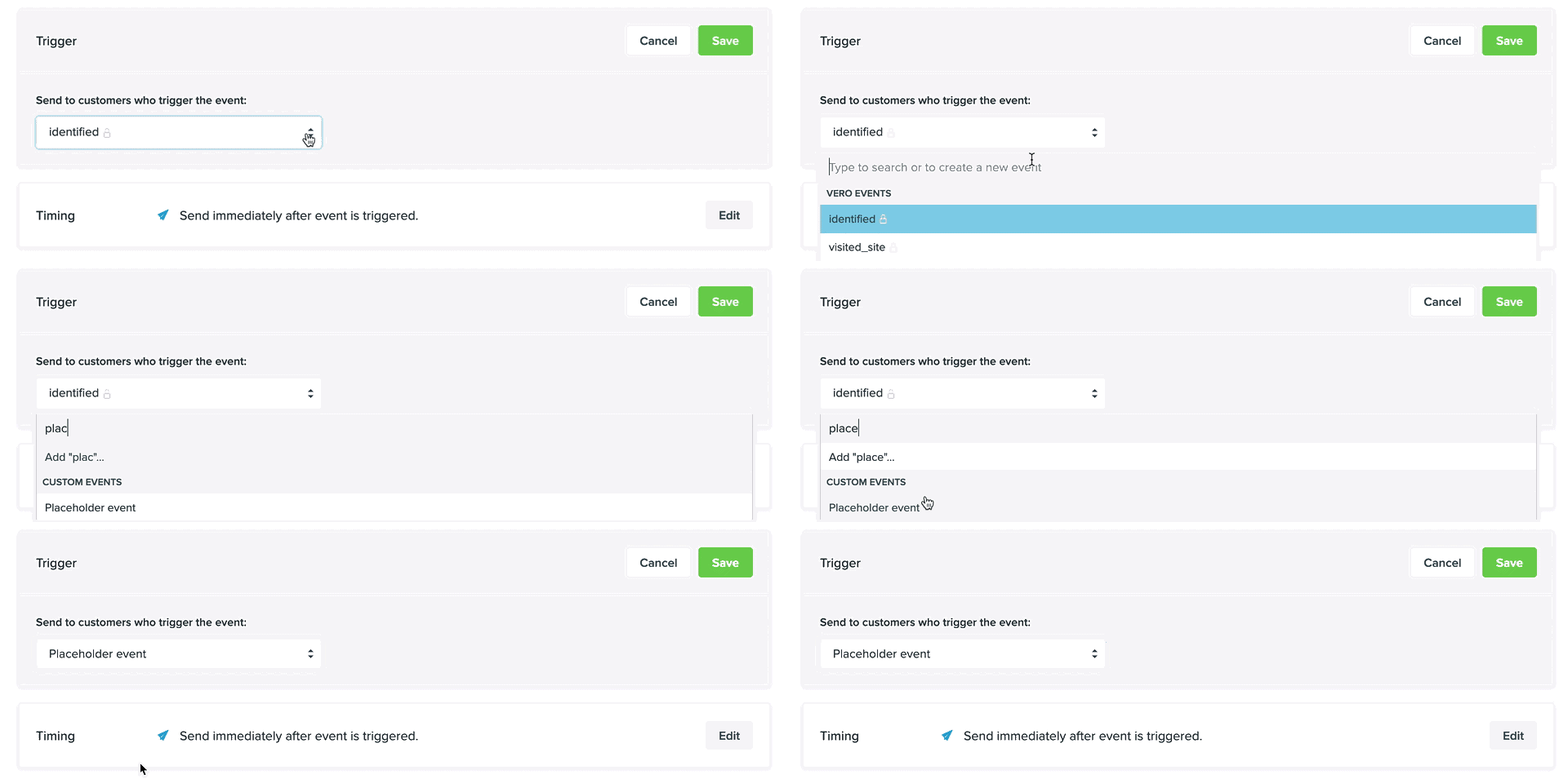
When designing a campaign, you can also type a new event name and quickly create an event by hitting ‘create new event’ straight from the trigger select box.