

Adding and customizing ‘To’ and ‘From’ email addresses
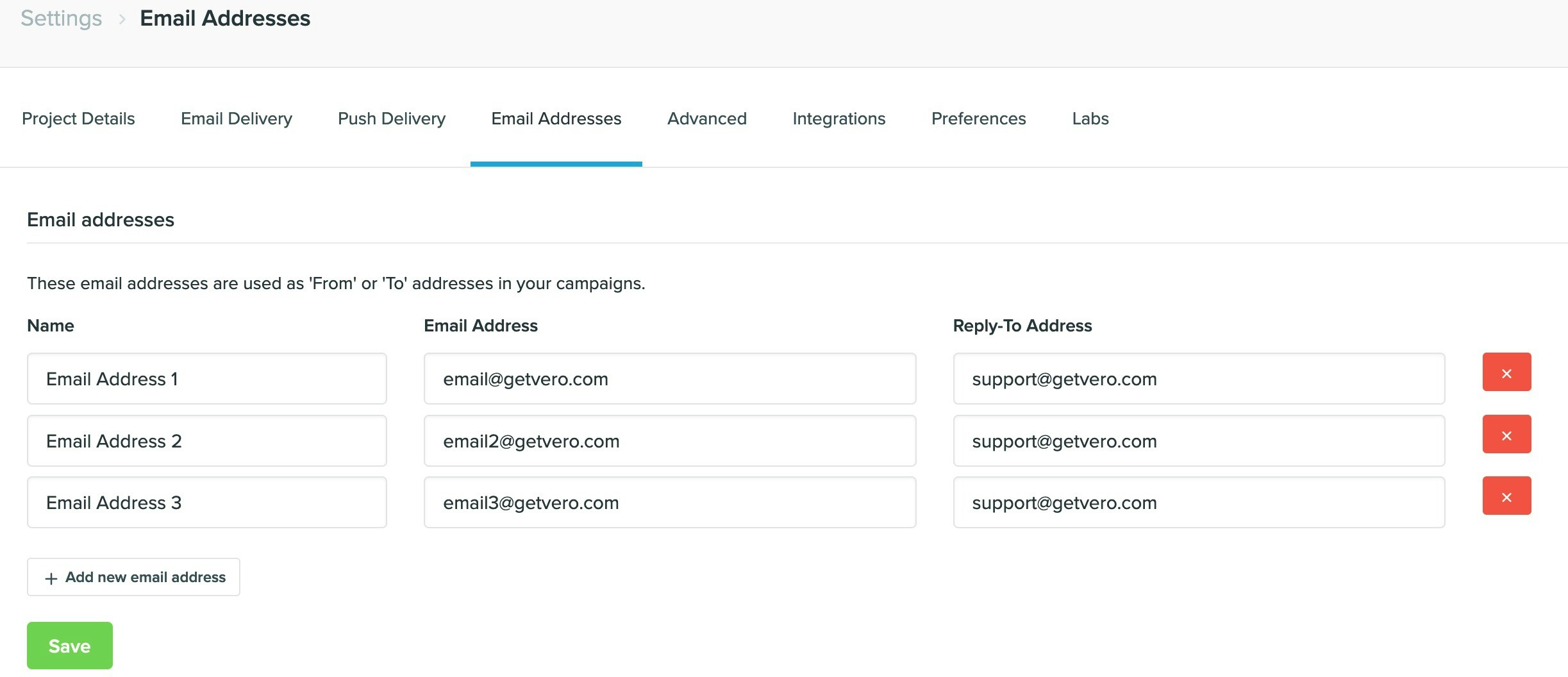
You can add and define as many customer ‘From’ email addresses as you want in Vero under the Email Addresses section in Settings. You can also use these emails addresses to direct behavioral and transactional email campaigns internally (rather than emailing the user that triggers those campaigns).Adding an email address
-
Email: The email address itself. For example,
email@getvero.com. -
From name: The name you want the email to come from. For example,
Chris from Vero. -
Reply-to (optional): The email address you want the replies to go to. For example,
support@getvero.com.
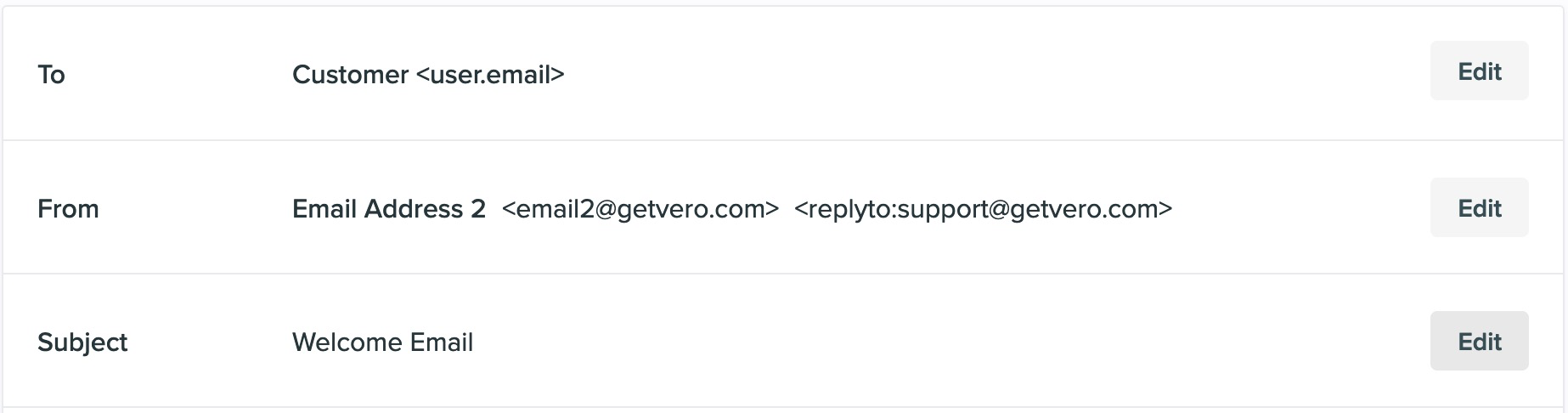
Using an email address
Complex, dynamic addresses using Liquid
You can insert dynamic merge tags into any of the fields used to define an email address, enabling you to dynamically populate the ‘To’ or ‘From’ addresses of any newsletter, behavioral or transactional campaign. For example, you might store a property on each of your customers’ profiles calledsecondary_email.
You can dynamically merge this property into any email address From name , Email or Reply-to email field.
As an example, you might set the Email field to be {{user.secondary_email}} and the From name to be {{user.secondary_email_from_name}}.
When an email is built to be sent, Vero will pick up these values and use them to send the email.