Selection Criteria
You’ll be able to generate your reporting overview with different criteria:- Campaign: You can select the specific campaign.
- Email in the series: If your campaign is set up as a series you can select which email you’d like to view.
- Content Variations: Which content you would like to view.
- Date Range: The custom date range you’d like to filter on.

Campaign Summary
Once selected you’ll see a summary of the campaign name, status, campaign type and custom date range.
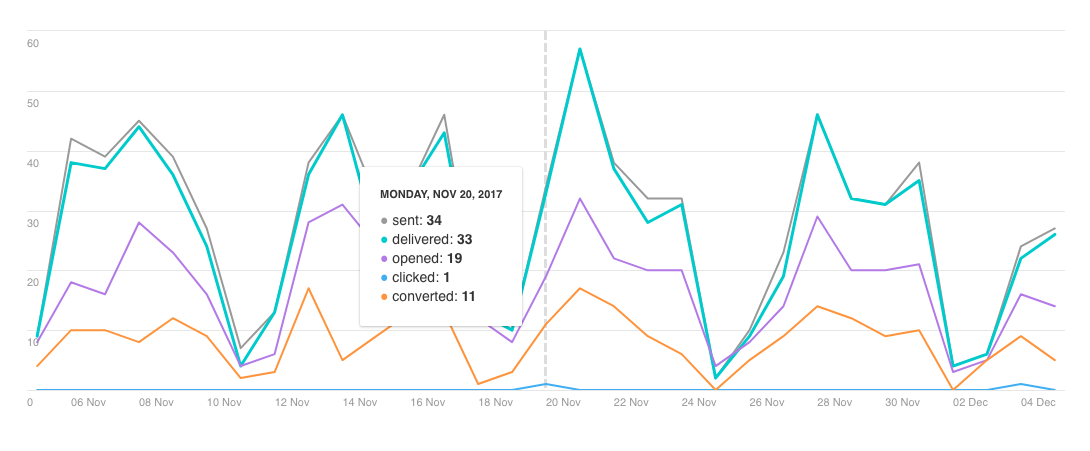
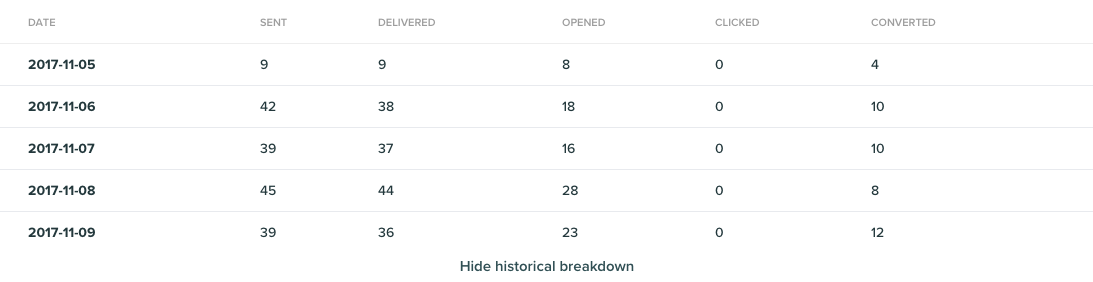
Engagement Report
Overview: A summary of the campaigns engagement metrics.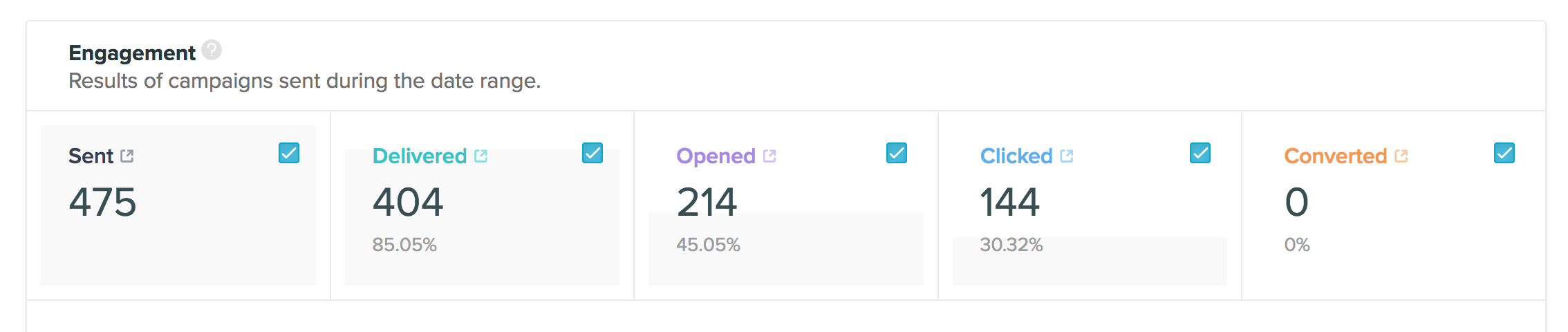
Content Breakdown
Each variation metrics will be displayed.


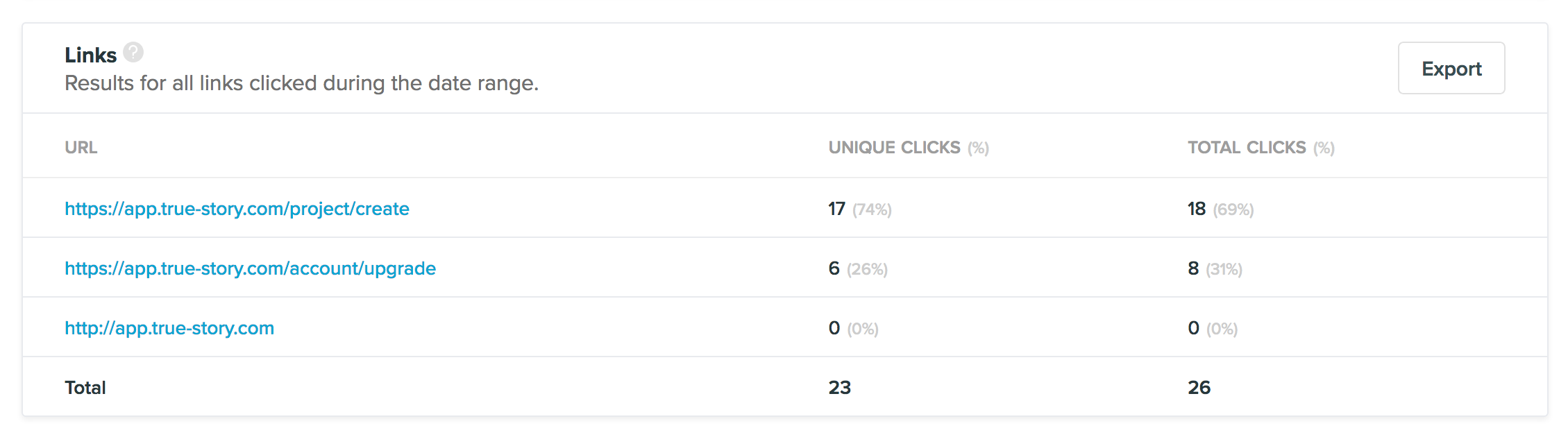
Click Report
The number of clicks on each individual link in the campaign.