

What is a Content Conflict?
Note: Content conflicts are only relevant for templates usingvero-editable tags which are no longer the prefered way to handle HTML content in Vero, read about the correct way to use html in Vero first. When a template that uses vero-editables is updated, our system will do one of two things:- Automatically update the content of a campaign to reflect the changes made in the underlying template.
- Detect a “possible” conflict between the new changes and the content and flag the email before putting the changes in to production.
vero-editable tag, Vero then requires the changes to be reviewed in the campaign in case the changes have caused an issue with the rendering of the content.
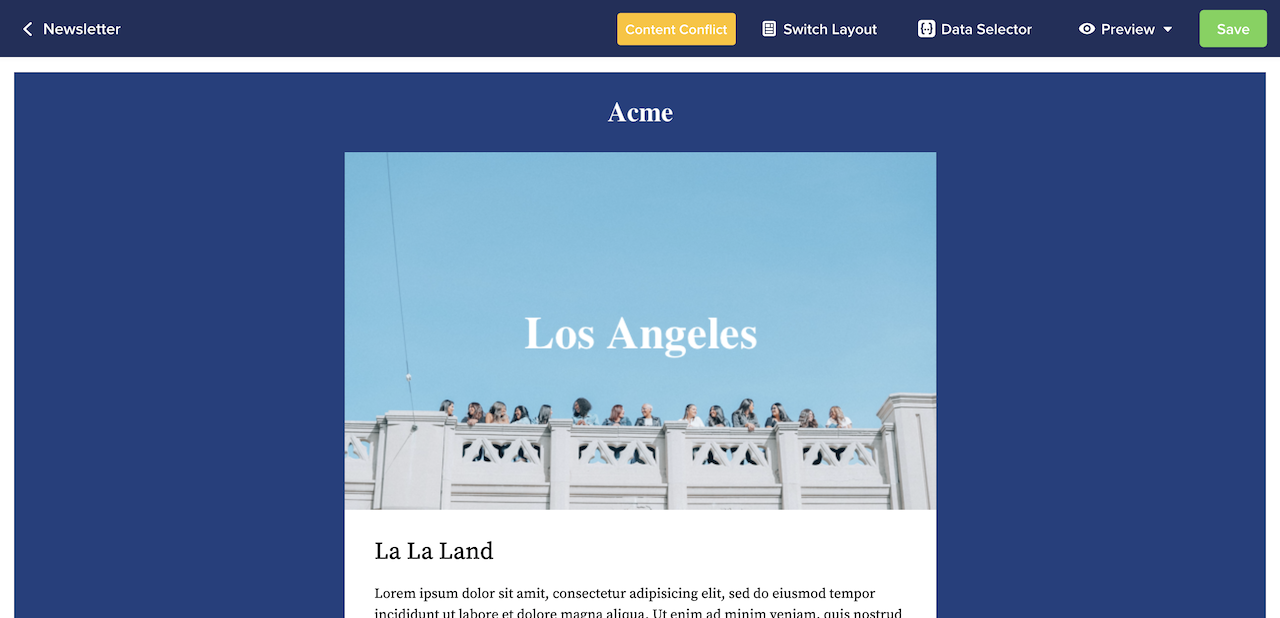
What happens when there is a Content Conflict?
Conflicts arise when you edit a master template and add, delete or movevero-editable areas. In these instances, Vero does not know which text goes where for the underlying campaign. Instead of trying to do things automatically, Vero continues sending your campaign using the original version of the template and lets you know that you need to manually re-define the content of the campaign in order to see your new changes go live.
The Content Conflict notification acts as a failsafe built into the system. If the system detects that the update to the template may cause a conflict to the content, it can ensure that this never makes it to the users inbox.
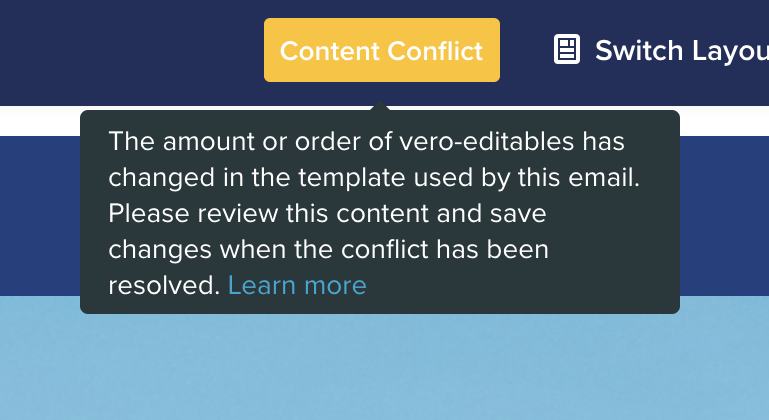
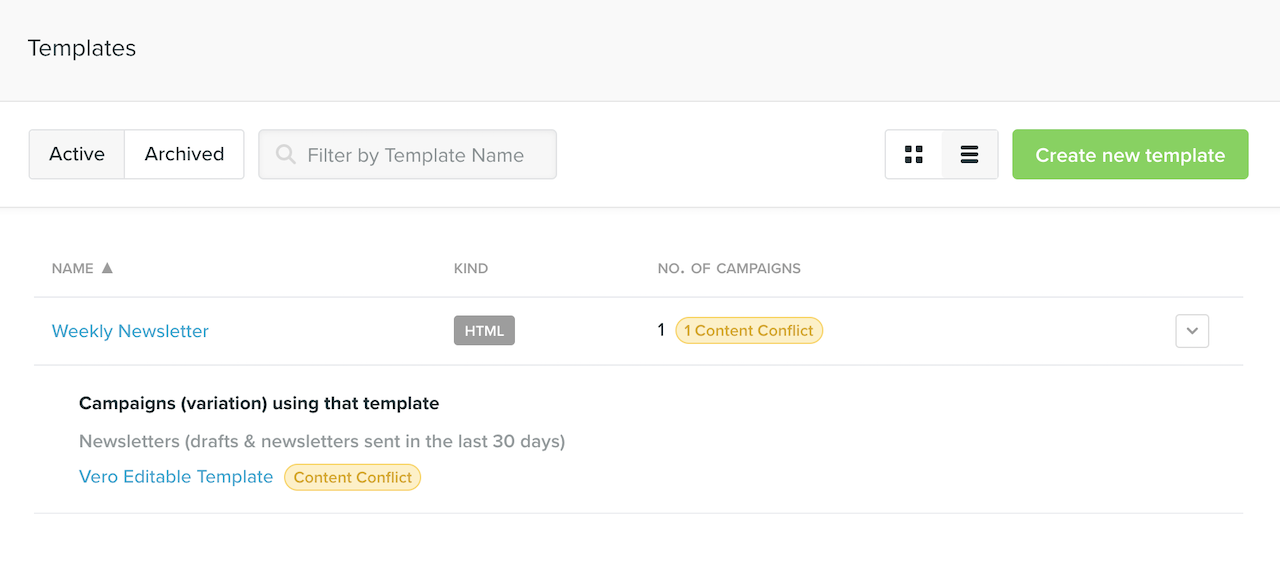
How do I know which templates and campaigns have conflicts?
When on the Templates page, you can tell whether a template is being used by any campaigns via the Number of Campaigns label on each template, which shows the number of campaigns using that template.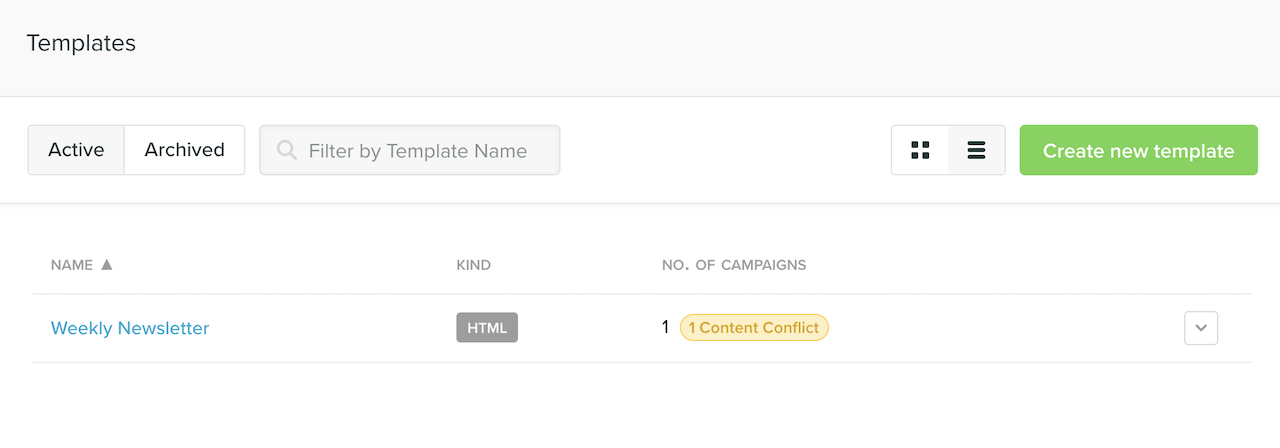
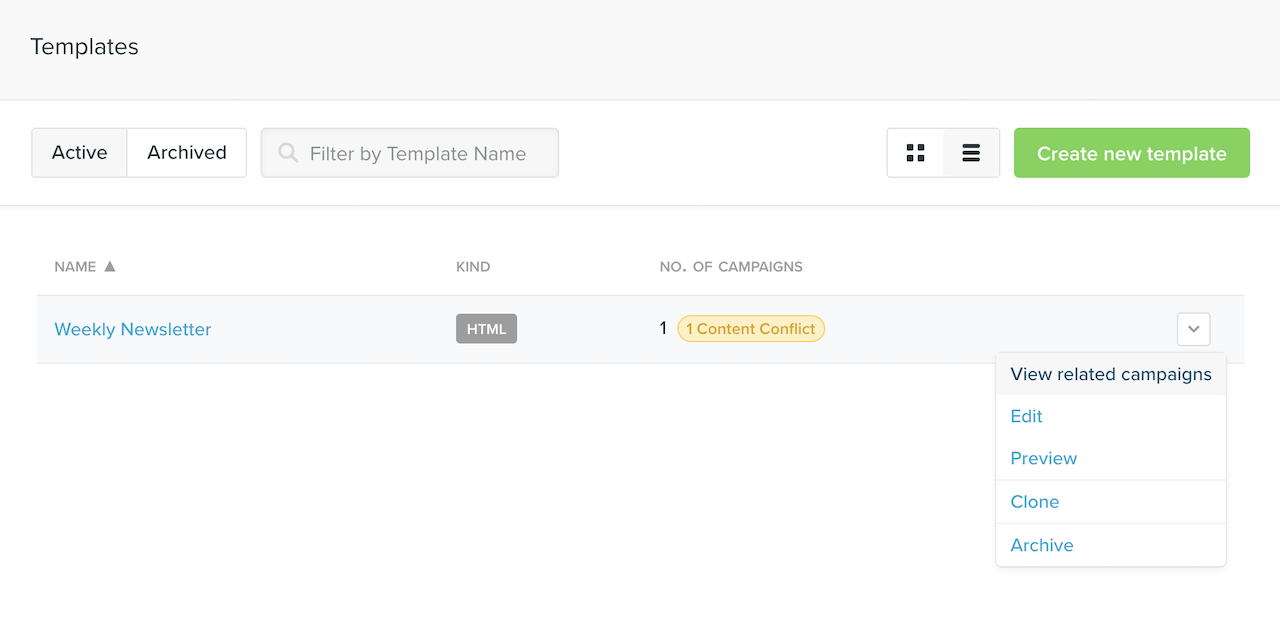
What do I look for when I have a Content Conflict?
Conflicts are usually caused by adding, removing, or re-orderingvero-editables, so it’s important to look at the editable regions and make sure everything is in order and physically appearing correctly.