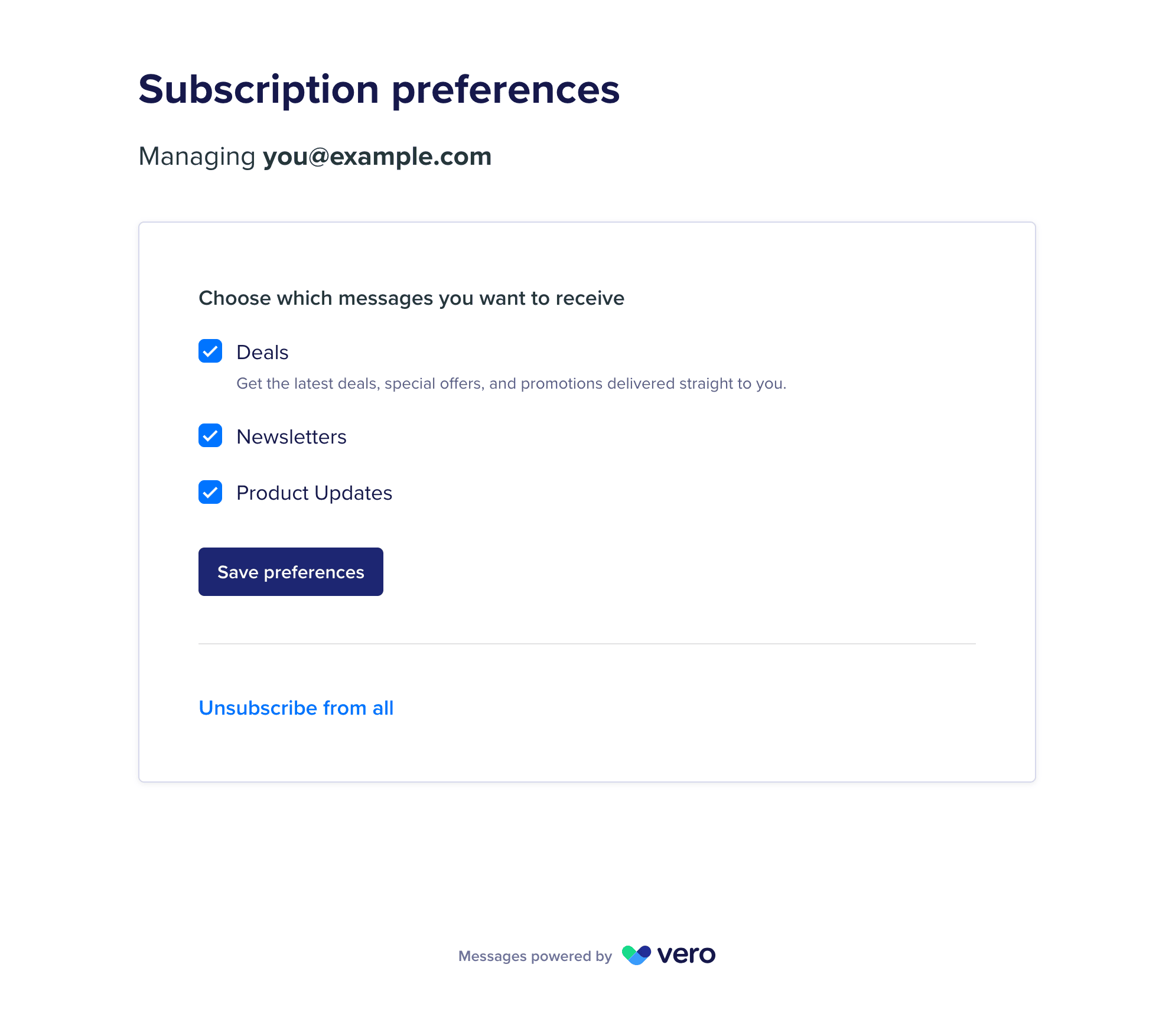
The preference center is a page hosted by Vero where users choose which subscription topics they receive, unsubscribe from everything, or resubscribe. The preference center showing a checkbox for each topic, a Save preferences button, and an Unsubscribe from all link

Prerequisites

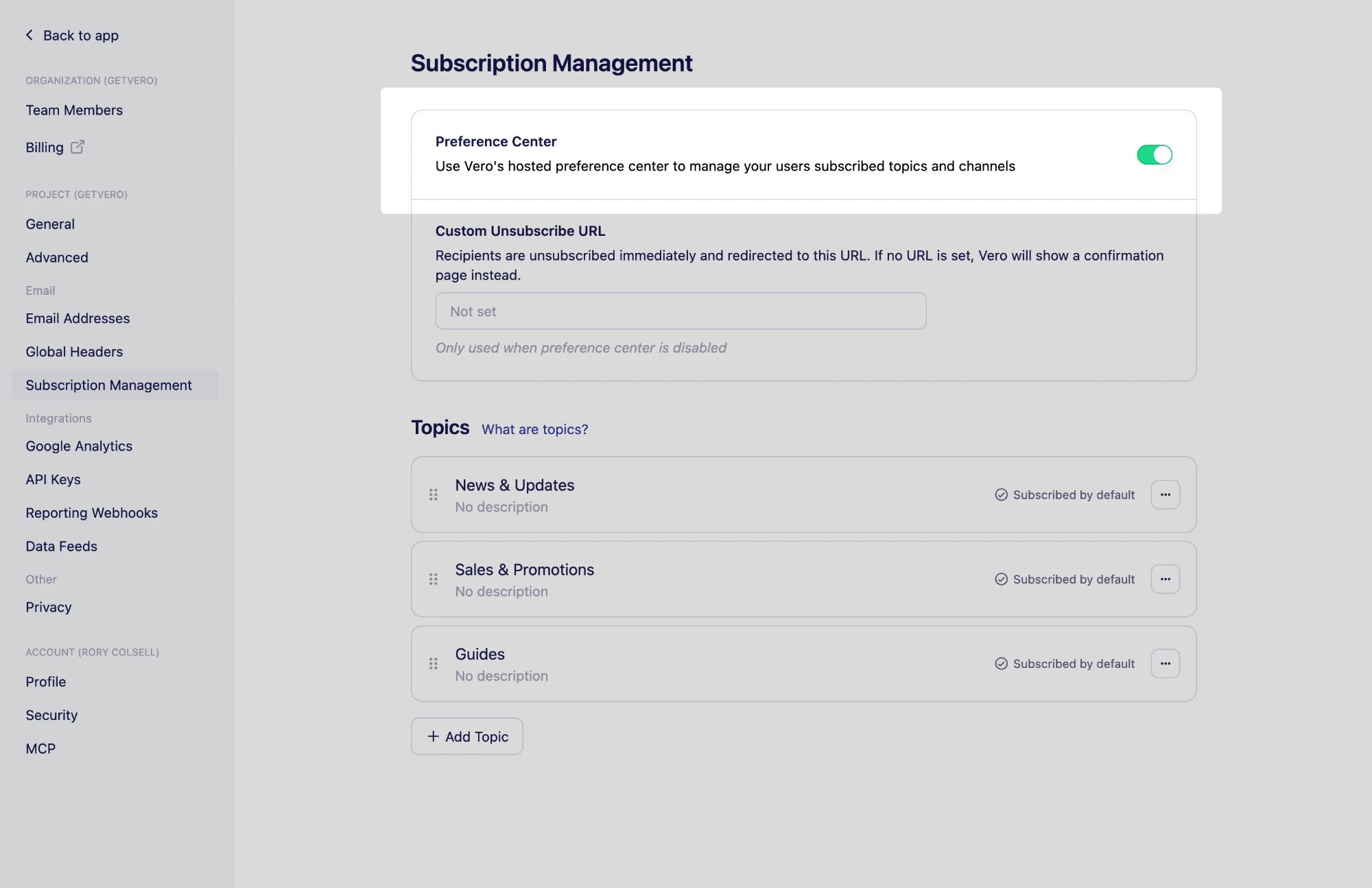
  1. Preference center access on your project – contact us to have it turned on. Once it is, a Preference Center switch and a Topics section appear under Settings → Subscription Management.
  2. Edit access to your project – anyone who can edit your project can turn on the preference center. Member (View only) users can see the page but not change it. See Set up team access.

Step 1: Turn on the preference center

  1. Go to Settings → Subscription Management.
  2. Turn on the Preference Center switch. The Preference Center switch turned on at the top of the Subscription Management settings page
While the preference center is on, your custom unsubscribe page is not used. Vero hosts the unsubscribe pages instead, so users can change their topics or resubscribe without leaving the page.

Step 2: Create your topics

The preference center lists your project’s topics, in the order set under Settings → Subscription Management. Create at least one before you link to the page. See Using topics. Add one of these Liquid tags to your email content:
  • {{url.manage_preferences_link}} inserts a URL to the preference center, personalized for each recipient.
  • {{url.manage_preferences}} inserts a link reading Manage preferences that points to the same URL.
A typical footer offers both the preference center and a full unsubscribe:
{{url.unsubscribe_link}} and {{url.unsubscribe}} keep working and still unsubscribe a user from your project entirely. See Personalize content with Liquid for the full list of tags. Send yourself a preview email that includes the link, then click it to check your topics appear as expected. The link opens a preview of the preference center, marked as a preview, and you need to be signed in to your Vero account to view it.

Troubleshooting

There is no Preference Center switch

Possible causes: Preference center access has not been turned on for your project. Solution: Contact us to have it turned on, then reload Settings → Subscription Management.

The Preference Center switch is disabled

Possible causes: Your role is Member (View only). Solution: Ask a project owner to change your role.

The preference center has no topics to choose from

Possible causes: The project has no topics yet. Solution: Create a topic under Settings → Subscription Management, then reload the page.

Next steps

Need Help?

If you have any questions, reach out to us at support@getvero.com.