

Prerequisites
- Track a timezone on your user profiles – Vero reads the
ianaTimezoneortimezoneproperty on each profile. The Vero JavaScript library tracks both automatically. If you send data from your backend, include one of these properties yourself. Learn how to add or update user profiles - Set your project timezone – recipients without a timezone receive the message at the scheduled time in your project’s timezone. Learn how to set your project timezone
Scheduling a broadcast in each user’s timezone
- In your broadcast’s trigger settings, select Specific Date & Time.
- Check Send in user’s timezone.
- Choose the date and time you want each recipient to receive the message, in their local time.
- Click Save, then review and launch your campaign.
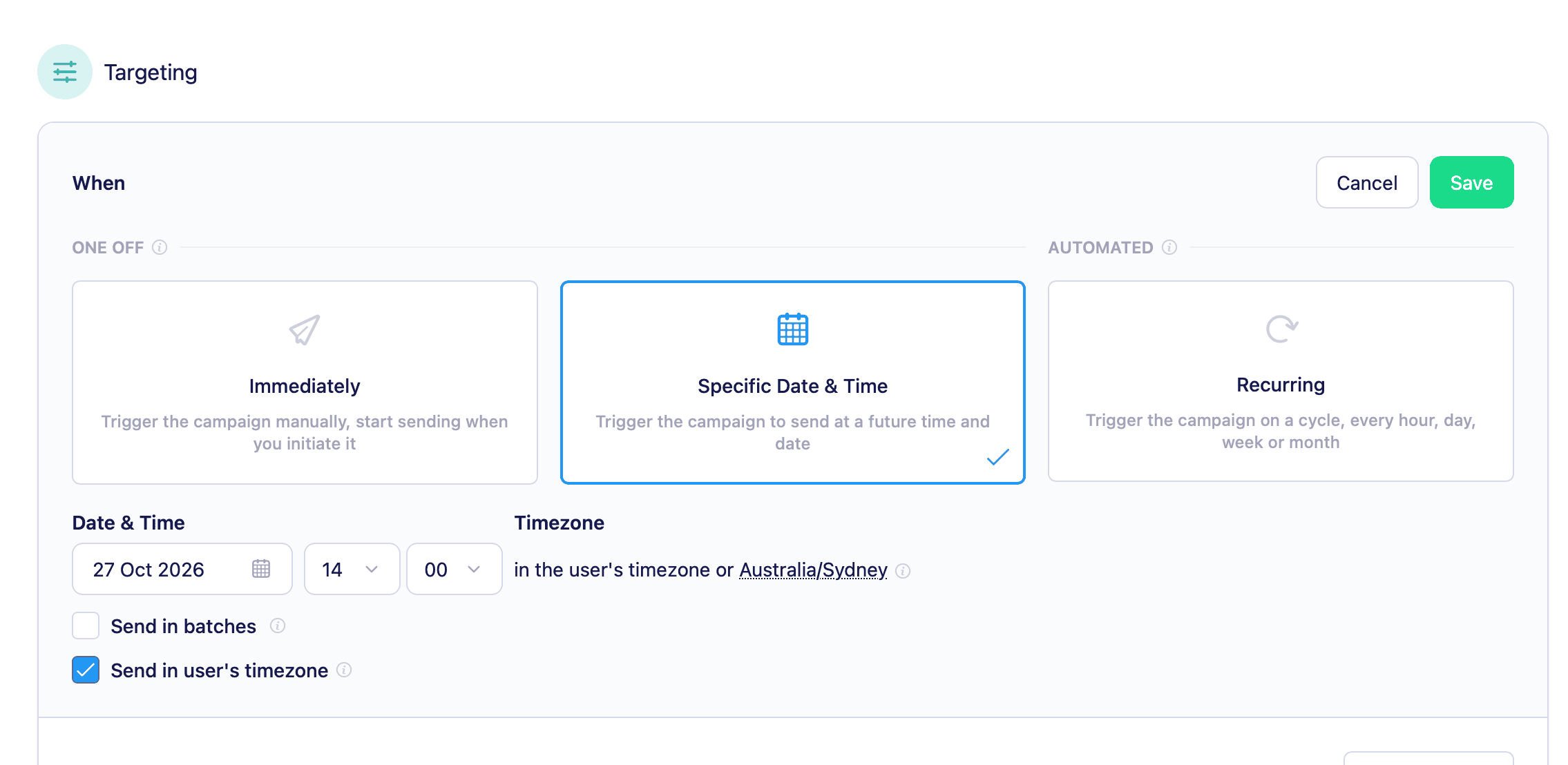
Vero won’t let you pick a date and time that has already passed in any timezone. Because the earliest timezone (UTC+14) reaches each time of day first, you need to schedule a send far enough ahead that the chosen time hasn’t arrived there yet.
How it works
When the send starts, Vero works out each recipient’s timezone and groups recipients who share the same local send time. Each group is sent when the chosen time arrives in its timezone. Sending starts when the chosen time first arrives in the earliest timezone (UTC+14) and finishes when it arrives in the latest. For a worldwide audience, this means a single broadcast can take more than a day to finish sending.How Vero picks each recipient’s timezone
Vero checks the following, in order, and uses the first valid value:ianaTimezonefrom your campaign audience (for example, a column in a CSV or SQL audience)timezonefrom your campaign audienceianaTimezoneon the user’s profiletimezoneon the user’s profile- Your project timezone
UTC offsets between -12 and +14 are rounded to the nearest supported offset. Values outside that range are ignored, and Vero moves on to the next source in the list.
Who receives the message
Vero decides who receives the message, and in which timezone, when the send starts. Changes to your user data after that point don’t affect the send. For example, a user who starts matching your segment’s conditions won’t receive the message, and a user whosetimezone property changes still receives it at the time worked out from their original timezone.
Recurring schedules
Send in user’s timezone also works with recurring schedules. Each time the schedule runs, Vero refreshes the audience, regroups recipients by timezone, and sends to each group at the chosen local time.Batch sending
You can combine Send in user’s timezone with batch sending. Batch settings apply within each timezone group, so each group is split into batches starting at its local send time.Limitations
- Send in user’s timezone can’t be used with A/B testing. Enabling one disables the other.
- The option is available for scheduled broadcasts only. To send at a set local time in a Journey, use a Delay node with a time of day.
In Vero 1.0, timezone sends only read a numeric
timezone offset. Vero 2.0 also reads IANA timezone names from ianaTimezone and timezone, so daylight saving is handled per recipient.