

In Vero 1.0 Workflows, filtering users out of a flow was handled by a Filter node. In Vero 2.0, the same result is achieved by adding an Exit node to the false path of a True/False node. This approach makes it explicit on the canvas where and why users leave the Journey.
Adding an Exit node
Exit nodes can only be added to a True/False node path. To add one, first add a True/False node — this creates separate True and False paths that can each terminate with an Exit node.- Add a True/False node to your Journey.
- Click the + button on either the True or False path where you want users to exit.
- Select Exit from the node menu.
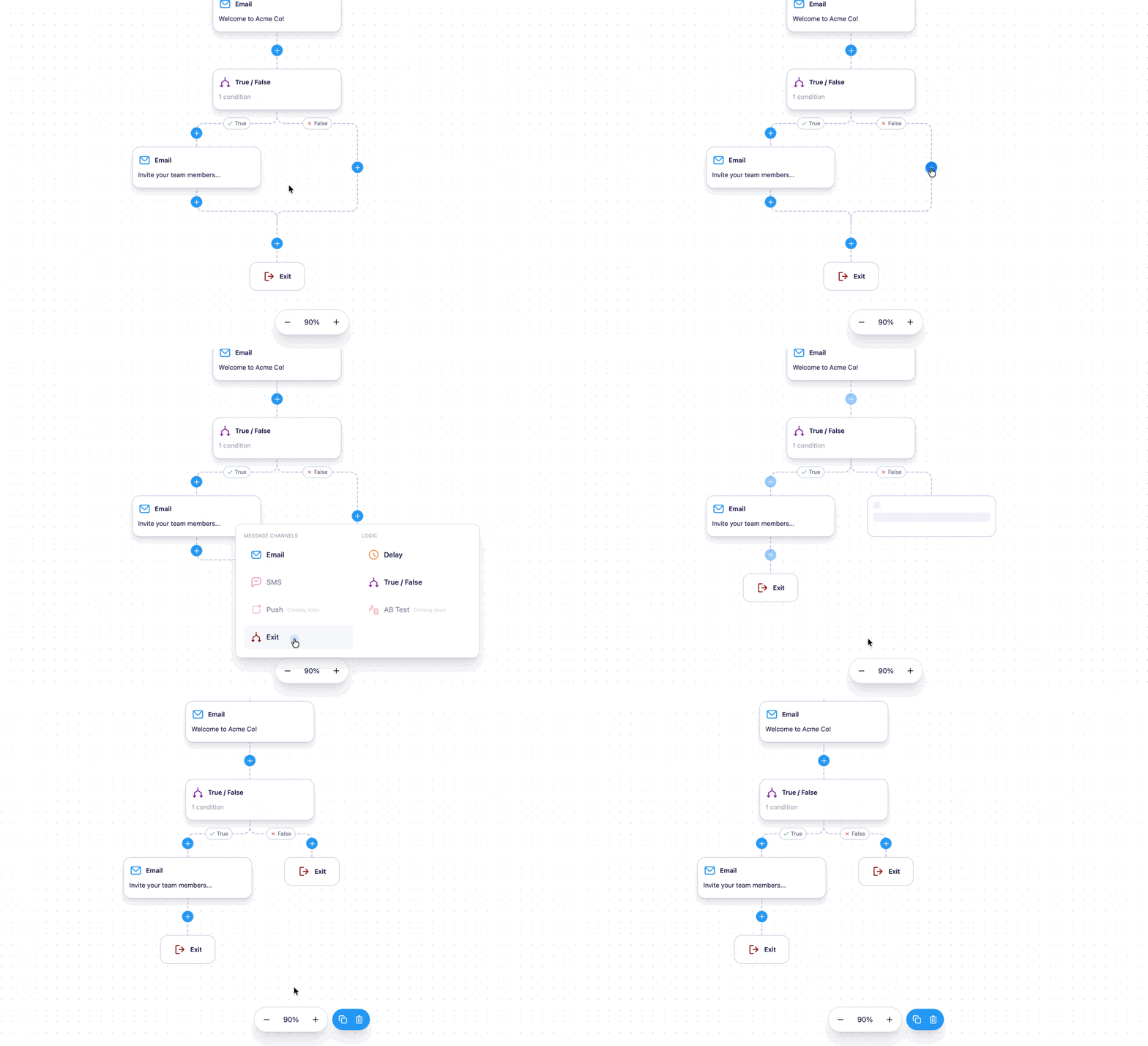
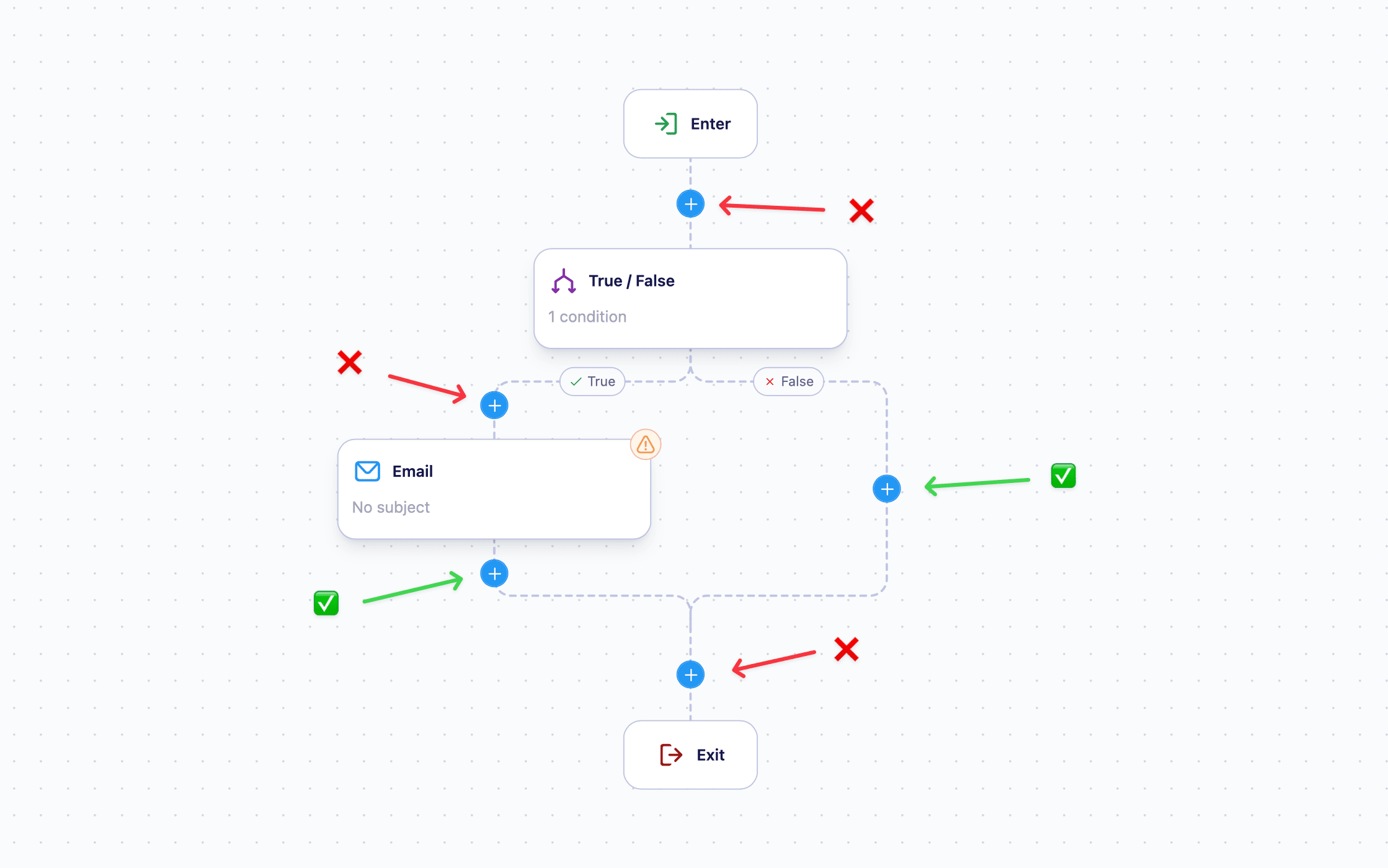
Exit nodes can only be added at the end of a True/False node path, not between existing nodes within a path.
Using Exit nodes with True/False nodes
Since Exit nodes require a True/False node to exist, the most common pattern is using them together to filter users:- Add a True/False node and configure your conditions.
- Add an Exit node to the False path — users who don’t meet the True/False node conditions will exit here.
- Continue building the rest of your Journey on the True path for users who do meet the conditions.
Removing an Exit node
You cannot currently remove an Exit node without removing the entire branch it belongs to. To remove the branch, delete the True/False node that contains it — this will remove all nodes on that branch, including the Exit node.The ability to remove individual Exit nodes is coming soon.
Limitations
- Journeys must be stopped before you can add or remove Exit nodes.
- Exit nodes can only be placed at the end of a True/False node path.
Next steps
- True/False node — add conditional logic to route users before an Exit node
- Creating and editing a Journey — learn how to build and launch a Journey