

Prerequisites
Before adding an SMS node to a Journey, you’ll need to:- Track phone numbers for your users via the API using the
phone_numberproperty. Phone numbers are displayed in user profiles and used as the channel address for SMS messages, and must be stored in E.164 format. Learn how to add users via the API - Add an SMS channel provider to enable sending SMS to profiles with a
phone_numberchannel address. Learn how to configure your SMS channel
Tracking phone numbers
To send SMS messages, Vero needs a phone number on record for each user. You can store a phone number when identifying a user via the API:Adding an SMS node to a Journey
- Open your Journey on the canvas.
- Click the ”+” button to open the add node menu.
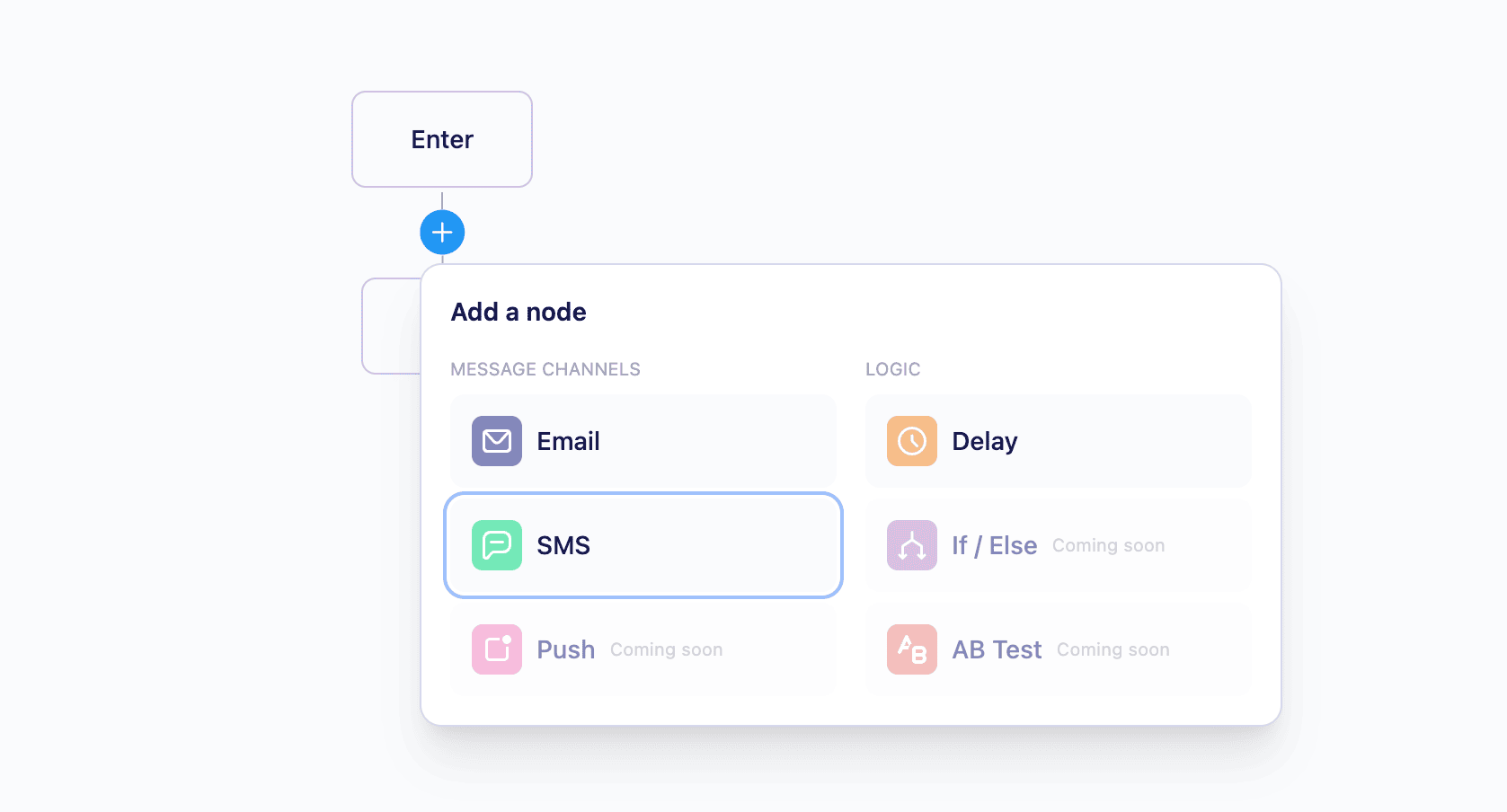
- Select SMS from the list of available node types.
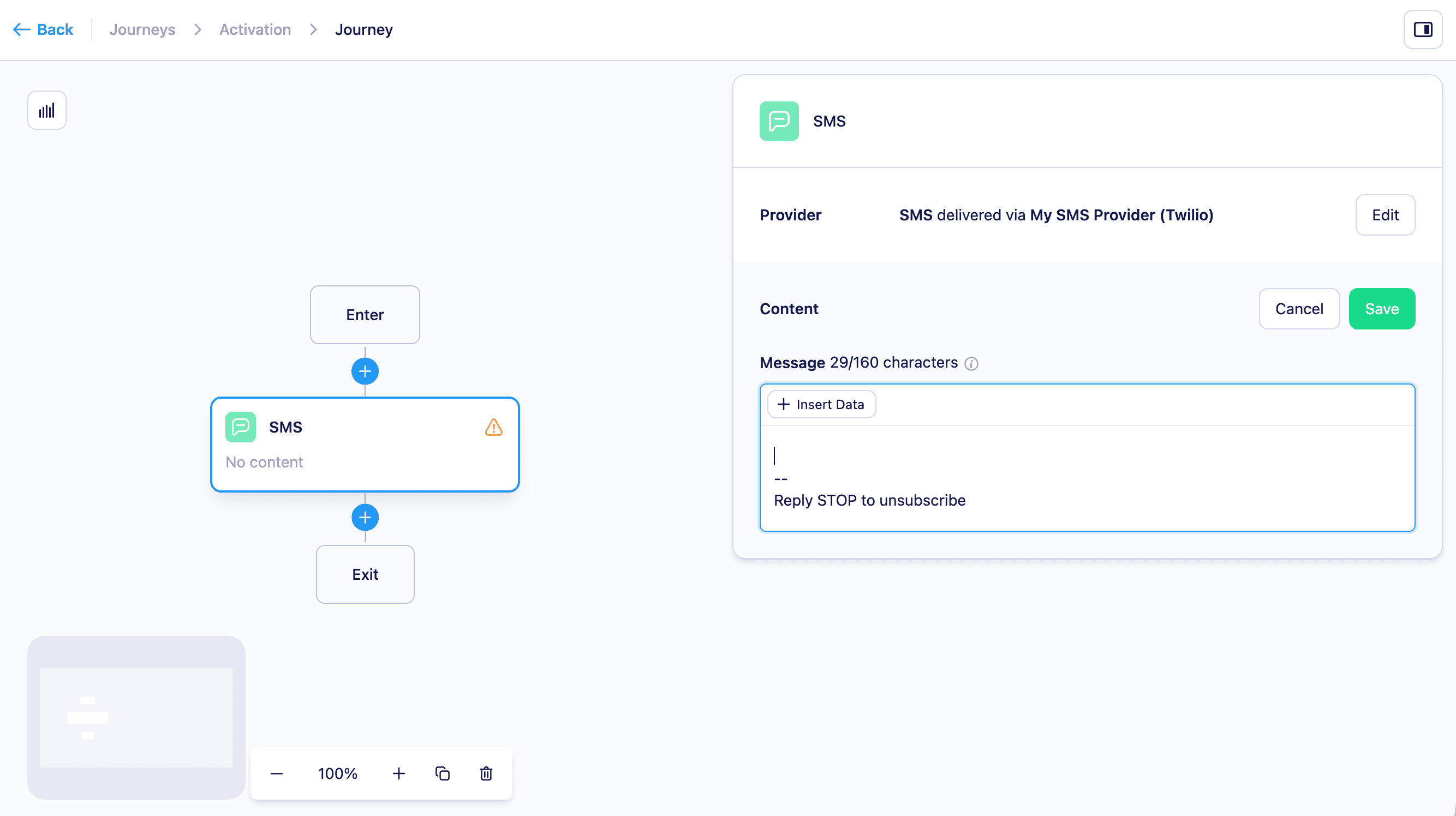
- Click the SMS node to select it and configure it in the side panel.
Configuring the SMS node
In the SMS node side panel you can:- Choose an SMS channel provider - This determines which SMS channel provider will send the message. If you have multiple providers configured, you can choose which one to use for this node.
- Write your message body — compose the text that will be sent to the user.
-
Personalize with Liquid — use Liquid merge tags to insert dynamic content into your message based on user attributes or properties from the triggering event:
{{ user.first_name }}— inserts a property from the recipient’s user profile.{{ event.property_name }}— inserts a property from the event that triggered the journey.
Reporting
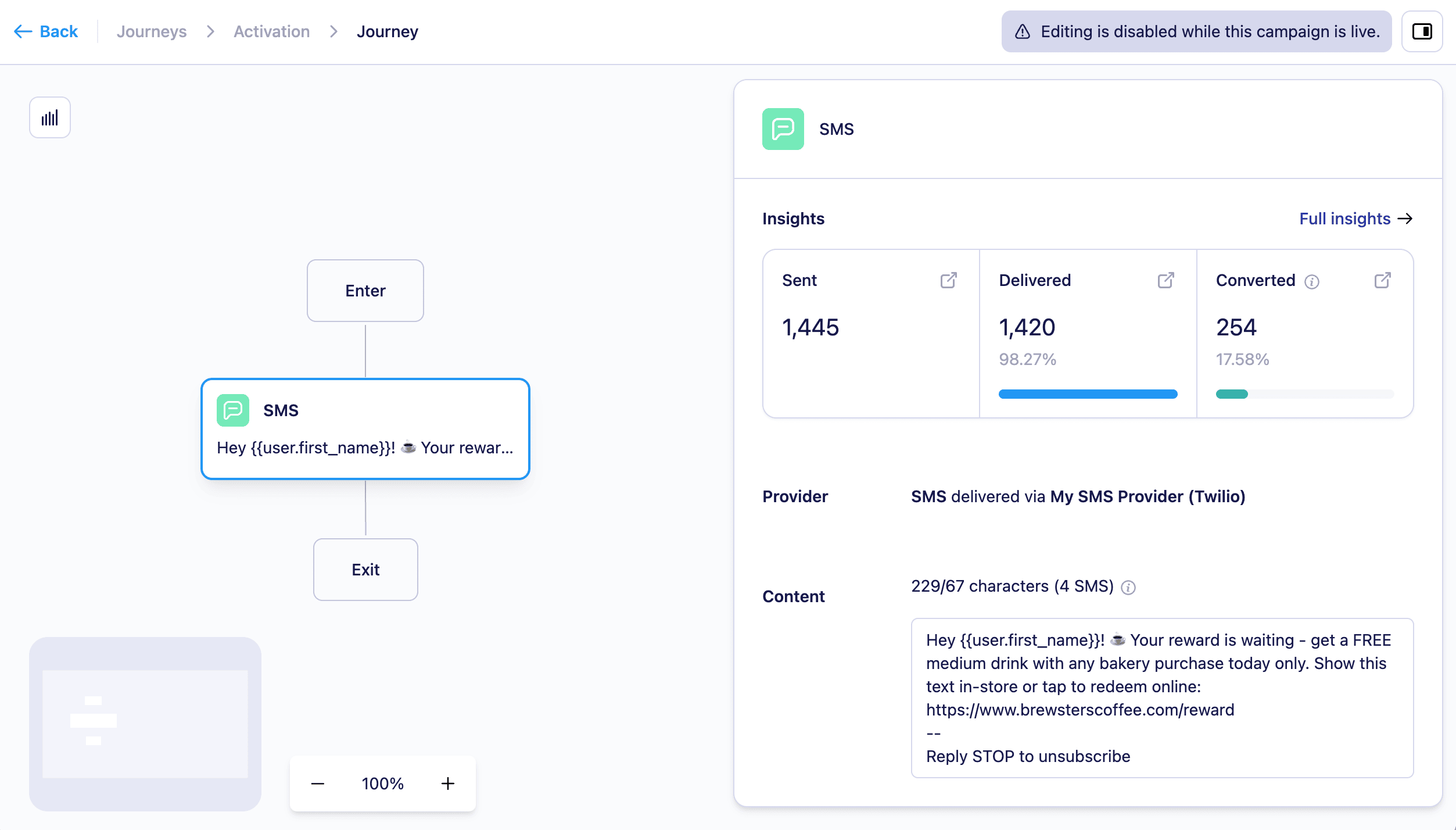
SMS nodes include delivery reporting in the Journey canvas and campaign report. The following metrics are available for each SMS node:- Sent — the number of SMS messages Vero has dispatched to the SMS channel provider.
- Delivered — the number of messages successfully delivered to the recipient’s device, as confirmed by the provider.
- Converted — the number of users who completed the conversion goal attributed to this SMS node.
Message length and segmentation
SMS messages over 160 characters are automatically split into multiple segments for delivery. They will appear as a single message to the recipient, but each segment may be billed separately depending on your provider.Emojis reduce the per-segment character limit and will increase the number of segments used.
Limitations
- SMS messages are only sent to users who have a
phone_numberstored in their profile. - Users without a phone number on record will skip the SMS node and continue to the next step in the journey.