

The future of Vero
You can now switch to a preview of the new Vero 2.0 interface from any existing Vero 1.0 (née Vero Cloud) project. This release is not just a glimpse into the future but a fully functional interface, allowing you to send messages right away.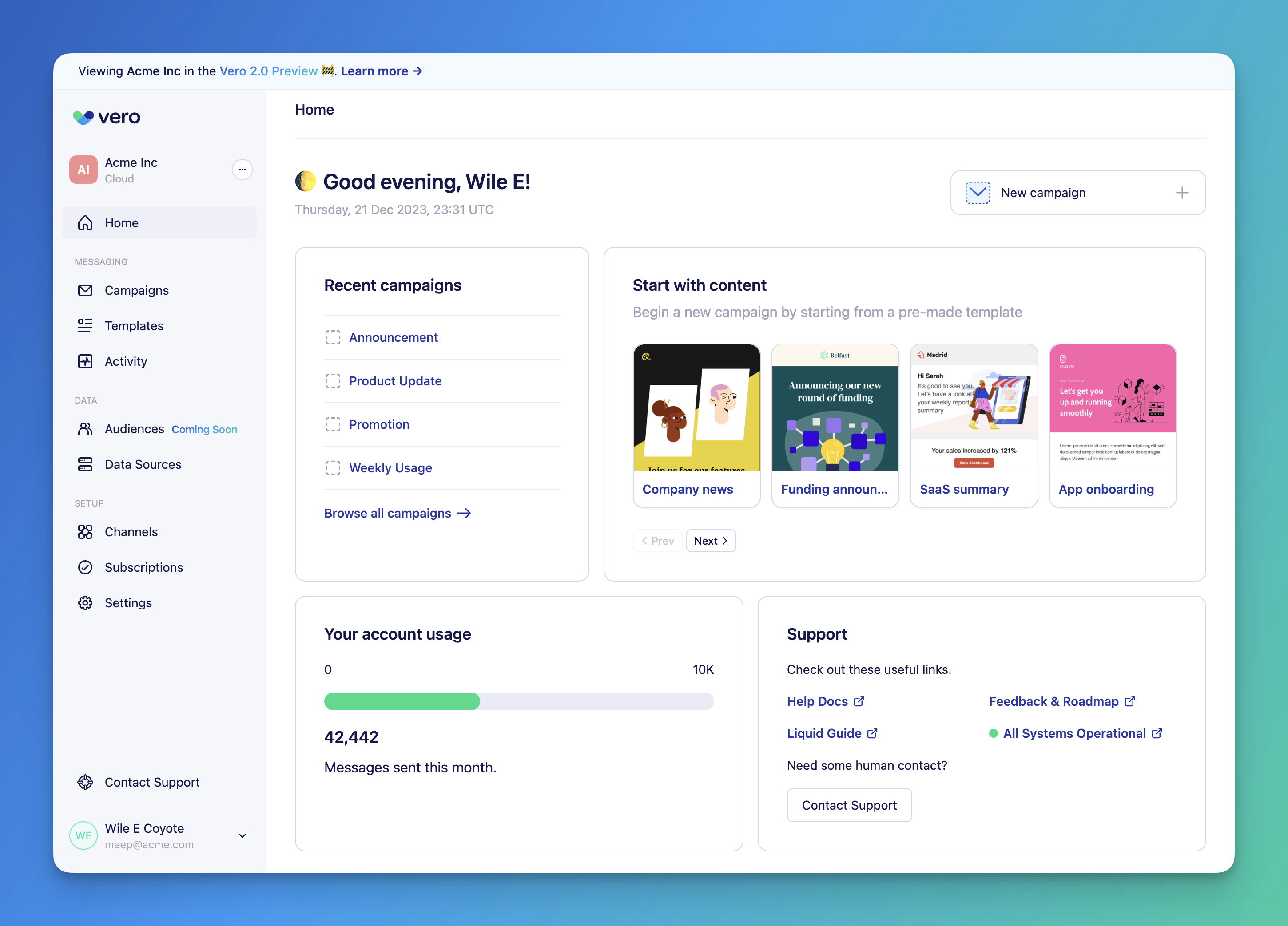
How to switch to and from Vero 2.0
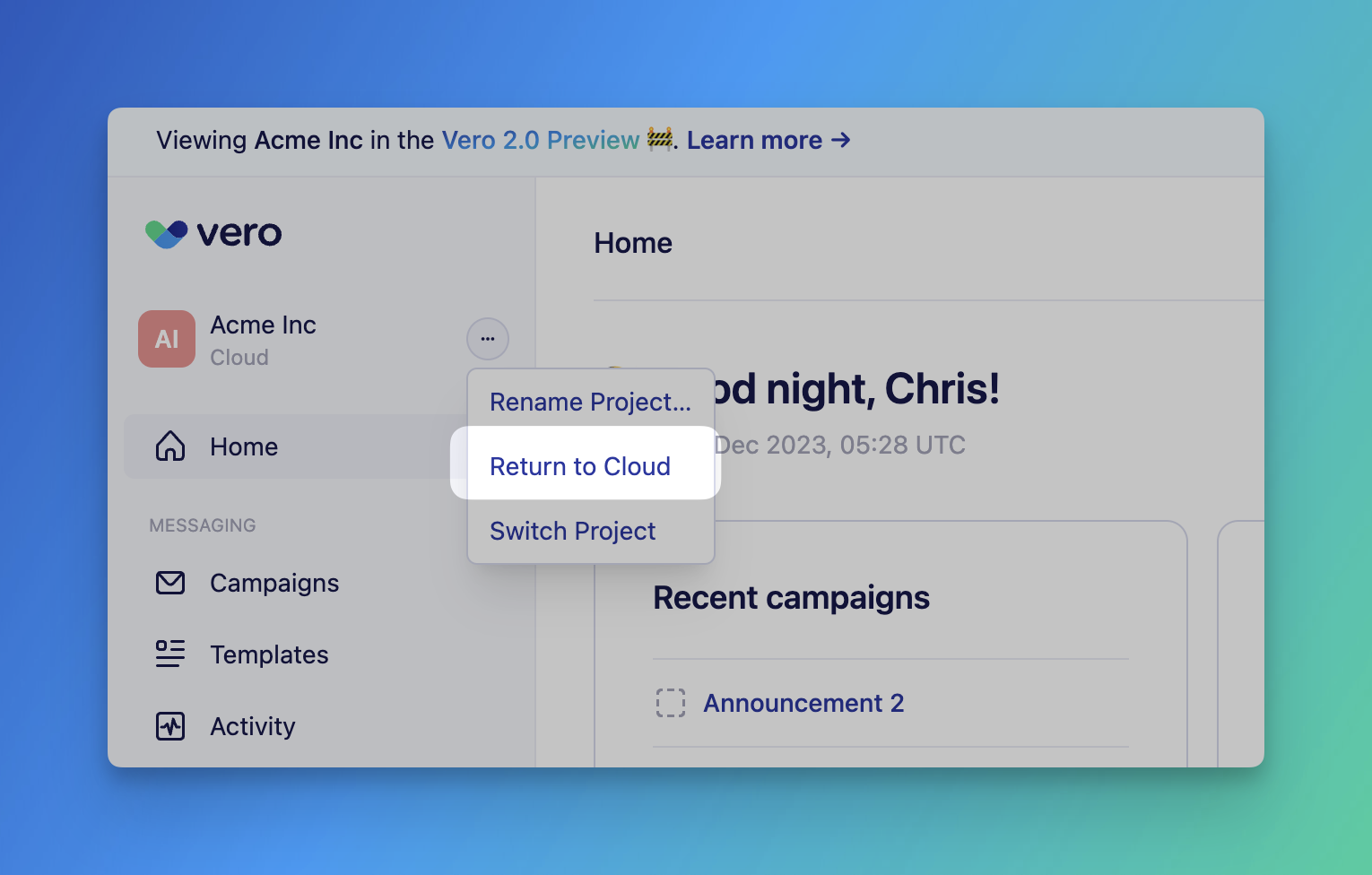
Switching between the Vero Cloud UI you’re familiar with and the new Vero 2.0 interface is easy. Open your Vero Cloud account, go to the “Project” menu, and select “Open in Vero 2.0 Preview.”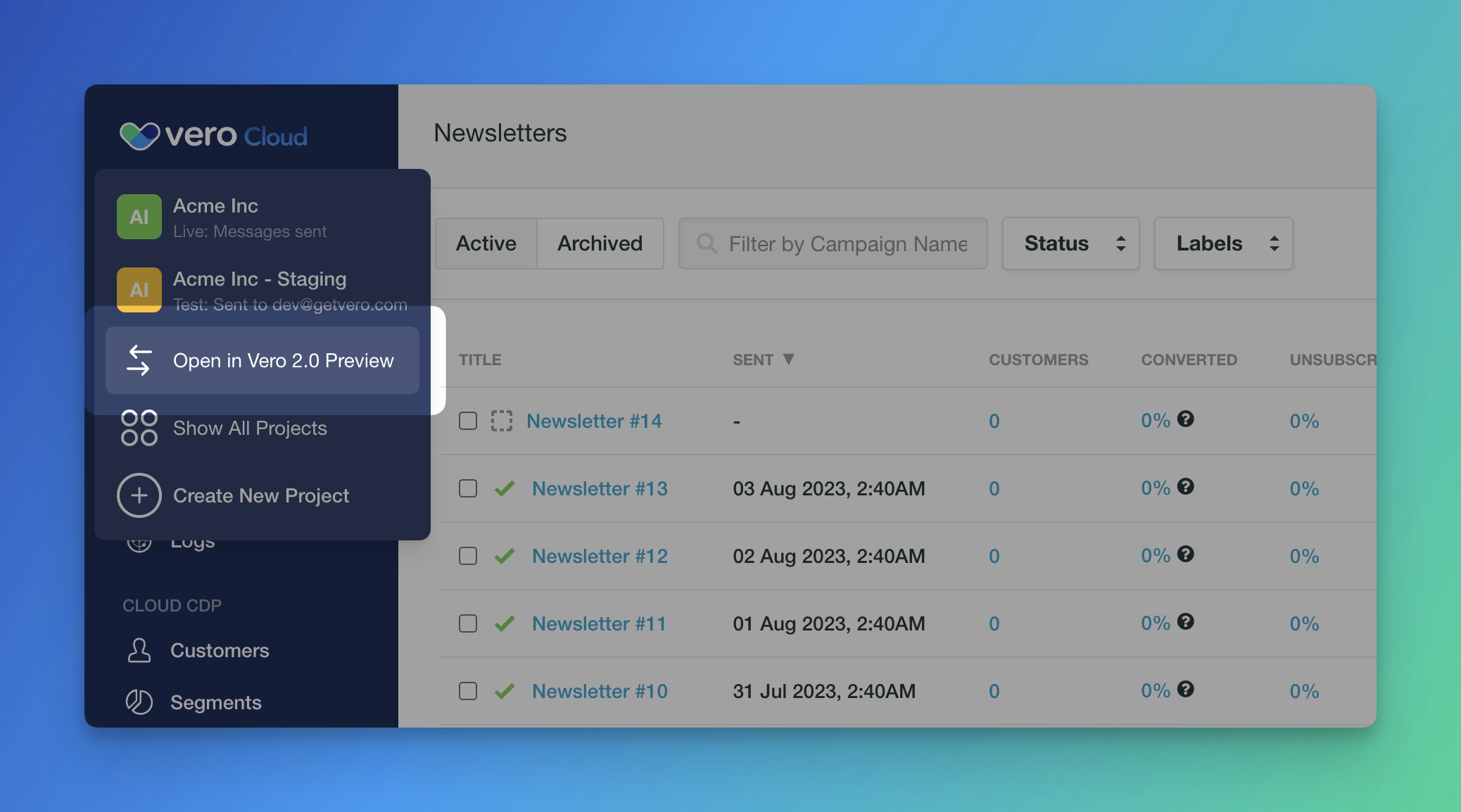
What you can do in Vero 2.0
The new experience is deliberately familiar in lots of ways. We are taking the best of Vero and improving upon it. On top of this, the new UI brings several powerful new features, including:Load audiences from your data warehouse
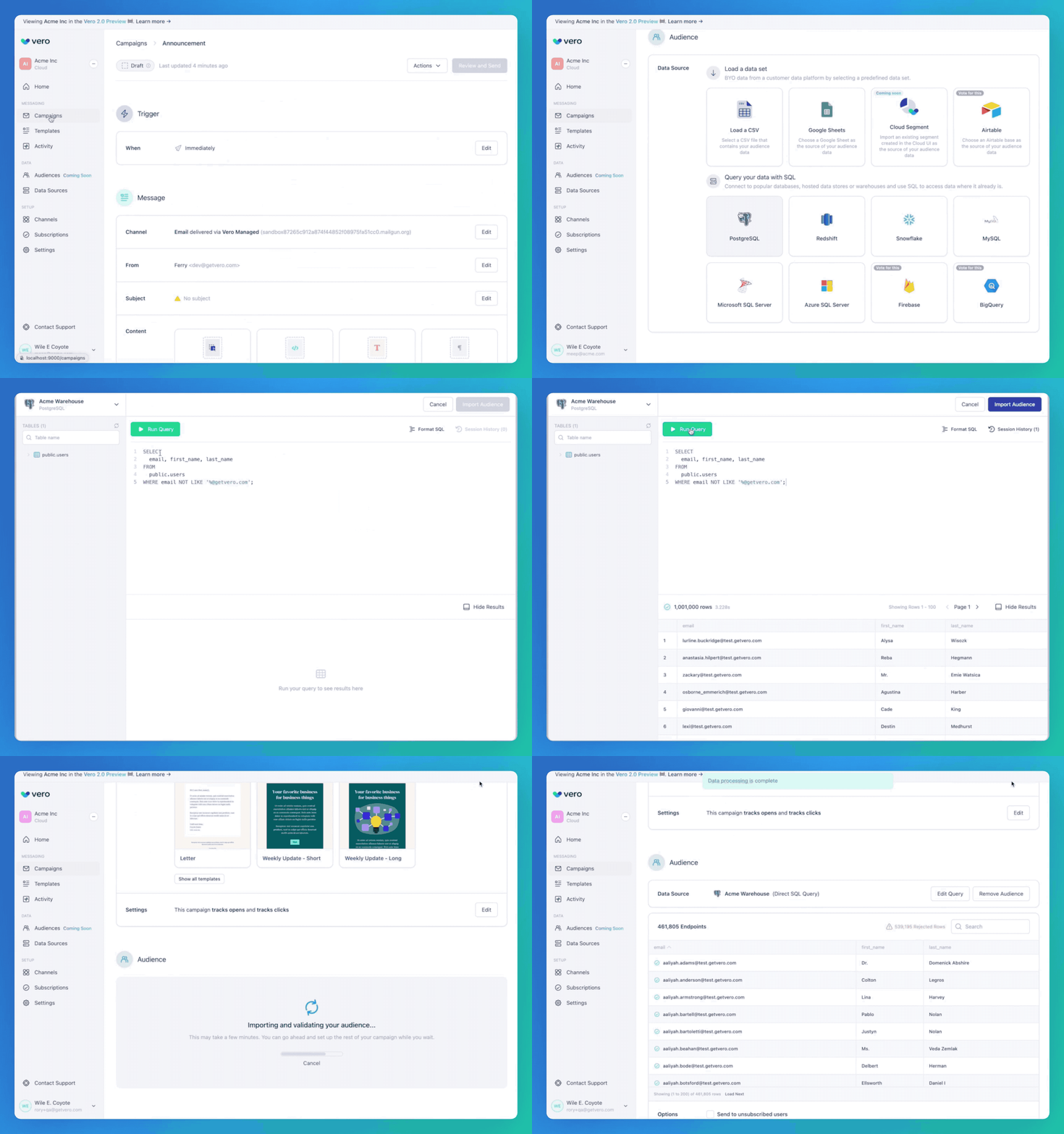
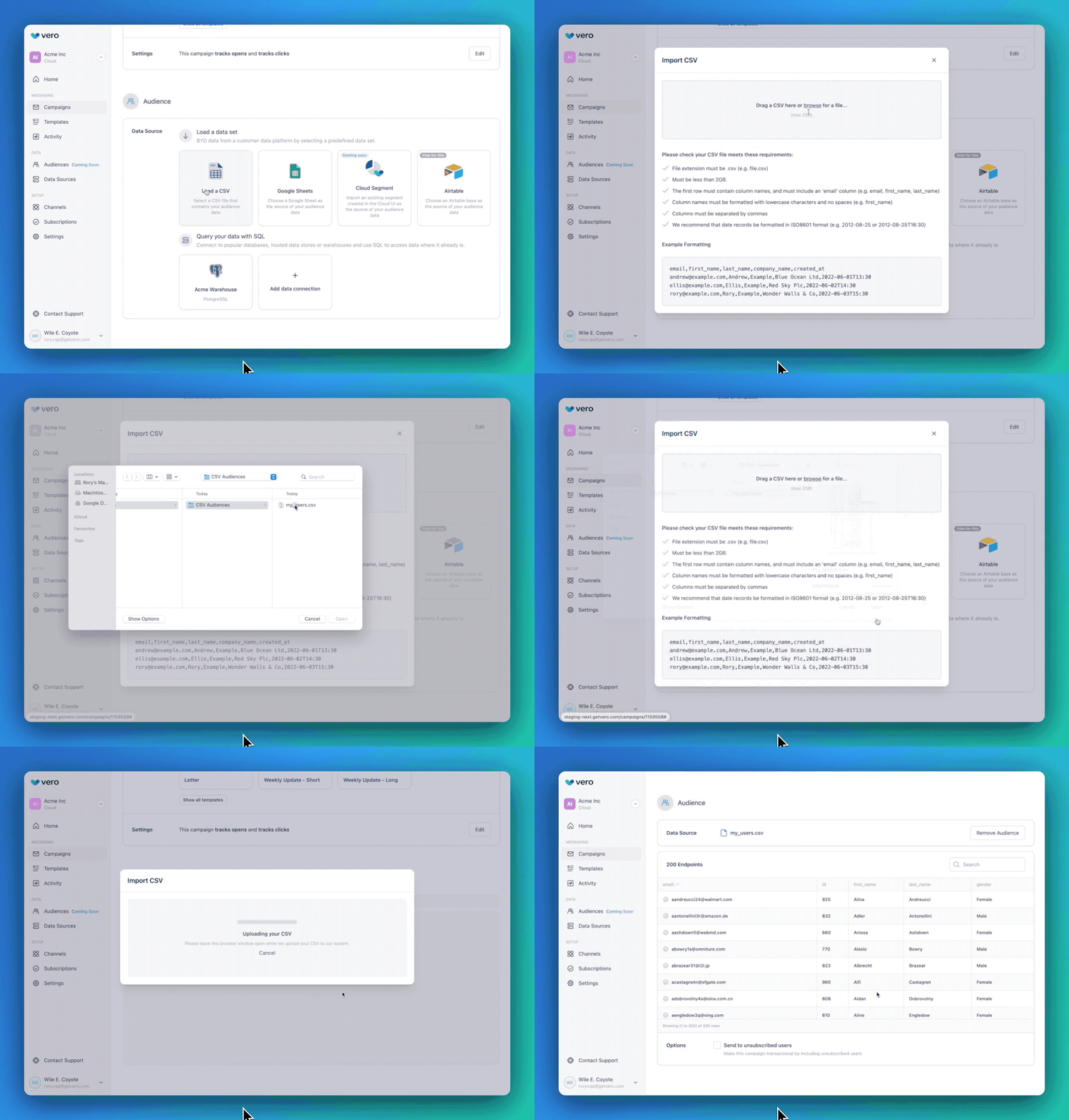
Directly import CSV audiences
SMS (beta)
Campaigns in the new Vero 2.0 UI now support SMS. This feature is currently in private beta. Please reach out if you’d like access. We’ve partnered with CPaaS platforms like Twilio to deliver a robust SMS platform to our global customer-base. We’ll be sharing more about SMS soon. …and there’s a lot more to come!Feature comparison
We’re adding new features all-the-time and our goal is that, in the not-too-distant future, all customers will spend all of their time in the Vero 2.0 UI. In the interim, here’s a breakdown of each core Vero Cloud (Vero 1.0) feature and what is currently support in the new Vero 2.0 UI.- Home. New in Vero 2.0.
- Campaigns.
- One-off and scheduled triggers. Replaces “Newsletters” in Vero Cloud.
- Recurring triggers.
- Event triggers. Not supported in Vero 2.0 at this time. Coming soon.
- Templates. Fully backwards compatible except for
vero-editabletemplates.- Drag-and-drop, HTML, plain text templates. Can be in Vero 2.0 or Vero Cloud can be edited in either UI.
vero -editabletemplates. Not supported in Vero 2.0. Editing avero-editabletemplate in Vero 2.0 will convert it to a HTML template.
- Activity. Previously known as “Logs”.
- Message-related activity. Vero 2.0 supports all message-related activity, e.g. sent, delivered, opened, clicked logs.
- Event-related activity. Vero 2.0 does not yet support event-related activity, i.e. customer events you’re tracking.
- Audiences. Not supported in Vero 2.0 at this time. Coming soon.
- Data Sources. New in Vero 2.0.
- Channels. Replaces the “Email Providers” and “Push Providers” menus in the Vero Cloud “Settings” UI.
- Subscriptions. Replaces the “Customers” menu.
- Customer profiles. Fully backwards compatible. All customer records visible in Vero Cloud are visible in Vero Connect.
- Customer “properties”. Not supported in Vero 2.0 at this time.
- Customer “events”. Not supported in Vero 2.0 at this time.
- Settings. Backwards compatible. Settings that are available in Vero 2.0 are all backwards compatible. More settings are being added.
Understanding customer profile stitching
How Vero Cloud stores customer data
In Vero Cloud, customer records are stored in Vero’s internal database. Whenever you add a customer record you can also add:- Properties. Attributes such as
first_name,last_name, etc. added to the customer profile. - Events. Data tracking what users did and when they did it as
Signed up,Attended webinar, etc.
email and/or id field. The id must be a unique value representing that customer and can be the email value.
When adding data about a customer in the future, using this id or email enables you to append data without creating new, duplicate customer records. This is called “identity stitching”.
Vero will also use this id and email to correctly “stitch” together all message delivery logs (sent, delivered, opened, clicked, etc.)
Vero 2.0 external audiences feature
The Vero 2.0 UI includes several new features. An exciting new feature is the ability to connect to external data sources such as AWS Redshift, Google BigQuery, Snowflake and beyond. When loading an audience from any of these external data sources, you manually import the fields you want. You must import both anid and an email field when importing an audience (the UI will not let you import and audience without these).
When using external audiences customer attributes are not stored in Vero’s internal database. The only data stored in Vero’s internal database is:
- The
idandemailvalues. - Message delivery logs (sent, delivered, opened, clicked, etc.)
How data is stitched between the two UIs
Whilst the new Vero 2.0 UI doesn’t (yet) support viewing or updating customer properties and events (via the API or CSV) it does support viewing:- Subscription status (subscribed/unsubscribed). The Vero 2.0 UI will show these for all customer records , regardless of whether they were created in Vero 2.0 or Vero Cloud.
- Message send logs (sent, delivered, opened, clicked, etc.). The Vero 2.0 UI will show these logs for campaigns sent with the Vero 2.0 UI (at this time).
id field. This id field is used to find and stitch records based on
An example, for clarity
Imagine you’ve previously added two customer records using the Vero Cloud UI (added via API or CSV):id:a@yourdomain.com,email:a@yourdomain.comid:1234,email:b@yourdomain.comid:5678,email:c@yourdomain.com
id:1234,email:d@yourdomain.comid:9012,email:a@yourdomain.comid:c@yourdomain.com,email:c@yourdomain.com
- #4 will be stitched to #2. The
emailis not updated and will remain asb@yourdomain.com. - #5 will create a new record.
- #6 will create a new record. It will not stitch to #3, even though the
emailvalues are the same.