

Webhook Types
Vero provides webhooks for the following events:- Sent (email has been sent by Vero)
- Delivered (email has been delivered to the recipient email server)
- Opened
- Clicked
- Failed
- Bounced (hard and soft)
- Converted
- Unsubscribed
- Resubscribed
- User created
- User updated
- Complained
Webhook Setup
All of Vero’s webhooks are sent to a single notification address. To enable the webhooks, go to Settings > Integrations > Webhooks and enter the URL at which you wish to receive the webhooks.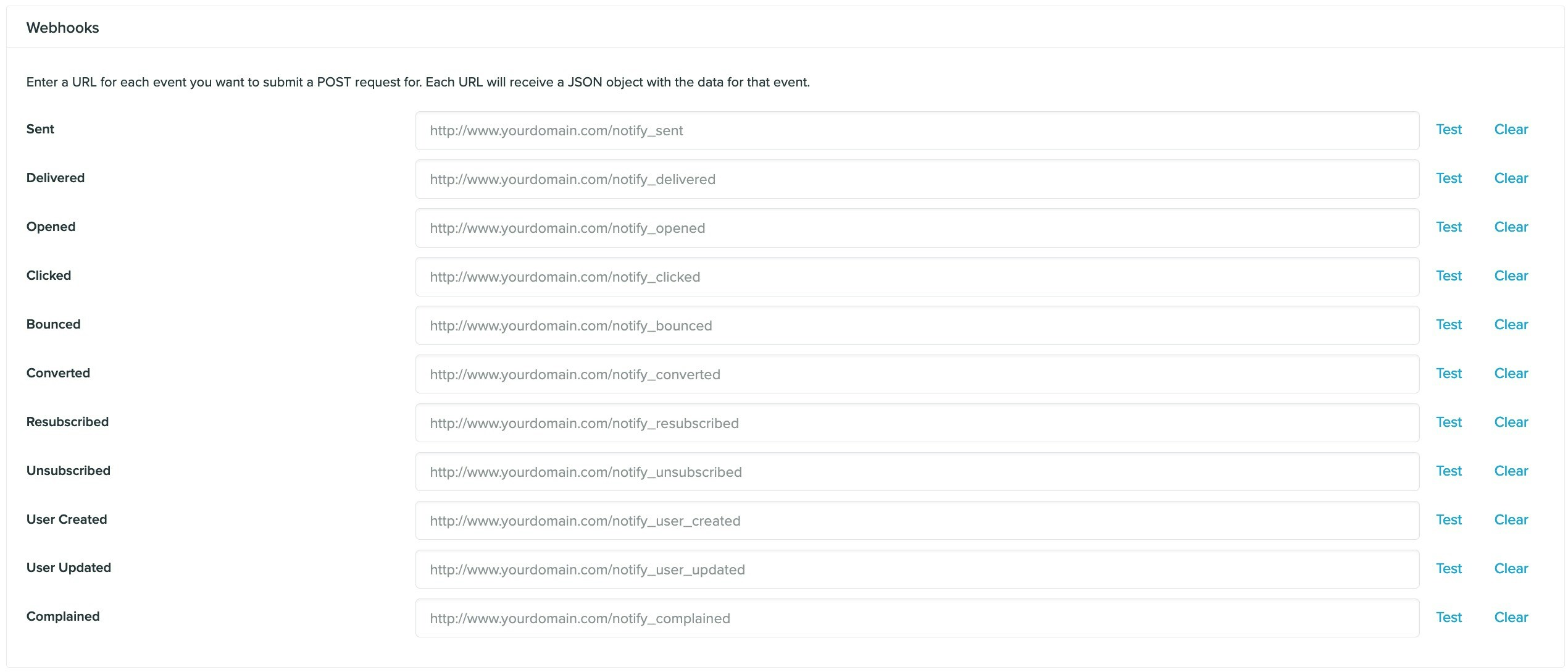
Webhook format
Webhooks structure for email events
The follow list outlines each of thetype values:
sent– When an email has been sent by Verodelivered– When an email has been delivered to the ISP serveropened– When a customer has opened an emailclicked– When a customer has clicked an emailfailed- When an email could not send due to an error (such as a bad Fusion response)bounced– When an email has not been delivered to the ISP serverconverted– When a customer has converted on an email campaignresubscribed– When a customer has resubscribedunsubscribed– When a customer has unsubscribedcomplained– When a customer complains through their email client
- The
trigger-eventvalue will be present for Transactional and Behavioral campaigns and represents the event that triggered the campaign.